
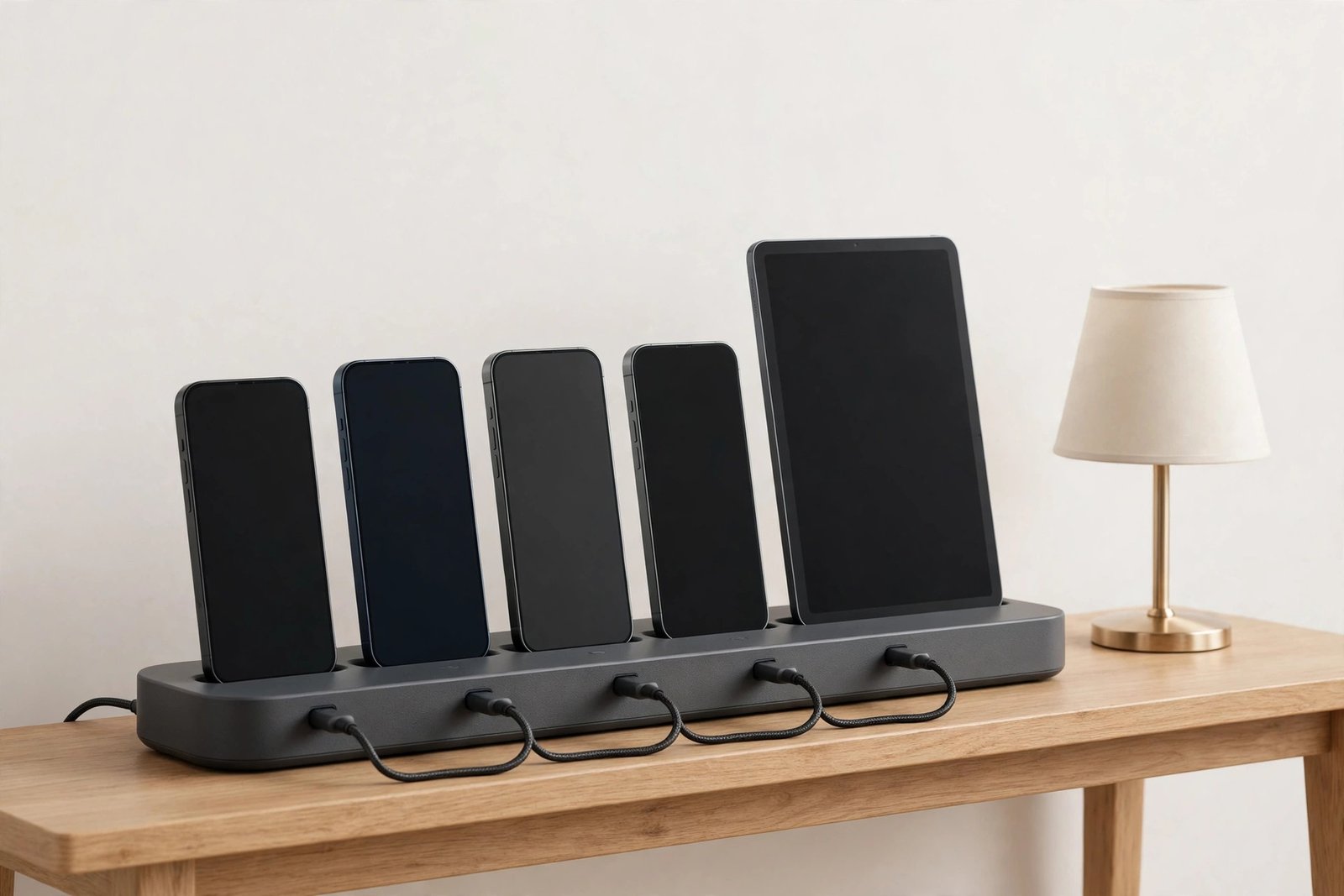
Best Charging Gadgets for Large Families with Many Devices at Home: 12 Picks to End the Nightly Charging Scramble
Affiliate Disclosure: As an Amazon Associate, we earn from qualifying purchases made through links on this page, at no extra cost to you. This helps support our work and keeps our guides free to read.
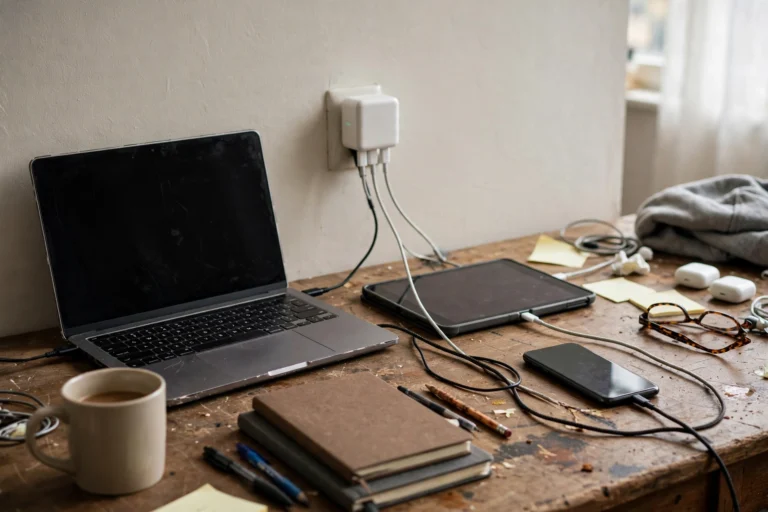
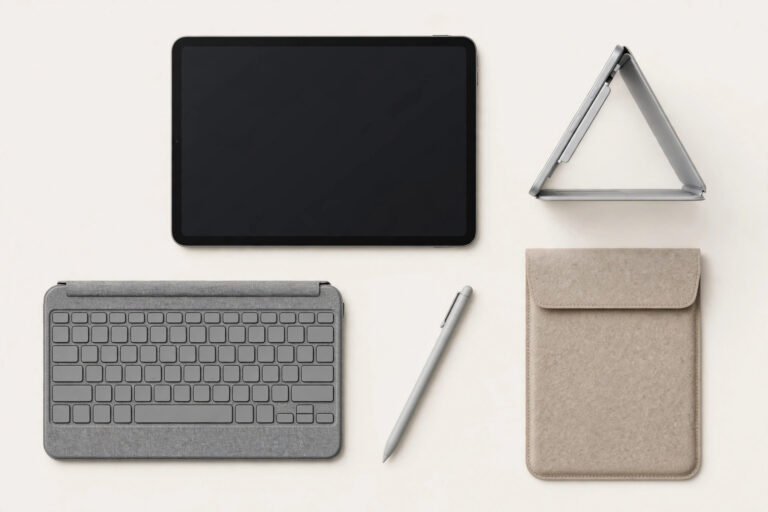
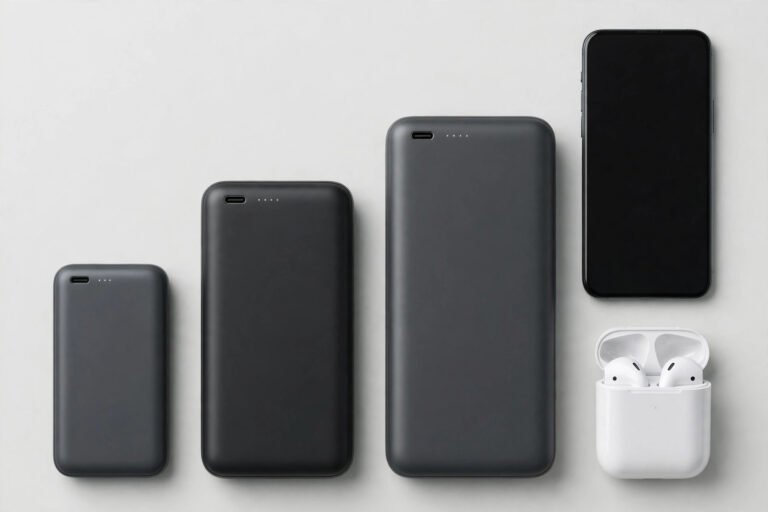
A quick note on prices: prices change often, so we never quote a fixed price here. Please check the latest price on Amazon before you buy, using the yellow buttons in this guide. The product pictures in this article are original illustrations created for this guide, not manufacturer photos.
In a busy family home, the evening charging scramble is a ritual nobody enjoys. Phones queue for the one good socket, tablets hide under sofas still plugged in, and somebody’s earbuds are always at four percent. That is exactly the problem the best charging gadgets for large families with many devices at home are built to solve: one calm corner where everything charges, instead of a cable war in every room. A proper family charging station turns that nightly hunt into a simple habit — drop the device, dock it, done.
A good family setup has three layers. The home base is a multi device charging station in the hallway or kitchen, where phones and tablets sleep at night. Around it sit small satellites — a fast charger in the lounge, a dock on a nightstand — plus a cable or two in the car and the school bags. None of it needs to be expensive or complicated; it needs to be in the right place, with the right connector free, every single evening.
We picked these twelve with real family friction in mind: the socket shortage behind the TV, the tablet that lives on five percent, the remote that dies mid-film. Every pick below earns its place by removing one of those frictions, and several work as a charging station for multiple devices on their own — a strip here, a pad there — so you can build the system in stages rather than buying everything at once. Start where your own evenings hurt most, and the rest of the system can follow one payday at a time.
One caution before the list: charging this many devices in one place is an electrical habit, not just a tidy one. Buy chargers and strips with recognised safety certification, never overload a socket or chain power strips together, and give any usb charging station for home the ventilation space its chargers need instead of sealing it in a drawer. With those basics covered, the gadgets below — plus a simple plan to organize charging cables at home — will quietly end the nightly scramble.
How We Chose
We compared charging gadgets against one practical test: could this end a real family’s nightly charging scramble, stay safe doing it every day, and still be earning its place after a year of school runs, film nights and forgotten cables? We favoured honest capacity — enough ports, enough watts, enough physical room — over headline numbers that melt away the moment the whole family plugs in at once.
Details mattered as much as power. We looked for recognised safety certification, dividers and shelves that fit devices in their cases, cables that reach without trailing across walkways, and chargers that run cool rather than hot under load. We also read owner feedback for the usual failure points — pads that misalign, cable reels that jam, bricks that whine — and dropped the types where those complaints kept repeating.
Safety shaped the shortlist as much as convenience did. Everything in this guide is designed to run unattended in a family home, often overnight, so we favoured certified chargers, sensible heat management and honest power ratings over the cheapest possible version of each gadget. A charging corner the family trusts is one they will actually use every night.
Quick List
- 10-Port USB Charging Station with Dividers — one home base that charges ten devices in neat slots.
- High-Wattage Multi-Port GaN Charger — one compact brick with enough power for laptops and phones together.
- 3-in-1 Wireless Charging Dock for Phone, Watch and Earbuds — the bedside trio dock for one person’s daily carry.
- Cable Management Box for the Charging Corner — hides the power strip and the cable spaghetti.
- Retractable 3-in-1 Charging Cables (Multi-Pack) — one cable for every connector, that winds itself away.
- Smart Power Strip with USB Ports and Surge Protection — more sockets, USB built in, and protection for the lot.
- Rechargeable AA and AAA Battery Charging Station — ends the drawer of dead batteries for remotes and toys.
- Dual Wireless Charging Pad for Two Phones — two phones side by side, no cables to fight over.
- USB-C Fast Charger Multi-Pack for Every Room — a proper fast charger in every room, not one shared brick.
- Charging Station Night Light Combo for Hallways — gentle light plus USB charging for the hallway drop zone.
- Wall-Mounted Charging Shelf with Cable Hooks — devices charge on the wall, off the counter.
- Portable Power Bank Family Pack (2 Large Banks) — two big banks for trips, outages and sofa charging.
1. 10-Port USB Charging Station with Dividers
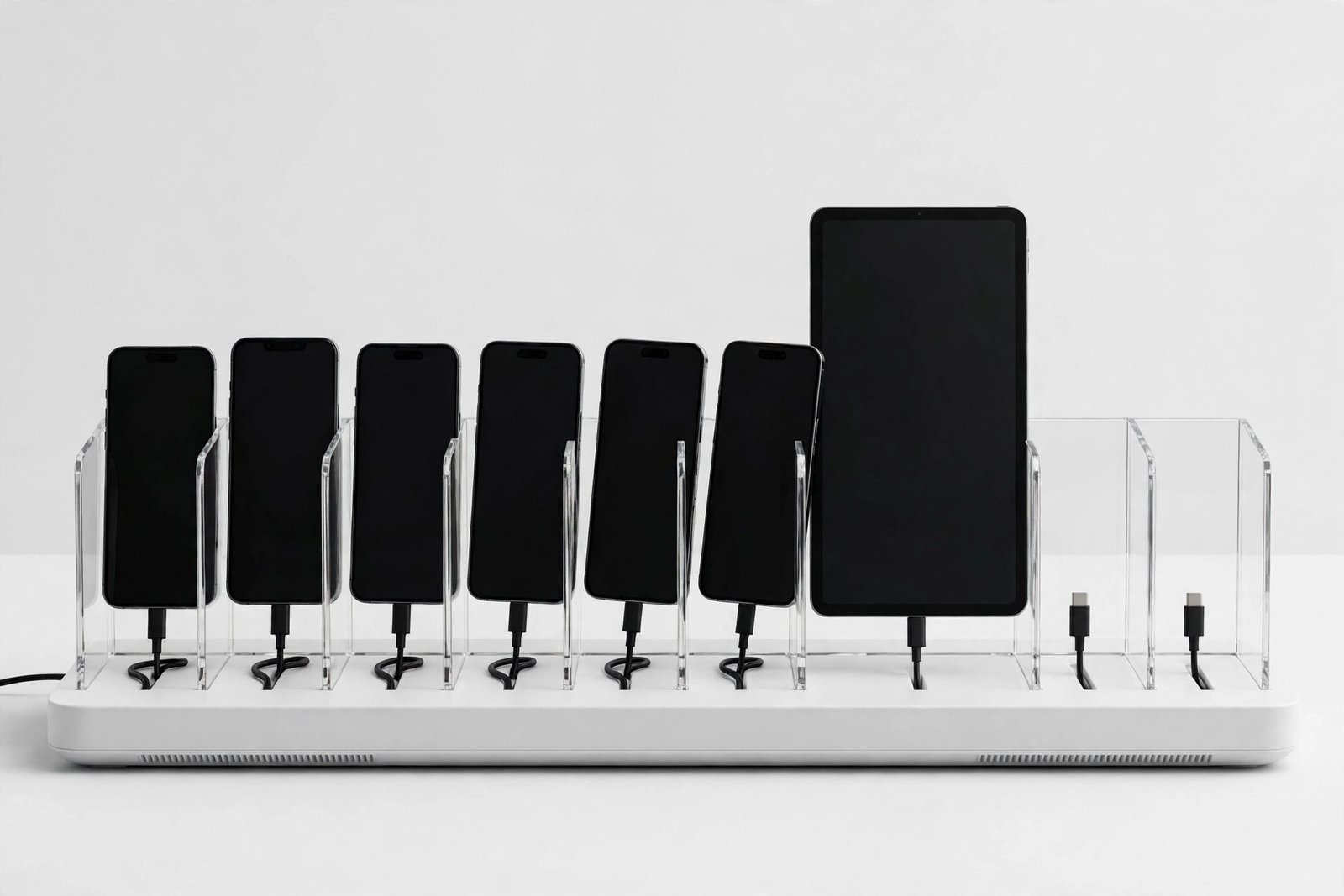
If the family agrees on one charging home base, this is the shape it should take. A 10-Port USB Charging Station with Dividers gives every phone and tablet its own slot, with short cables instead of a bird’s nest, so ten devices can charge side by side without a single argument about whose cable is whose. It is the classic family charging station: everything in one place, everything upright, everything findable in the morning.
Look for dividers wide enough for phones in chunky cases, and check the total output — ten ports sharing a small power budget will charge slowly when every slot is full. Short cables, around a hand’s length, are the secret: they reach the slot and no further, so nothing trails. Put the station where devices naturally land, such as a hallway console or kitchen counter, and leave ventilation space around it rather than burying it under paperwork and post. Give each child a slot that is theirs, and the morning question — is my phone charged? — answers itself.
Pros
- 👍 Ten devices charge in one tidy footprint
- 👍 Dividers stop phones sliding and tangling
- 👍 Short cables end the counter spaghetti
- 👍 One socket powers the whole family’s phones
Cons
- 👎 Total output is shared when all ports are full
- 👎 Tablets and laptops may charge slowly
- 👎 Needs short cables, which are rarely included
Best for: the main family charging home base in a hallway or kitchen.
Check Price And User Reviews on Amazon
2. High-Wattage Multi-Port GaN Charger
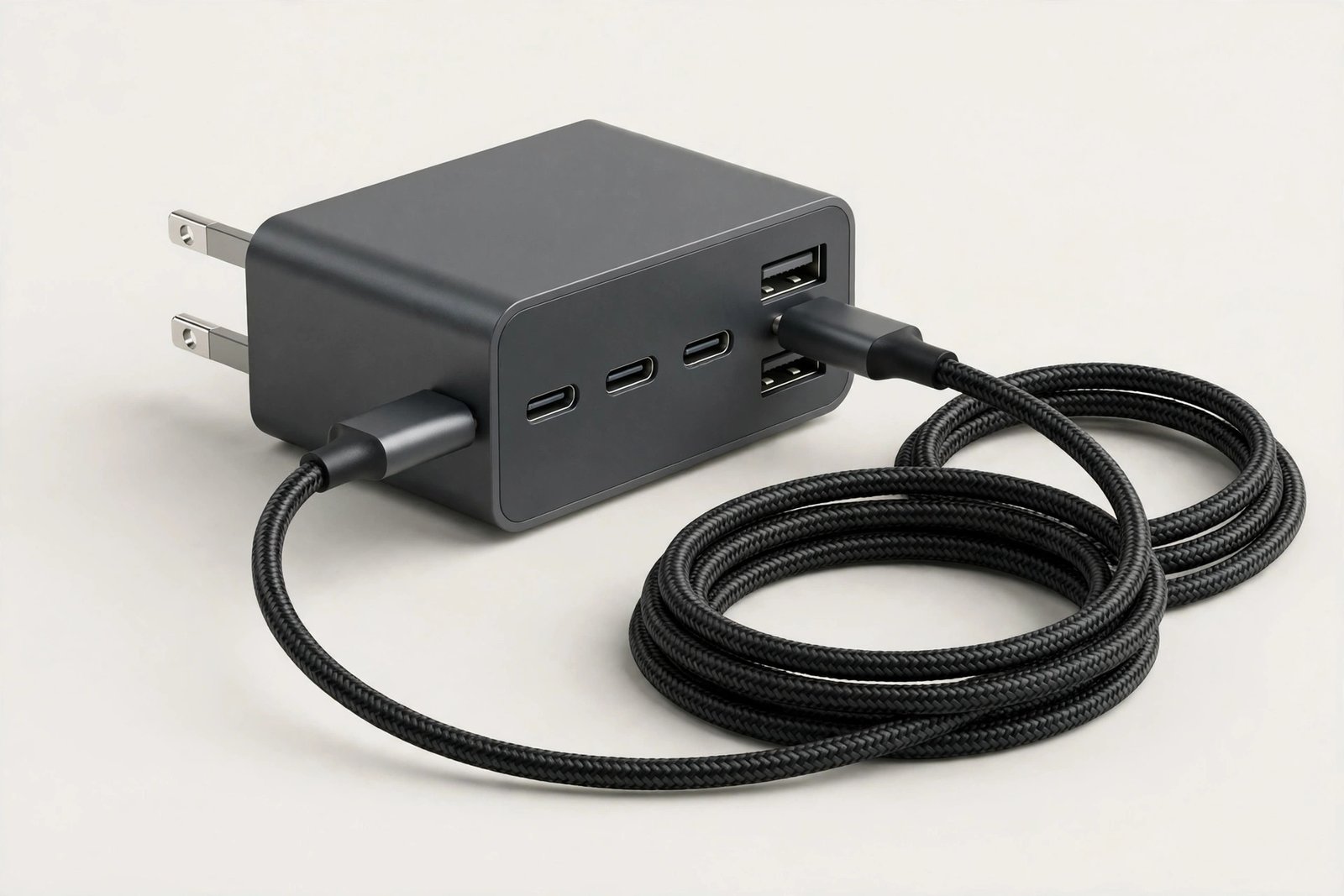
Phones are easy; laptops, tablets and handheld consoles are what overwhelm a family home. A High-Wattage Multi-Port GaN Charger packs the power of several bricks into one compact plug, using GaN components that run smaller and cooler than old silicon chargers. As a multi device charging station for the big screens, it can fast-charge a laptop and two phones at the same time from a single socket.
Check the wattage split, not just the headline number: a high-wattage charger might give a laptop its full speed only while a second port sits empty, and share the rest once everything is plugged in. Prioritise USB-C ports with power delivery for laptops and tablets, and keep one USB-A port for older gadgets. Buy certified models from reputable sellers — high-wattage charging done badly is a safety issue, not a bargain.
Pros
- 👍 Replaces three or four separate bricks
- 👍 Fast-charges a laptop plus phones together
- 👍 GaN design runs cooler and travels well
- 👍 One socket, many devices
Cons
- 👎 Wattage is shared between the ports
- 👎 Can get warm at full load
- 👎 Overkill for phone-only households
Best for: families whose charging pile includes laptops, tablets and consoles, not just phones.
Check Price And User Reviews on Amazon
3. 3-in-1 Wireless Charging Dock for Phone, Watch and Earbuds

Not every charging spot serves the whole family — some serve one person’s daily carry. A 3-in-1 Wireless Charging Dock for Phone, Watch and Earbuds gives a parent a bedside base where the three things they wear and carry charge together overnight. It is a personal charging station for multiple devices: drop the phone, drop the watch, drop the buds, and everything is full by morning.
Alignment is everything with wireless charging, so look for magnetic alignment for the phone and a watch puck that holds the watch at a viewable angle for the clock display. Cases thicker than a few millimetres can block charging, so check case compatibility before buying. Wireless is slower than a cable, but overnight that hardly matters — convenience wins when the alternative is three cables sliding off the nightstand onto the floor. A second dock in a guest room is a thoughtful touch too: visitors get the same drop-and-charge simplicity, and their cables stay out of your kitchen drawers.
Pros
- 👍 One dock replaces three bedside cables
- 👍 Magnetic alignment makes docking foolproof
- 👍 Everything charged and together by morning
- 👍 Tidy enough for a nightstand
Cons
- 👎 Slower than wired fast charging
- 👎 Thick cases can block the charge
- 👎 Watch charger usually fits one watch type
Best for: a parent’s bedside — one dock for phone, watch and earbuds.
Check Price And User Reviews on Amazon
4. Cable Management Box for the Charging Corner
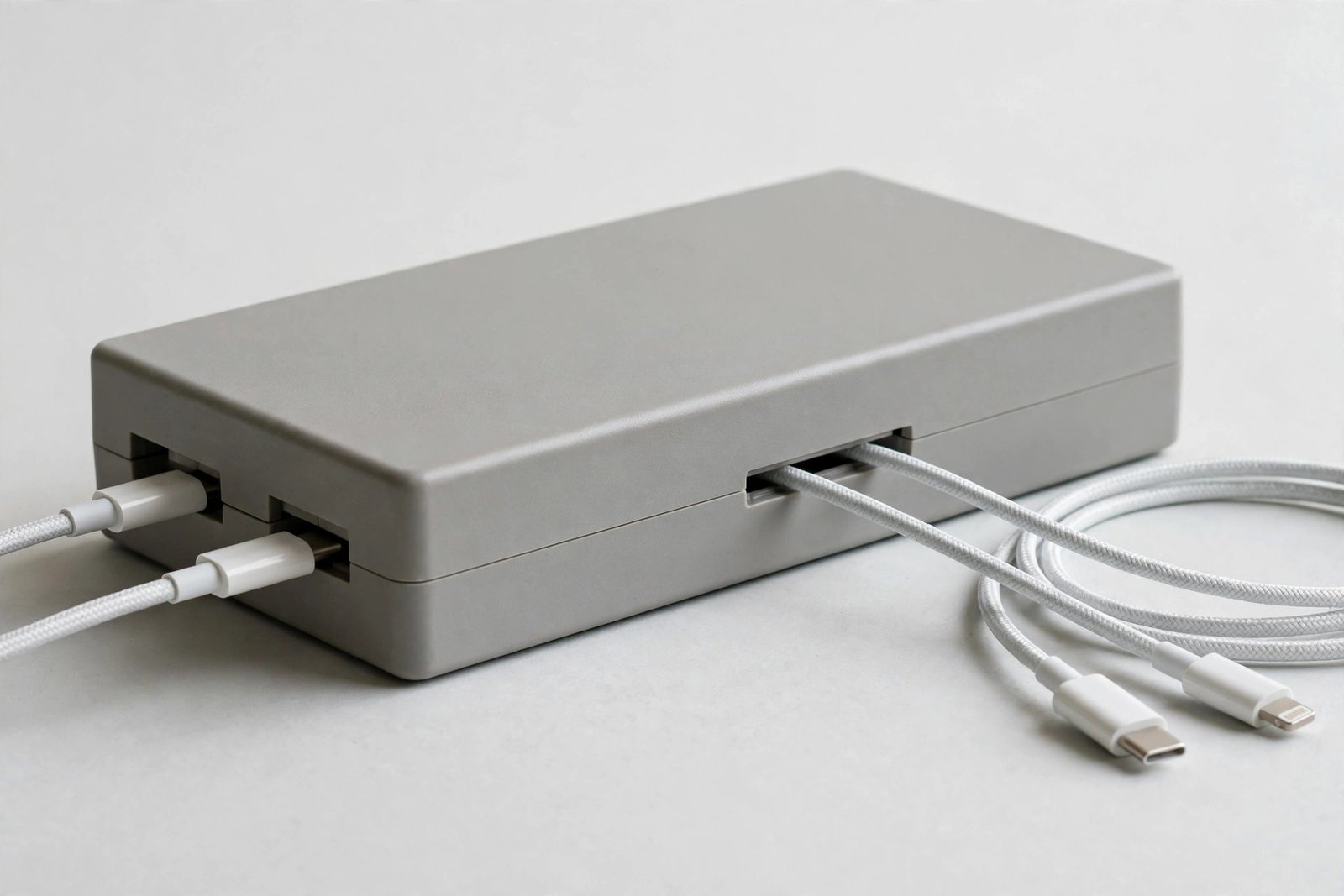
The neatest charging corner still hides an ugly secret: the power strip and its tangle of adapters behind the furniture. A Cable Management Box for the Charging Corner swallows the whole strip, the bricks and the spare cable loops into one tidy box, with slots for cables to exit where they are needed. It is the simplest way to organize charging cables at home without rewiring anything — and it makes the family charging station look as calm as it works.
Size the box to your strip with room to spare: chargers need air around them, so never pack bricks in tightly or run a fully loaded strip inside a sealed box on a hot day. Choose a box with ventilation slots, keep it off thick carpet, and pick a lid that lifts easily — a box that fights you will end up sitting open forever, with cables escaping anyway. Out of sight should never mean out of ventilation.
Pros
- 👍 Hides the strip, bricks and cable mess
- 👍 Makes the charging corner look instantly tidy
- 👍 Keeps cables away from toddlers and pets
- 👍 No tools or rewiring needed
Cons
- 👎 Needs ventilation — don’t pack chargers tightly
- 👎 Big strips need the largest box size
- 👎 Lid must come off to change anything
Best for: tidying the main charging corner and keeping cables out of sight and out of reach.
Check Price And User Reviews on Amazon
5. Retractable 3-in-1 Charging Cables (Multi-Pack)
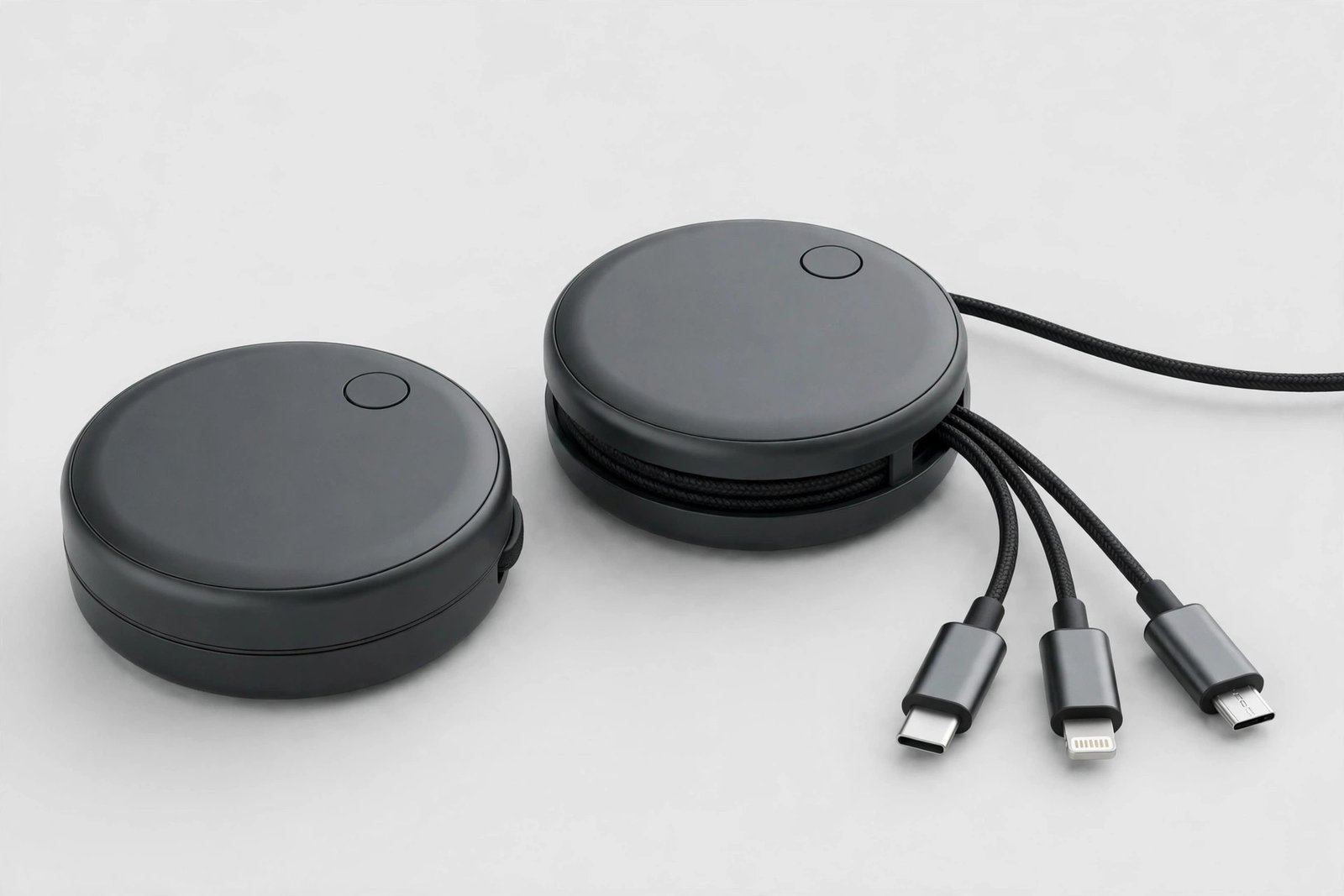
Every family drawer holds the same mystery: nine cables, none of them the right one. Retractable 3-in-1 Charging Cables solve it with one reel carrying USB-C, Lightning and micro-USB tips, extending when you need it and winding itself away afterwards. A multi-pack means one lives at the charging station, one in the car and one in a school bag — a cheap way to organize charging cables at home and everywhere else the family goes. They also end the borrowed-cable problem — when every bag and drawer holds the same do-everything cable, nobody needs to unplug the main station just to charge a phone in the car.
Check the fast-charge rating before buying: many 3-in-1 cables top out at modest speeds, fine for phones and earbuds but slow for tablets and laptops. The retractor mechanism is the weak point on cheap versions, so look for a reel with several stop lengths and a reinforced neck where the cable meets the tips. Treat them as everyday cables rather than heirlooms, and the multi-pack keeps a spare ready for the day one retires.
Pros
- 👍 One cable covers every connector type
- 👍 Retracts, so no tangles in drawers or bags
- 👍 Multi-pack covers home, car and school bags
- 👍 Great for guests with any phone
Cons
- 👎 Fast-charge speeds are usually modest
- 👎 Retractor can wear out over time
- 👎 Too short for sofa-to-socket stretches
Best for: mixed-device families and guests — one cable that fits everything.
Check Price And User Reviews on Amazon
6. Smart Power Strip with USB Ports and Surge Protection

Behind many charging corners, the real problem is socket maths: four devices, two sockets. A Smart Power Strip with USB Ports and Surge Protection adds outlets and built-in USB charging in one unit, with app or voice control over individual sockets and surge protection guarding everything plugged into it. It turns a plain wall socket into a charging station for multiple devices, with the television, lamp and router protected on the same strip.
Two safety rules matter here. Never plug one power strip into another, and never exceed the strip’s total rated load — high-draw appliances like kettles, heaters and hair dryers do not belong on the charging strip. Choose a model with a recognised safety certification, a proper surge rating, and individual switches, so idle chargers can be turned off at the strip instead of sipping power and sitting live all day.
Pros
- 👍 More sockets plus USB in one unit
- 👍 Surge protection for everything plugged in
- 👍 Individual switches or smart control per socket
- 👍 Ends the adapter shuffle behind the TV
Cons
- 👎 Must never be daisy-chained with another strip
- 👎 Smart features need Wi-Fi setup
- 👎 Bulky adapters can block neighbouring sockets
Best for: the entertainment corner or home office where sockets run out first.
Check Price And User Reviews on Amazon
7. Rechargeable AA and AAA Battery Charging Station
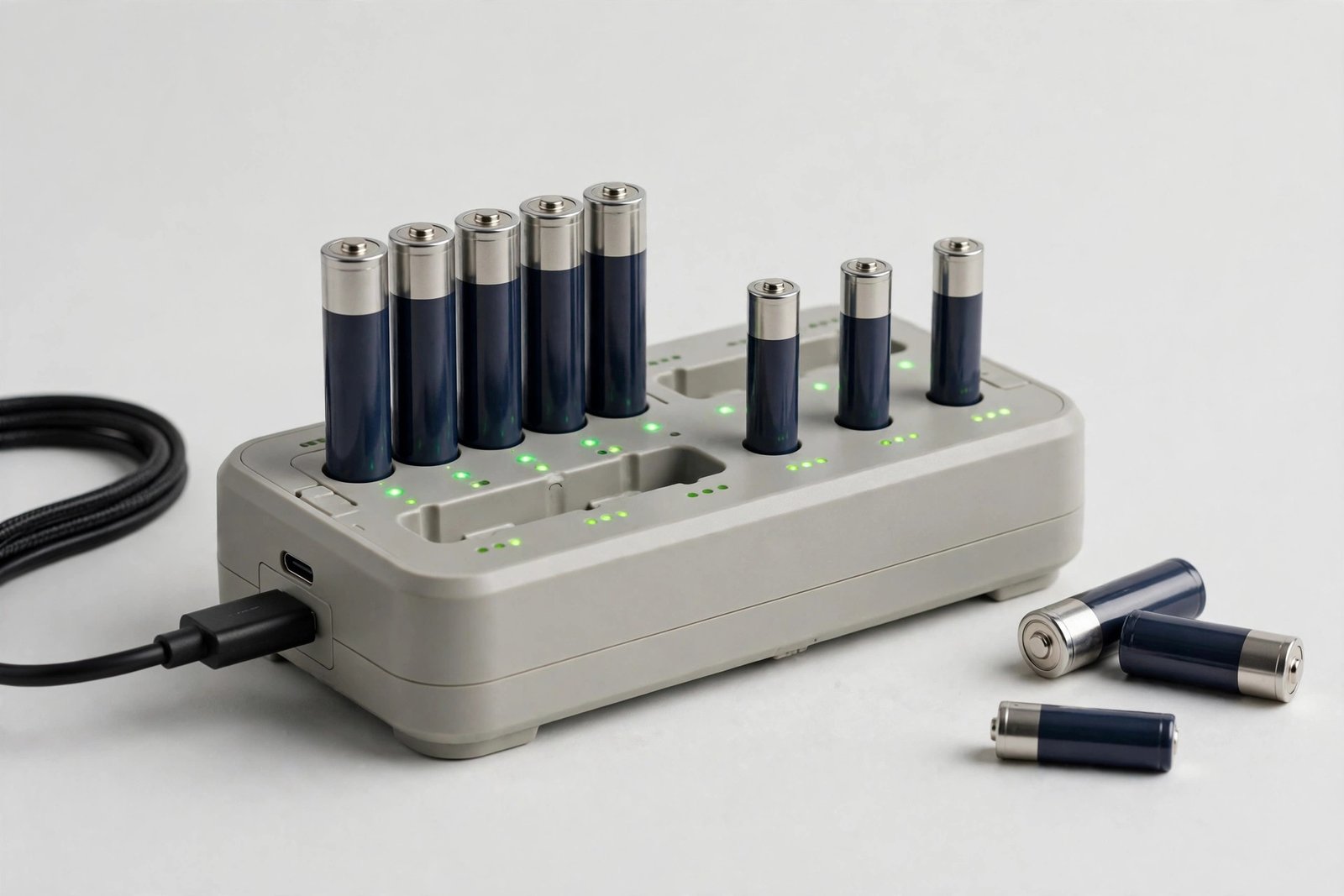
Remotes, game controllers, children’s toys, torches, fairy lights — a large family burns through batteries at a startling rate. A Rechargeable AA and AAA Battery Charging Station keeps a set of rechargeable cells charged, sorted and ready, so “the remote is dead” stops being a weekly event. One set charged in the drawer and one set in the charger means the battery hunt is over for good.
Look for a charger that monitors each cell individually and stops when that cell is full — that protects battery life and avoids overheating tired cells. Label batteries in sets so the same cells charge and discharge together, and keep a small box for spent disposables awaiting recycling. Rechargeables pay for themselves quickly in a toy-heavy house, and the drawer stops filling with half-dead batteries nobody dares to throw away. Keep one charged set labelled for the television remote and another for the games controllers, and the two busiest battery drains in the house simply stop causing arguments.
Pros
- 👍 Ends the dead-remote and dead-toy cycle
- 👍 Charger monitors each cell and stops when full
- 👍 Saves money versus endless disposables
- 👍 Keeps charged spares organised in one place
Cons
- 👎 Upfront cost of charger plus battery sets
- 👎 Rechargeables self-discharge slowly in drawers
- 👎 Needs the family to return batteries to the charger
Best for: toy-heavy, remote-heavy households tired of buying disposable batteries.
Check Price And User Reviews on Amazon
8. Dual Wireless Charging Pad for Two Phones
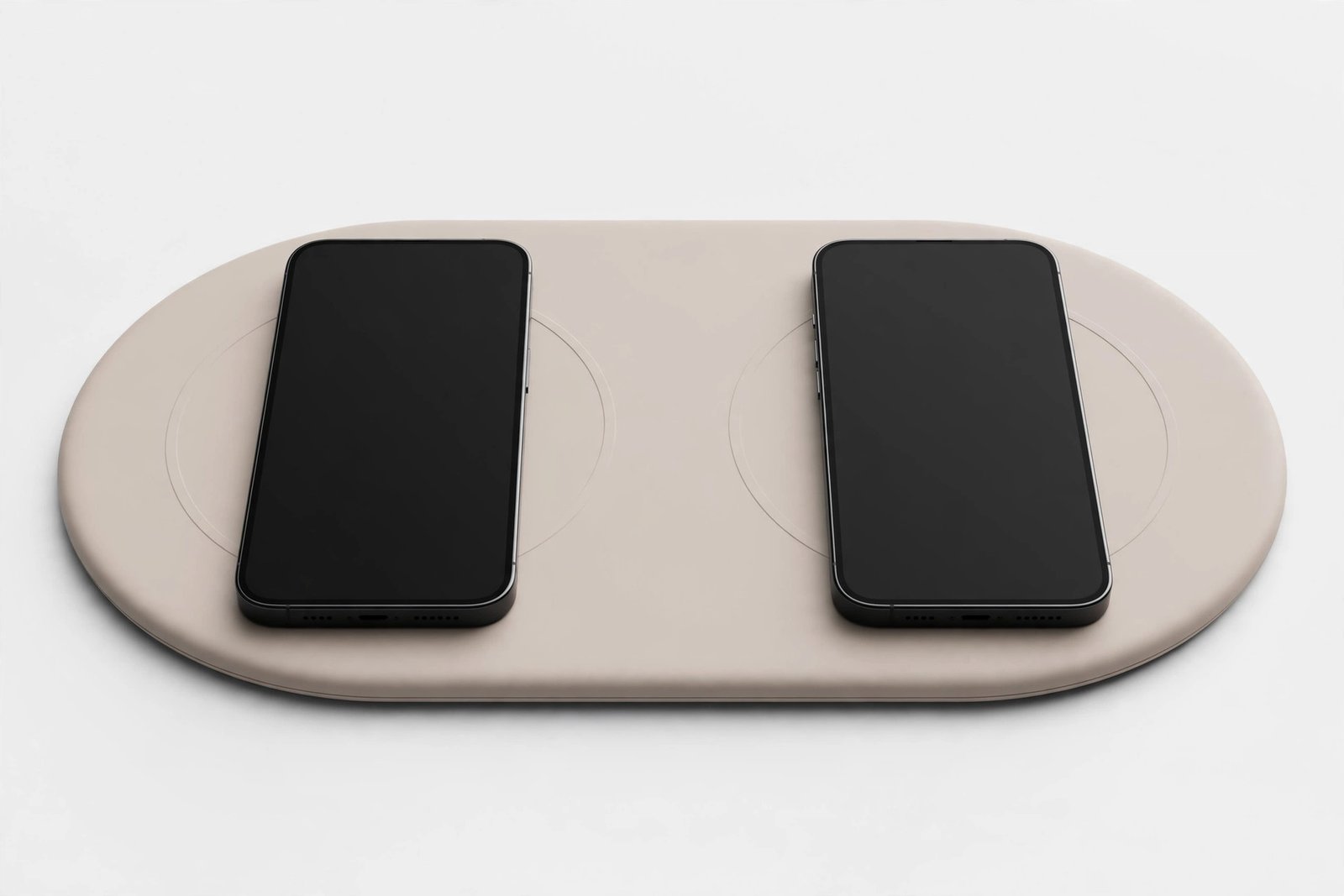
The couple’s version of the charging scramble happens on one nightstand or kitchen counter: two phones, one cable. A Dual Wireless Charging Pad for Two Phones parks both side by side on a single pad, so both charge overnight without a nightly cable negotiation. It works as a shared multi device charging station for the two phones that matter most, and a guest’s phone is welcome on it too.
Check the output per side — some pads share a modest total between both sides, which is fine overnight but slow for a quick top-up. A pad with a grippy surface and clearly marked charging zones saves the “it was not actually charging” morning disaster. Metal plates, card wallets and thick rugged cases can block wireless charging, so your family’s phone-case habits will decide whether a pad suits the household.
Pros
- 👍 Two phones charge side by side
- 👍 No cables to borrow, lose or fight over
- 👍 Simple drop-and-go for overnight charging
- 👍 Guest-friendly — any modern phone works
Cons
- 👎 Slower than wired fast charging
- 👎 Speed can drop when both sides are busy
- 👎 Thick cases and metal plates block charging
Best for: the parents’ nightstand or kitchen counter — the two-phone household’s peace treaty.
Check Price And User Reviews on Amazon
9. USB-C Fast Charger Multi-Pack for Every Room

A central station is the system, but life happens in every room — homework at the kitchen table, a tablet in the lounge, a phone dying in the bedroom. A USB-C Fast Charger Multi-Pack for Every Room puts a proper fast charger in each of those rooms, ending the migration of the one good brick. It is the satellite half of a usb charging station for home: the home base, plus fast charging wherever the family actually sits.
Buy packs where every brick carries the same rating, so nobody has to learn which room has the slow one. USB-C with power delivery covers modern phones, tablets and many laptops; keep one older USB-A brick in the mix for legacy gadgets. Stick to certified chargers even in a value pack — a no-name brick in every bedroom multiplies risk rather than spreading convenience. Label the lounge brick with a strip of tape if younger children keep relocating chargers to power their toys.
Pros
- 👍 A fast charger in every room, no sharing
- 👍 Same speed everywhere — no slow room
- 👍 Covers phones, tablets and many laptops
- 👍 Ends the wandering of the one good brick
Cons
- 👎 Only as good as the cables paired with them
- 👎 More plugs for the family to keep track of
- 👎 Value packs vary in real output
Best for: spreading fast charging through the house so the main station is not the only option.
Check Price And User Reviews on Amazon
10. Charging Station Night Light Combo for Hallways
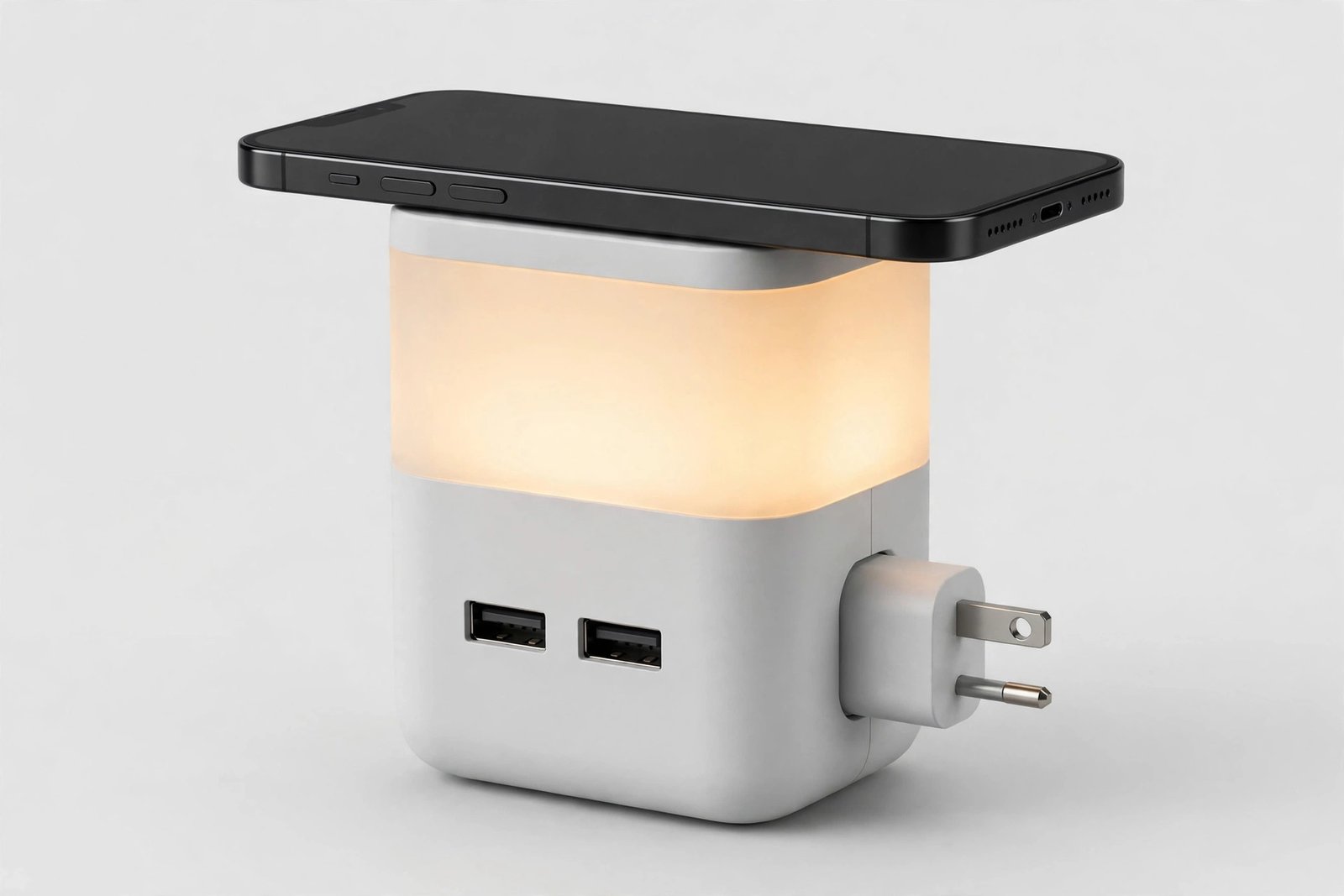
The hallway is where family life actually lands — keys, bags, and the devices that come through the door nearly empty. A Charging Station Night Light Combo for Hallways pairs a soft automatic night light with USB ports and a small ledge, turning the hallway drop zone into a charging spot that glows gently after dark. Phones charge where they land, and nobody trips over a trailing cable on the way to the bathroom at 3 a.m.
Look for a light sensor so it only glows when needed, and warm light that will not fully wake a child passing in the night. Keep expectations right on speed: these are overnight trickle chargers, not fast chargers. And keep the setup sensible — cables tucked along the wall on clips, never trailing across the very walkway the light is meant to make safer. Position it where bags actually land rather than where you wish they landed, and the habit forms on its own within a week.
Pros
- 👍 Charging where devices naturally land
- 👍 Automatic gentle light for night trips
- 👍 Uses a hallway socket that does nothing today
- 👍 Encourages a phone-out-of-the-bedroom habit
Cons
- 👎 Charging speeds are modest
- 👎 Only holds one or two devices
- 👎 Needs the hallway socket to be free
Best for: hallways and landings — a glowing drop-and-charge spot for the first devices home.
Check Price And User Reviews on Amazon
11. Wall-Mounted Charging Shelf with Cable Hooks

Counter space in a family kitchen is precious, and charging devices steal it daily. A Wall-Mounted Charging Shelf with Cable Hooks lifts phones and a tablet onto the wall above the counter, with hooks below that hold each cable ready instead of dangling. As part of a usb charging station for home, it reclaims the worktop while keeping the morning grab-and-go exactly where everyone expects it.
Fix it into a stud or use proper wall anchors — a shelf holding a tablet cannot rely on adhesive pads, however optimistic the packaging sounds. Route the cables down to the socket in a tidy channel or on clips, and leave enough slack that devices lift off without yanking. Choose a shelf wide enough for the family’s biggest tablet in its case, and it becomes the permanent address for devices during dinner prep.
Pros
- 👍 Frees up precious counter space
- 👍 Cables hang on hooks, ready and untangled
- 👍 Devices charge at eye level, easy to check
- 👍 Sturdy fixing holds tablets safely
Cons
- 👎 Needs drilling and solid wall fixing
- 👎 Fixed position — no moving it later
- 👎 A tablet plus phones is the practical limit
Best for: kitchens and utility rooms where counter space is always full.
Check Price And User Reviews on Amazon
12. Portable Power Bank Family Pack (2 Large Banks)

Not all charging happens at home: school trips, long drives, matches, power cuts. A Portable Power Bank Family Pack — two large-capacity banks — means the family owns backup power that can be grabbed on the way out, lent to a teenager, or kept for the sofa when everyone is too far from a socket. Two banks end the argument about whose turn it is with the only power bank in the house.
Large banks in this class charge most phones several times over; check that both support USB-C fast charging in and out, so they refill quickly overnight at the main station. Recharge them the moment they come home — a flat power bank in a drawer helps nobody — and store them partly charged if they will sit unused for months. On flights, remember that power banks travel in hand luggage only, never in checked bags. Labelling each bank with a name or a strip of coloured tape sounds trivial, but it means the bank that went to football practice is the one that comes back onto charge that same evening.
Pros
- 👍 Backup power for trips, drives and outages
- 👍 Two banks — no sharing arguments
- 👍 Fast USB-C in and out on good models
- 👍 Handy for sofa charging far from sockets
Cons
- 👎 Useless if nobody recharges them
- 👎 Noticeably heavy in a school bag
- 👎 Must fly in hand luggage only
Best for: days out, long drives and power cuts — the family’s portable reserve.
Check Price And User Reviews on Amazon
What to Look for Before You Buy
Start by counting, honestly. List every phone, tablet, watch, earbud case and laptop that charges in your home on a normal evening, then add two for guests and growth. That number decides whether one family charging station is enough, or whether you need the home-base-plus-satellites layout. Under-counting is the classic mistake — the system fails on the busiest evening, not the average one.
Wattage is the second count. Phones sip power, but a laptop can want serious wattage before it charges at full speed, and a multi device charging station shares its total output across everything plugged in. Read the per-port and shared limits, not just the biggest number on the box, and put the high-wattage brick where the laptops actually charge rather than where it merely looks neat.
Safety deserves its own paragraph, because this corner runs unattended every night. Choose chargers, strips and docks with recognised safety certification from reputable sellers, and replace any cable with a frayed or cracked jacket straight away. Never plug a power strip into another power strip, never exceed a strip’s rated load, and keep high-heat appliances off the charging strip entirely. Any usb charging station for home also needs air: chargers warm up in use, so leave ventilation space around them and never run a loaded strip sealed inside an unvented box or buried under cushions and bedding.
Finally, match connectors to the family you have, not the one the adverts assume. USB-C now covers most new phones, tablets and many laptops, but older phones, children’s tablets and kitchen gadgets still use Lightning or micro-USB — which is exactly why the retractable 3-in-1 cables earn their place. Buy one spare of everything, accept that cables are consumables rather than forever purchases, and the system will survive the school year.
Think about guests and grandparents too. A spare cable and one free port at the main station save the rummage through drawers whenever someone visits, and a small note taped nearby — which cable fits what — helps younger children charge their own tablets without dismantling the setup. Small kindnesses like these keep the system intact far longer than any house rule.
Final Thoughts
A family charging corner will never be glamorous, and it does not need to be. What the right gadgets remove is the repeatable friction — the dead tablet at homework time, the phone borrowed off charge at twenty percent, the cable that fits nothing in the drawer. A calm charging station for multiple devices, placed where devices naturally land, turns all of that into a habit nobody has to think about.
Start with the home base, add the satellites your rooms argue for, and keep the safety basics non-negotiable. The best charging gadgets for large families with many devices at home are simply the ones still working quietly a year from now — full batteries, tidy cables, and no scramble at bedtime.
More Guides You’ll Like
Charging more than phones? Go deeper with Best 3-in-1 Wireless Charging Stations for bedside setups, Best GaN Chargers for the fast-charging bricks behind this system, and Best Kitchen Gadgets for Large Families with Kids for the rest of a busy family home.
Frequently Asked Questions
How many charging points does a large family actually need?
Count one per person for phones, then add the tablets, watches and earbud cases that charge on a normal evening, plus a spare or two for guests. A ten-port family charging station covers most homes as the home base, with a fast charger or two in other rooms for overflow. If two devices regularly end up queueing, the system needs adjusting — not the family’s habits.
Is it safe to leave a charging station plugged in overnight?
With certified equipment, yes — that is what it is designed for. Use chargers and strips with recognised safety certification, keep ventilation space around them, and unplug anything that runs unusually hot or has a damaged cable. A multi device charging station from a reputable maker, sitting on a clear surface, is far safer than a tangle of mystery bricks stuffed in a drawer.
How do I stop charging cables taking over the house?
Give cables one home and make it effortless to use: a cable management box at the station, hooks on a wall shelf, and retractable cables everywhere else. The real trick to organize charging cables at home is removing every excuse to leave one trailing — a cable that winds itself away actually gets put away, and a cable with a labelled hook gets hung back up.
Wireless or wired charging — which suits a busy family better?
Both, in different places. Wired charging is faster and cheaper per device, so it suits the home base and quick top-ups before going out. Wireless wins on tidiness and drop-and-go convenience at nightstands and desks, where speed matters less than calm. Most families land on a mix: cables where speed matters, pads and docks where the nightly routine matters. Households with very young children often lean wired at the main station, simply because a cable is harder for small hands to misalign than a pad that must be centred exactly.



One Comment