
Best Gadgets for Office Daily Use: 20 Picks That Make Work Easier Every Day
Affiliate Disclosure: As an Amazon Associate, we earn from qualifying purchases made through the Check Price buttons in this article.
Your desk is where you spend a third of your life, yet most of us work on a setup that grew by accident: the free mouse that came with the laptop, a chair borrowed from the dining table, cables everywhere, and coffee that is always cold by the second meeting. The best gadgets for office daily use are not gimmicks. They are the small, deliberate upgrades that remove one daily friction at a time, better posture, clearer calls, faster typing, a cleaner desk, until work simply feels easier.
In this guide we have selected 20 proven office gadgets that people actually keep using after the first week. The list covers the full working day: ergonomic essentials like a proper mouse, keyboard, laptop stand and foot rest; productivity hardware like a USB-C dock, portable monitor and standing desk; focus tools like noise-cancelling headphones and a monitor light bar; and the everyday comforts that sound minor until you own them, a smart mug, a mini vacuum, a quiet fan and an air purifier. Every product below is a well-known, highly rated model sold on Amazon, with its Amazon product image, a clear introduction, honest pros and cons, and a Check Price button that takes you straight to its live Amazon listing, because prices and deals change daily.
How did we choose? First, daily usefulness beat novelty: if a gadget does not help every single workday, it did not make the cut. Second, we favoured trusted brands with thousands of verified reviews, Logitech, Sony, BenQ, Anker, FlexiSpot, ASUS, LEVOIT and Everlasting Comfort among them, because office gear has to survive years of use, not a season and in the buying guide at the end we show you the smart order to buy them in if you are building your setup step by step. Whether you work from a corporate office, a home study or a kitchen table, start with the one problem that annoys you most, fix it with the matching gadget below, and feel the difference tomorrow morning.
1. Logitech MX Master 3S Wireless Mouse
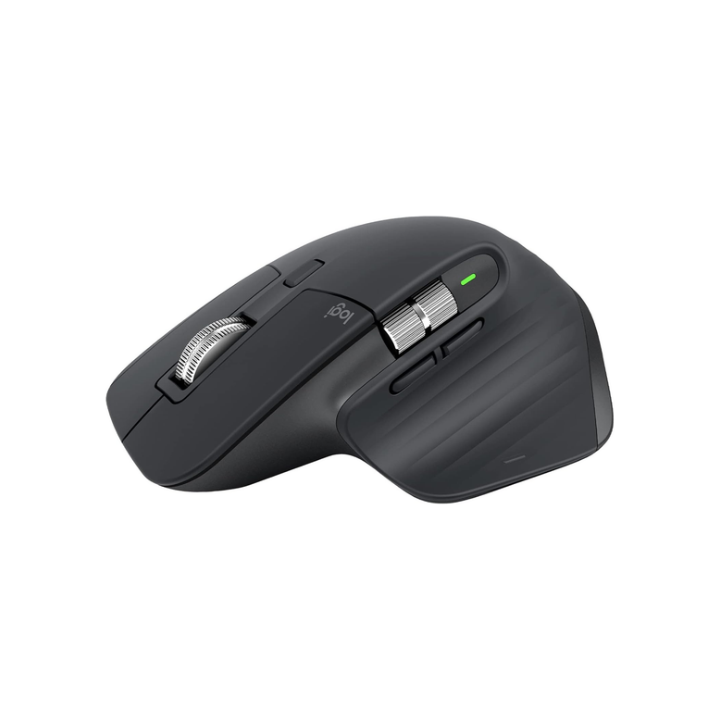
If you buy only one office gadget, make it a better mouse. The MX Master 3S is built for people who live in spreadsheets, documents and browsers all day. Its sculpted shape supports your palm, the MagSpeed wheel flies through thousand-row sheets and then slows to precise, line-by-line scrolling, and quiet clicks mean you will not annoy colleagues on calls. It connects to three devices, tracks even on glass, and lasts up to 70 days per charge.
2. Logitech MX Keys S Wireless Keyboard

The MX Keys S turns typing from a chore into the best part of your desk. Low-profile, spherically dished keys centre your fingertips, backlighting turns on as your hands approach, and the solid metal top plate stops the keyboard flexing or sliding. It pairs with three devices, charges over USB-C, and works seamlessly with Windows and macOS, making it ideal for mixed laptop setups and hot-desking.
3. Rain Design mStand Laptop Stand

Hunching over a laptop is the fastest route to neck and shoulder pain. The mStand lifts your screen about six inches to eye level in one elegant piece of aluminium that matches modern laptops perfectly. The tilt brings the keyboard closer, the cable hole keeps things tidy, and the aluminium body also helps dissipate heat. Pair it with an external keyboard and mouse and your laptop becomes a proper ergonomic workstation.
4. BenQ ScreenBar Monitor Light Bar

A ScreenBar solves a problem a normal desk lamp creates: glare on your screen. It clips to the top of your monitor and throws light asymmetrically onto your desk only, not into your eyes or display. Auto-dimming adjusts to your room, colour temperature goes from warm to cool for focus or relaxation, and it takes zero desk space. For late work, video editing and reading papers, it is a genuine eye-saver.
5. Anker 565 USB-C Hub 11-in-1

Modern laptops give you two ports and expect you to live on dongles. The Anker 565 fixes that in one cable: HDMI and DisplayPort for external monitors, 100W power delivery to charge your laptop, Gigabit Ethernet, SD and microSD slots, and high-speed USB for drives and peripherals. Plug in once when you sit down and your laptop becomes a desktop. Unplug once when you leave. That ritual alone makes hybrid work far less frustrating.
6. Logitech Brio 4K Webcam

Your laptop camera makes you look tired even when you are not. The Brio upgrades you to crisp 4K with HDR, autofocus and light correction, so you look clear in bright windows and dim rooms alike. A 90-degree field of view fits a whiteboard or a second person, digital zoom helps you frame the shot, and the privacy shutter gives peace of mind. For client calls, webinars and interviews, it is an instant credibility boost.
7. FlexiSpot E7 Electric Standing Desk

Sitting for eight hours is the hidden cost of office work. The FlexiSpot E7 lets you alternate sitting and standing at the touch of a button, with smooth, stable lifting, memory presets for different users or postures, and a frame strong enough for multi-monitor setups. Standing for even 30 minutes a few times a day improves energy, focus and back comfort. It is the biggest ergonomic upgrade on this list, literally and figuratively.
8. Sony WH-1000XM5 Wireless Headphones

Open-plan offices, noisy homes and busy cafes all steal focus. The WH-1000XM5 gives it back. Class-leading noise cancelling with eight microphones quietens chatter and air conditioning, sound is detailed and enjoyable, and call quality stays clear thanks to beamforming mics. They are light for all-day wear, connect to laptop and phone at once, and deliver up to 30 hours with ANC on. Put them on and the office disappears.
9. ASUS ZenScreen MB16AC Portable Monitor

A second screen is the productivity cheat code most office workers discover too late. The ZenScreen adds a 15.6-inch Full HD display over a single USB-C cable, weighs less than a kilogram, and folds flat into your bag with its smart cover stand. Keep email or chat on one screen and your real work on the other, at home, in a hotel or in a client office. Once you work dual-screen on the move, one screen feels broken.
10. Anker 3-in-1 Wireless Charging Station

Three devices, three cables, one messy desk is the default in most offices. A 3-in-1 Anker station charges your phone, earbuds and watch in one place, at your desk edge, always ready to grab for a meeting. Magnetic alignment makes phone charging effortless, the footprint is smaller than a notebook, and you finally retire the tangle behind your monitor. It is a small gadget that makes your whole desk feel calmer and more organised.
11. BenQ WiT e-Reading Desk Lamp
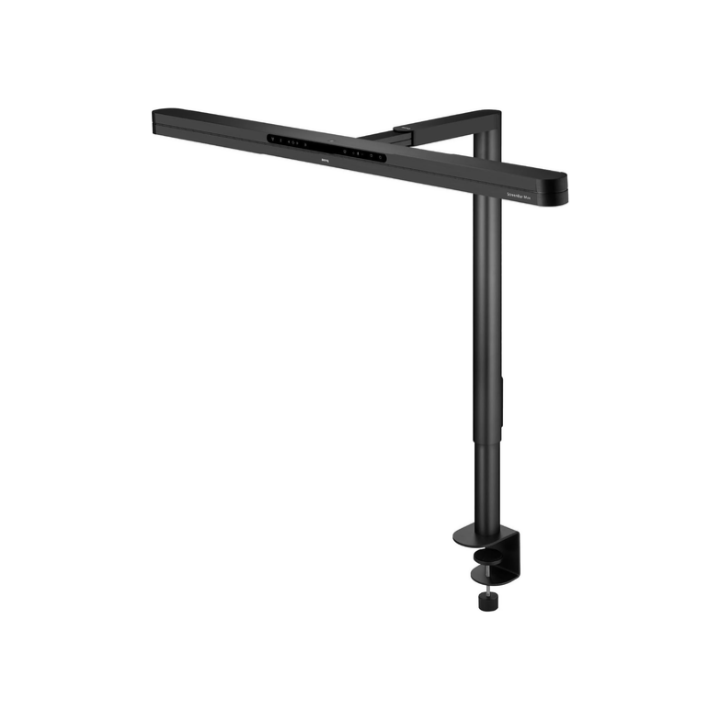
Most desk lamps light a small pool and leave the rest of your workspace in shadow, which strains your eyes when you look between paper and screen. BenQ’s WiT lamp was designed for e-reading, with a wide, curved head that lights your whole desk evenly, auto-dimming to ambient light, and colour temperatures for reading, working or relaxing. The adjustable arm reaches exactly where you need it without taking over your desk.
12. Ember Mug 2 Smart Temperature-Control Mug

Every office worker knows the cycle: make coffee, get pulled into a meeting, return to a cold cup. Ember Mug 2 ends it. Set your exact drinking temperature in the app, between 120 and 145 degrees Fahrenheit, and the mug holds it for up to 90 minutes off the coaster, or all day on it. It sounds like a luxury until your third uninterrupted hot coffee in a row on a deadline day.
13. LEVOIT Core Mini Air Purifier

Office air is rarely fresh air. Dust, pollen, printer particles and lingering lunch smells build up in small rooms and home offices. The Core Mini is small enough for a desk corner, quiet enough for calls, and uses a HEPA-type filter to capture 99.97 percent of airborne particles down to 0.3 microns. An aroma sponge lets you add a light fragrance. If you sneeze through spring or share a stuffy room, you will notice the difference.
14. Rocketbook Core Smart Reusable Notebook

Rocketbook gives you the feel of pen and paper with the filing system of the cloud. Write with a Pilot FriXion pen, scan the page with the app, and it sends clean notes to Google Drive, Dropbox, Evernote, email and more, with handwriting search on supported services. Wipe the page with a damp cloth and reuse it. For meeting notes, sketches and to-do lists, it replaces a stack of half-used notebooks and makes your notes actually findable later.
15. Everlasting Comfort Foot Rest Under Desk

Good posture starts at your feet. If your feet dangle or your legs cross all day, your back pays for it. This memory-foam foot rest supports your feet at a healthy angle, can be flipped for gentle rocking movement, and its cover removes for washing. It is one of the cheapest ergonomic upgrades you can buy, and one of the first you will miss if you work a day without it at a different desk.
16. Everlasting Comfort Seat Cushion for Office Chair

Before you replace a tired office chair for hundreds, try fixing its seat for a fraction of that. This memory-foam cushion with a U-shaped cut-out reduces pressure on your tailbone and supports better sitting posture through long workdays. It works on office chairs, car seats and even dining chairs turned into WFH chairs during lockdowns that never got replaced. Non-slip bottom, washable cover, instant difference on day one.
17. ODISTAR Desktop Mini Vacuum Cleaner
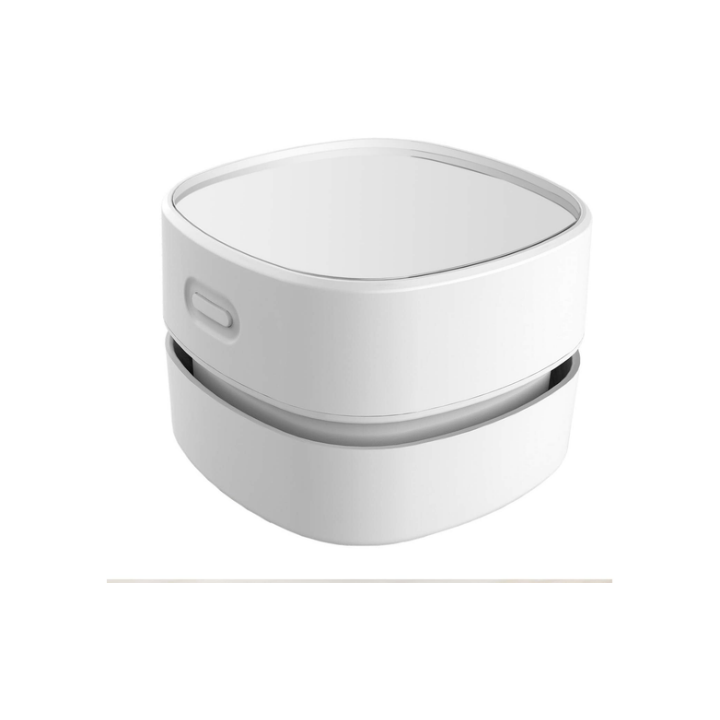
Crumbs in your keyboard, dust on your desk, eraser shavings after a writing session: small messes make a workspace feel chaotic. This pocket-sized vacuum lives in a drawer, runs on batteries or USB depending on the model, and cleans in thirty seconds without hauling out a full vacuum. The rotating brush picks up dust from keyboards and corners surprisingly well. It is the gadget you did not know you needed until everyone in the office asks to borrow it.
18. SmartDevil USB Desk Fan

Every office has a temperature war, and you cannot control the thermostat. You can control the air on your face. This compact USB fan is quiet enough for calls, tilts to direct airflow, and runs from your laptop, hub or power bank. In summer, in meeting rooms, or in a home office that traps afternoon sun, a personal fan keeps you comfortable without freezing your colleagues or turning your papers into confetti.
19. J Channel Cable Management Kit Under Desk
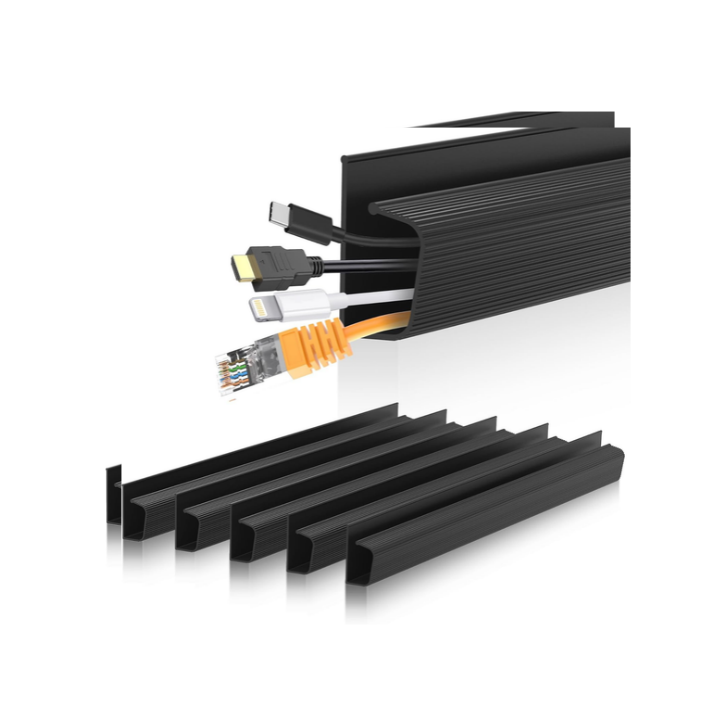
A clean desk is not about aesthetics alone, it is about focus. Cable raceways hide the charger bricks, monitor cables and power leads that otherwise dangle behind your desk and collect dust. This kit mounts under or behind the desk with screws or adhesive, opens for changes, and instantly makes any setup look professional on camera. Add it after a standing desk or dock and your cable management finally survives moving the desk up and down.
20. Anker Power Strip Tower / Surge Protector with USB

One wall socket was never going to power a monitor, laptop, lamp, charger and speakers. A tower power strip puts multiple AC outlets and USB ports in a small vertical footprint on or under your desk, with surge protection for your expensive gear and a single switch to power everything down. Anker’s versions add fast USB-C charging and a neat retractable or well-spaced design, so bulky plugs stop blocking each other.
Start with ergonomics, because comfort compounds. Your mouse, keyboard, chair height, screen height and feet are in contact with your body for eight hours a day, so fix those before buying anything fun. The highest-impact order for most people is: mouse and keyboard first, then a laptop stand or monitor at eye level, then a seat cushion and foot rest, then a standing desk when budget allows. If you feel pain rather than mild discomfort, prioritise the item touching that area and consider professional ergonomic advice.
Next, match the gadget to your work style. Video-call heavy roles get the most from a 4K webcam, noise-cancelling headphones and good light, a ScreenBar or desk lamp will improve how you look on camera more than a camera upgrade alone. Data and document heavy roles get the most from a second screen, a fast-scrolling mouse and a dock that makes dual monitors effortless. Writers should invest in the keyboard first. Travellers and hybrid workers should favour portable versions: the ZenScreen monitor, a folding charging station and a hub that lives in the bag.
Check compatibility before you click buy. For USB-C hubs and portable monitors, your laptop port must support DisplayPort Alt Mode for video, not every USB-C port does, so check your laptop manual. For wireless gear, decide between Bluetooth, which needs no dongle, and a USB receiver, which is often more reliable in busy offices. For standing desks, measure your room, check the desktop size and weight capacity with your monitors included, and confirm the height range suits your height sitting and standing. For chargers and power strips, add up wattage and never use office power strips for heaters or kettles.
Think in total cost, not sticker price. A premium mouse that lasts five years costs pennies a day, while a cheap one replaced yearly costs more and frustrates daily. Factor in the extras: replacement filters for air purifiers, FriXion pens for Rocketbook, a desktop for a standing-desk frame, and a power adapter for some hubs and charging stations. On Amazon, use the Check Price buttons in this guide to see the live price, any coupon box on the listing, and whether a newer model has quietly replaced the one reviewed.
Finally, buy in stages and test each change. Add one or two gadgets, work with them for a week, and notice what still annoys you. That annoyance is your next purchase, not a random deal. Keep receipts and Amazon’s return window in mind for ergonomic items, because fit is personal: a cushion, foot rest or mouse shape that suits a colleague may not suit you. The perfect office is not bought in one cart, it is built, one good decision at a time. Start with number one, and enjoy work a little more tomorrow.
A better office does not require a bigger office. It requires better tools at the points where your day touches them: your hands, your eyes, your ears, your back and your desk surface. The 20 gadgets in this guide are the ones office workers buy, keep, recommend to colleagues and take with them when they change jobs, which is the truest test of a daily-use gadget. Pick the one that solves your most annoying problem today, check its live Amazon price with the button above, and build from there. Your future self, sitting comfortably at a clean, quiet, well-lit desk with hot coffee in hand, will thank you.
One Comment