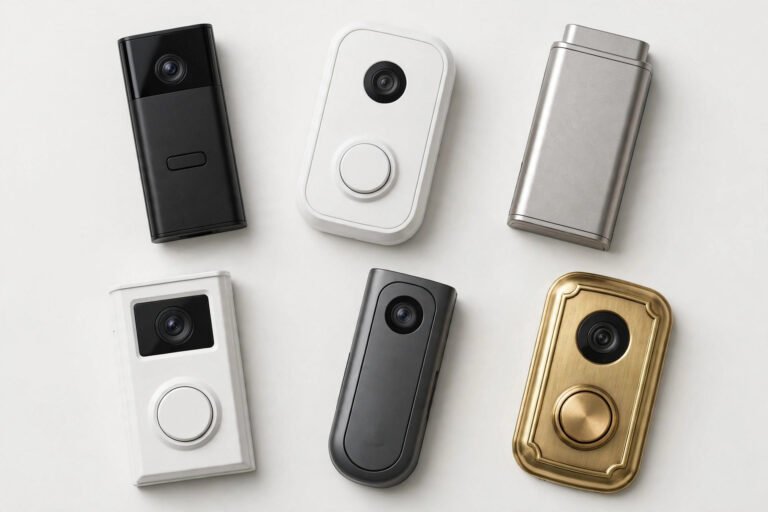
Best Black Friday Office Gadget Deals
Disclosure: This article contains affiliate links. If you buy through a link on this page, we may earn a small commission at no extra cost to you. This helps support our work and keeps our guides free to read.
A quick note on prices: Black Friday prices and deals change often, sometimes several times in a single day, so we never quote a fixed deal price here. Please check the latest deal price on Amazon before you buy. The product images in this article are original illustrations created for this article, not manufacturer photos, so use them as a general guide to each product type and check the listing for exact colours, sizes and specifications.
The best black friday office gadget deals are the ones that quietly make every workday better. A keyboard that stops your wrists aching, a lamp that ends eye strain, a docking station that turns one cable into a full desk setup — these are the upgrades you notice every single day, long after the sale excitement has faded. Early Black Friday is the perfect moment to pick them up, because office gear is exactly the kind of practical purchase that tends to sell out in popular colours and configurations as the big day approaches.
This guide rounds up the strongest early black friday office gadget deals worth watching, with a focus on comfort, organisation and everyday productivity. We have also kept an eye on black friday office gadget deals under $100, because some of the most useful desk upgrades — a good lamp, a cable kit, a laptop stand — cost far less than a new laptop or chair. And if you miss a deal here, keep an eye on cyber monday office gadget deals too, since many retailers extend or refresh their office offers into the following week.
Whether you work from a dedicated home office, a corner of the living room or a busy shared desk, the twelve picks below are chosen to fit real desks and real routines. Each one earns its place by solving a genuine daily annoyance, from tangled cables and dim lighting to neck strain and noisy neighbours. Check the latest deal price on Amazon for each pick, compare it with what you would normally pay, and grab the ones that will genuinely improve your working day.
For the full sale picture, start with our series hub, best black friday gadget deals, and if you are building out a whole desk setup, our evergreen guide best gadgets for office daily use pairs perfectly with this list.
As you work through this list of the best black friday office gadget deals 2026, think of it as a shortlist rather than a shopping spree. The strongest sale strategy is to decide in advance which two or three upgrades would genuinely change your working day, then watch those specific items and check their latest deal price on Amazon when the early offers land. That way you avoid impulse buys that look exciting in a sale banner but end up unused in a drawer, and you spend your budget on the comfort, lighting and organisation upgrades that pay you back every single working day. Keep a simple list of your top picks, note the usual price of each, and compare it with the sale price before you commit — a real saving on something you need beats a dramatic-looking discount on something you will never use.
How We Chose
We picked products that office workers actually use all day, every day, rather than gimmicks that look fun for a week and then gather dust. Every item below had to meet four tests: it solves a real desk problem, it is widely reviewed and easy to buy online, it works with the laptops and monitors most people already own, and it is the kind of item that genuinely goes on sale during the Black Friday season. We favoured adjustable, comfortable designs over fixed one-size-fits-all gadgets, because a desk setup should fit you, not the other way round. We also balanced the list across budgets, mixing a few bigger upgrades with plenty of affordable picks, so you can improve your workspace whether you have a little or a lot to spend. Finally, we checked that each product type is simple to set up without tools or technical know-how wherever possible, because a deal is only a good deal if you actually enjoy using what you bought.
We also thought about how each product ages. A good office gadget should still feel like an upgrade in a year, not just on the day it arrives. That is why we leaned toward sturdy materials, adjustable designs and well-reviewed brands over novelty features. An adjustable stand beats a fixed one because your chair height or desk may change; a lamp with adjustable colour temperature beats a single-setting lamp because your lighting needs change from morning to evening. Where a product depends on compatibility, such as a docking station or a charging station, we flag the checks to make before you buy, so a sale bargain does not turn into a return hassle. The goal is a desk that works better on Monday morning, not just a busier parcel shelf.
Quick List
- Ergonomic Wireless Keyboard and Mouse Combo
- Adjustable LED Desk Lamp with Wireless Charger
- Monitor Light Bar
- Adjustable Aluminium Laptop Stand
- USB-C Docking Station
- Noise-Cancelling Headphones
- Ergonomic Seat Cushion and Lumbar Support Set
- Reusable Smart Notebook
- Under-Desk Cable Management Kit
- Portable USB-C Monitor
- Monitor Stand with Storage Drawers
- 3-in-1 Wireless Charging Station
1. Ergonomic Wireless Keyboard and Mouse Combo

If your wrists ache by lunchtime, the Ergonomic Wireless Keyboard and Mouse Combo is the single most valuable upgrade on this list. A curved, split key layout keeps your hands in a more natural position, while a sculpted mouse supports your palm instead of forcing your wrist flat. Going wireless also clears two cables from your desk instantly, which makes the whole workspace feel calmer and tidier. Most combos connect with a single tiny USB receiver or Bluetooth, so setup takes minutes, and battery life is typically measured in months rather than days. Look for a combo with quiet keys if you share a room or take calls all day, and check that the mouse size suits your hand before you buy.
Best for: anyone who types all day and wants a comfier, tidier desk without spending a fortune.
Check Price And User Reviews on Amazon
2. Adjustable LED Desk Lamp with Wireless Charger
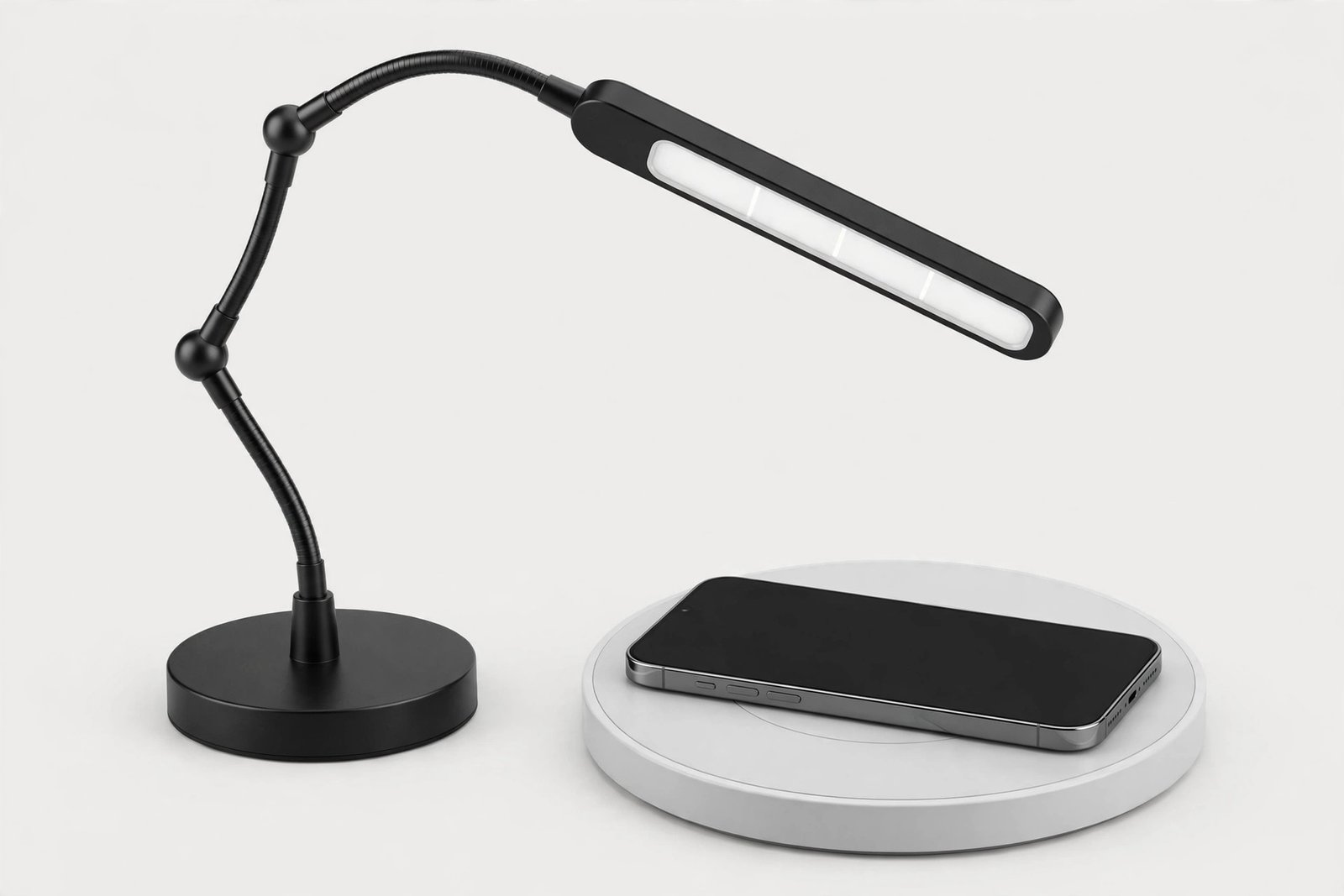
Good lighting changes how a desk feels, and the Adjustable LED Desk Lamp with Wireless Charger does two jobs at once. Its adjustable arm and colour temperature settings let you switch from bright, cool light for focused work to warm, soft light for evening reading, which helps reduce eye strain when you work late. The built-in wireless charging base is a genuinely handy bonus: drop your phone on the base while you work and it tops up without another cable snaking across the desk. Many models also include a USB port for charging a second device and touch controls for brightness, so you can fine-tune the light without hunting for buttons. It is one of the most popular black friday office gadget deals under $100, and it makes a great gift for students and home workers alike.
Best for: home workers, students and anyone whose desk lighting is currently a single harsh overhead bulb.
Check Price And User Reviews on Amazon
3. Monitor Light Bar

A Monitor Light Bar is the desk upgrade most people do not know they need until they try one. It clips onto the top of your monitor and washes your keyboard and desk in even, glare-free light without reflecting on the screen itself. That matters because a traditional lamp often creates screen glare or leaves your keyboard in shadow, and both problems cause squinting and tired eyes. Light bars usually offer adjustable brightness and colour temperature, and many include a wireless remote or auto-dimming sensor that adapts to the room. Because it sits on the monitor, it takes up no desk space at all, which is a big win on a crowded desk. Pair it with the desk lamp deals in our companion article on black friday desk lamp and monitor light deals if you want to compare lighting options side by side.
Best for: anyone who works at a monitor for hours and wants glare-free light without losing desk space.
Check Price And User Reviews on Amazon
4. Adjustable Aluminium Laptop Stand
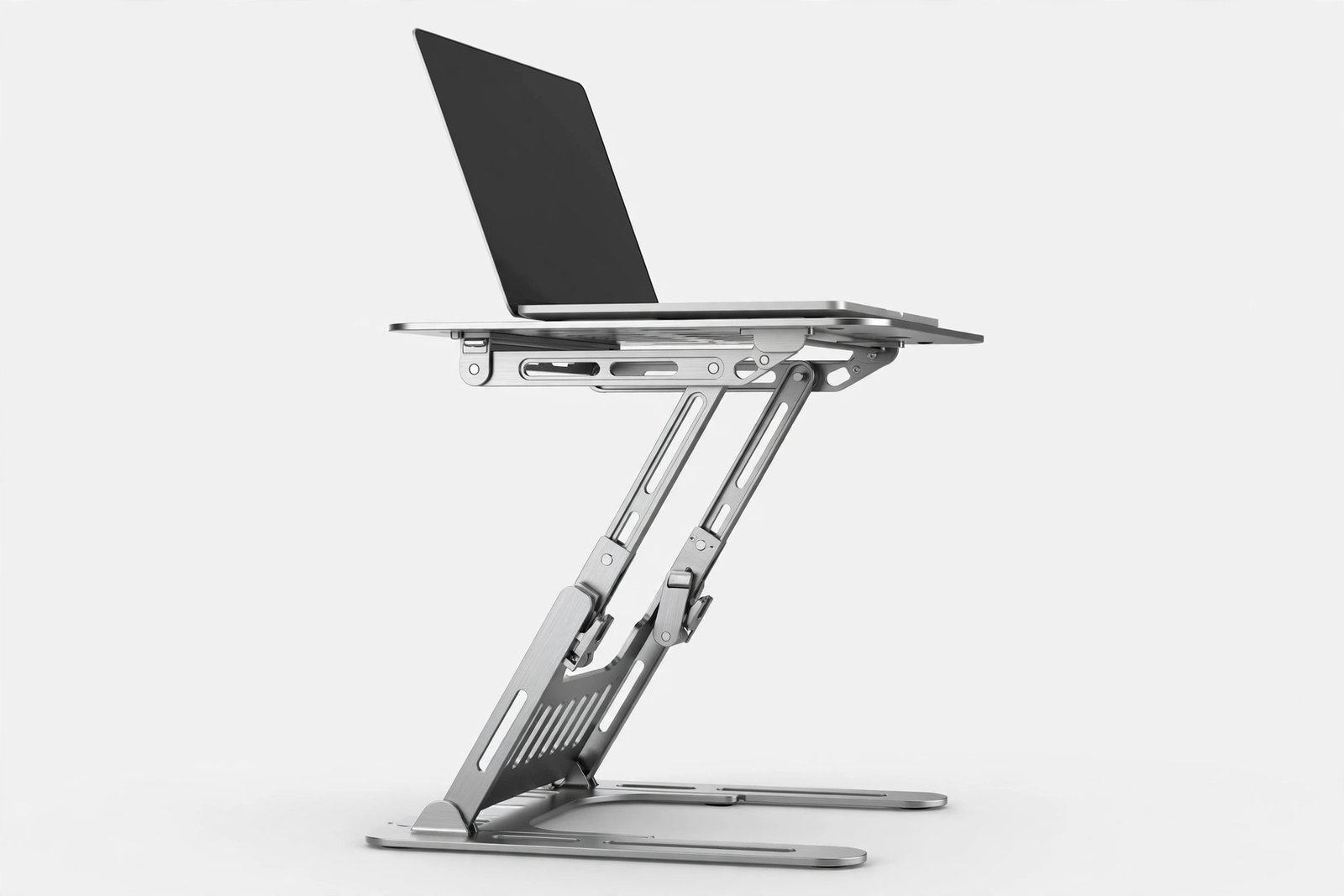
Working on a laptop that sits flat on the desk forces you to look down all day, and your neck pays for it. The Adjustable Aluminium Laptop Stand lifts the screen to eye level, which encourages a straighter posture and reduces neck and shoulder tension. Aluminium models are sturdy, look smart on any desk and help with cooling, since air can flow underneath the laptop instead of heat building up on a flat surface. Adjustable height and angle settings matter more than you might think: the right height depends on your chair, your desk and your own height, so a fixed stand is a gamble. Foldable stands are also handy if you split your week between home and office, since they slip into a bag easily. Pair a stand with an external keyboard and mouse for the full ergonomic benefit.
Best for: laptop users who work long hours and want to stop hunching over a low screen.
Check Price And User Reviews on Amazon
5. USB-C Docking Station

If you plug and unplug your laptop several times a day, the USB-C Docking Station will feel like magic. One cable connects your laptop to your monitor, keyboard, mouse, speakers, external drive and wired network, and many docks charge the laptop through the same cable. That turns arriving at your desk into a one-second job instead of a tangle of plugs, and leaving becomes just as quick. When you shop, check how many monitors the dock supports and at what resolution, whether it delivers enough charging power for your laptop, and whether your laptop supports video over USB-C at all, since a small number of older models do not. A good dock is one of the pricier items in this guide, which is exactly why early Black Friday is a smart time to buy one: a solid saving on a dock you will use every working day is money well spent.
Best for: hybrid workers who dock and undock a laptop daily and want a proper desktop setup.
Check Price And User Reviews on Amazon
6. Noise-Cancelling Headphones

Open-plan offices, noisy housemates and chatty cafes all steal focus in the same way, and Noise-Cancelling Headphones are the simplest defence. Active noise cancelling quiets low, steady sounds like air conditioning, traffic and office chatter, while good ear cushions block the rest. For work, prioritise comfort over several hours, a clear microphone for calls, and multipoint Bluetooth so the headphones stay connected to both your laptop and your phone. Battery life on modern models is generous, often lasting a full working week of calls and music on one charge. Noise-cancelling headphones are also a classic Black Friday favourite, so early deals are worth watching closely — and if a model you like sells out, cyber monday office gadget deals often bring a second chance on similar models.
Best for: open-plan workers, frequent call-takers and anyone who needs a quiet bubble to concentrate.
Check Price And User Reviews on Amazon
7. Ergonomic Seat Cushion and Lumbar Support Set

Not everyone can replace their office chair, but almost anyone can improve one. The Ergonomic Seat Cushion and Lumbar Support Set adds memory foam comfort to a hard chair and a lumbar roll that supports the natural curve of your lower back. Together they reduce pressure on your hips and tailbone and encourage you to sit upright instead of slumping by mid-afternoon. Look for breathable, washable covers, since a cushion you sit on all day needs to stay fresh, and straps that keep the lumbar support in place when you stand up and sit back down. This is one of the most affordable comfort upgrades in the guide and a strong candidate among black friday office gadget deals under $100, especially as a gift for someone who works long hours at a desk.
Best for: anyone stuck with a basic office chair who wants more comfort without buying new furniture.
Check Price And User Reviews on Amazon
8. Reusable Smart Notebook

If you love writing by hand but hate losing notes, the Reusable Smart Notebook bridges both worlds. You write with a special pen on wipeable pages, scan the page with a phone app, and the note is saved, searchable and shareable to cloud storage or email. When the notebook is full, you wipe the pages clean with a damp cloth and start again, so one notebook can replace many paper pads over a year. It is ideal for meeting notes, brainstorming, to-do lists and sketches, and it suits people who think better on paper but work in digital tools. Check which pen and app the model uses, since those decide how smooth scanning and handwriting recognition feel, and keep a spare pen handy if you write a lot.
Best for: note-takers who love paper but want their notes searchable and shareable.
Check Price And User Reviews on Amazon
9. Under-Desk Cable Management Kit

Cable chaos is one of those problems that looks small until you try to plug something in and find a knotted mess. The Under-Desk Cable Management Kit hides chargers, power strips and loose cables in a tray or sleeve under the desk, with clips and ties to route each cable neatly to its device. The result is a desk that looks instantly more professional, a floor that is easier to clean, and far less risk of tripping over a stray cable or yanking a charger out by accident. Most kits install with adhesive mounts or a few screws and need no special tools, and a good kit leaves a little slack so you can still move devices around. It is a tiny spend with an outsized visual payoff, and it pairs beautifully with a docking station or a new monitor stand.
Best for: anyone whose desk has more cables than workspace, and renters who want a no-damage tidy-up.
Check Price And User Reviews on Amazon
10. Portable USB-C Monitor

Once you have worked with two screens, going back to one feels cramped, and the Portable USB-C Monitor brings that second screen anywhere. It is a slim, lightweight display that connects to a laptop with a single USB-C cable, giving you extra space for email, notes, video calls or reference documents while your main screen stays focused on the task at hand. It is a favourite for hybrid workers, students and travellers, and it doubles as a handy second display at home when desk space is tight. When you compare models, check the screen size and weight, whether your laptop can power it over USB-C alone, and whether the included cover doubles as a stand. A portable monitor is a bigger-ticket item, so an early Black Friday saving makes the upgrade much easier to justify.
Best for: hybrid workers, students and travellers who miss their second screen when away from their desk.
Check Price And User Reviews on Amazon
11. Monitor Stand with Storage Drawers

A monitor that sits too low causes the same neck strain as a low laptop, and a Monitor Stand with Storage Drawers fixes the height problem while adding storage at the same time. Raising the screen to eye level improves posture, and the drawers underneath swallow notebooks, pens, sticky notes and small accessories that would otherwise clutter the desk surface. Many stands also leave room for a keyboard to slide underneath when you are not typing, which frees even more space. Measure your monitor base and your desk depth before buying, and check the weight rating if your monitor is large or on a heavy stand of its own. Wood, bamboo and metal finishes are all available, so you can match the stand to the rest of your desk.
Best for: desk workers who want better monitor height and tidier storage in one simple purchase.
Check Price And User Reviews on Amazon
12. 3-in-1 Wireless Charging Station

By the end of the day, most desks collect a phone charger, an earbuds cable and a watch cable, all competing for outlets. The 3-in-1 Wireless Charging Station replaces all three with one tidy stand that charges your phone, earbuds and smartwatch at the same time. It keeps your everyday devices in one visible spot, so you always know where they are, and it frees up power outlets for other gear. Before buying, confirm that your phone, earbuds and watch models are compatible with the station, since watch chargers in particular vary between brands. Also check whether the station includes a power adapter, as some require a higher-wattage adapter than the one you already own. It is a practical, gift-friendly pick and a neat finishing touch for any desk refresh.
Best for: anyone juggling three chargers who wants one tidy charging spot on the desk.
Check Price And User Reviews on Amazon
What to Look for Before You Buy
Start with comfort and fit, because the best office gadget is the one you actually enjoy using for eight hours a day. Check sizes, weight limits and adjustability before you buy, especially for stands, chairs accessories and headphones, and measure your desk so a new monitor stand or lamp does not crowd out everything else. Next, check compatibility: docking stations need the right USB-C video support, charging stations need to match your exact phone and watch models, and light bars need to fit your monitor thickness. Then think about your daily routine. If you move between rooms or offices, foldable and portable picks earn their keep; if you sit in one spot all day, sturdier desktop gear is the better investment. Finally, compare the current deal against the usual price and read recent user reviews for the exact model, not just the product type, since quality varies a lot within each category. Remember that Black Friday 2026 itself falls on Friday 27 November, so early deals are a chance to buy calmly and avoid the last-minute rush — and our Christmas hub, best christmas gadget gifts, is worth a look if any of these picks are destined to be gifts.
One more practical tip: buy in priority order rather than all at once. Start with the item that fixes your biggest daily frustration, use it for a week, and then decide what still needs improving. Many desk problems turn out to be linked — better lighting makes a monitor stand feel more effective, and a tidy cable setup makes a docking station far more pleasant to use — so upgrading step by step often gives you a better result than replacing everything on the same day. It also spreads the cost and gives you time to catch further early Black Friday offers as the sale season develops toward Friday 27 November.
Final Thoughts
Above all, buy for the work you actually do each day, not for an idealised desk in a photograph. The best black friday office gadget deals are not about buying more stuff for your desk — they are about removing small daily frictions that add up over a working year. A comfortable keyboard, glare-free light, a screen at the right height and a desk free of cable tangles together create a workspace that feels calmer, healthier and easier to work in. If you only buy one thing from this list, make it the upgrade that fixes your biggest daily annoyance, whether that is wrist pain, eye strain, noise or clutter. If you are refreshing the whole desk, start with the ergonomic basics and add lighting and charging upgrades around them, checking the latest deal price on Amazon for each pick as you go. Happy early Black Friday shopping, and may your new desk setup serve you well into the new year.
Frequently Asked Questions
When is the best time to buy office gadgets on Black Friday?
Early Black Friday deals often offer the best choice of colours and configurations before popular items sell out, while the main event on Friday 27 November 2026 and the following Cyber Monday can bring fresh discounts. If you find a strong deal on something you genuinely need, it is usually worth taking it rather than gambling on a later saving.
What is the most useful office gadget to buy first?
For most people, an ergonomic keyboard and mouse combo or a laptop stand delivers the biggest daily comfort gain, because both directly reduce strain during long work sessions. If your main problem is lighting or noise, a monitor light bar or noise-cancelling headphones may matter more — match the first purchase to your biggest annoyance.
Are cheap office gadgets worth buying on Black Friday?
Many affordable office gadgets, such as cable management kits, lamps and cushions, offer excellent value and genuinely improve a desk. For items you rely on all day, like headphones and docking stations, it is worth reading reviews and choosing a well-reviewed model rather than simply the lowest-priced option.
Do I need a docking station or will a USB hub be enough?
A simple hub adds extra ports, but a docking station also connects external monitors and charges your laptop through one cable, turning a laptop into a full desktop setup. If you regularly use an external monitor and several accessories, a docking station is the more complete solution.
How do I avoid buying the wrong size or incompatible gadget?
Measure your desk and monitor, check weight limits for stands, and confirm compatibility for docking stations and charging stations before ordering. Reading the listing specifications and recent user reviews for the exact model helps you catch fit problems before delivery.
Can office gadgets make good Christmas gifts?
Yes — lamps, headphones, charging stations and smart notebooks are all practical gifts that recipients use daily. Our Christmas hub, best christmas gadget gifts, has more gift ideas if you are shopping for colleagues, friends or family.