Best Portable Gadgets for Digital Nomads Working From Cafes Daily
Affiliate Disclosure: As an Amazon Associate, we earn from qualifying purchases made through links on this page, at no extra cost to you. This helps support our work and keeps our guides free to read.
A quick note on prices: prices change often, so we never quote a fixed price here. Please check the latest price on Amazon before you buy, using the yellow buttons in this guide. The product pictures in this article are original illustrations created for this guide, not manufacturer photos.
A cafe makes a wonderful office — good coffee, a gentle hum of background noise and no rent to pay. It also gives you a wobbly table, one fought-over power socket and a chair designed for twenty minutes, not a working day. The difference between a frustrating cafe session and a productive one is rarely the cafe itself. It is the kit in your bag. That is why the best portable gadgets for digital nomads working from cafes daily are not the fanciest gadgets you can buy — they are the ones that quietly fix a cafe’s weak points while still fitting inside a single bag. A good portable work setup weighs very little, sets up in about a minute and packs away just as fast when the table is needed back.
Think of this list as a system rather than a shopping spree. Power, posture, sound, screen space and security are the five problems every cafe worker meets within the first week, and each pick below solves one of them properly. Together they cover the digital nomad essentials that experienced remote workers carry for years, swapping one piece at a time as laptops, cities and trips change around them. Nothing here needs a desk, a drawer or a permanent home — if a gadget cannot survive being packed and unpacked twice a day, every day, it did not make the cut.
Good remote work travel gear also has to earn its grams. Every item below was chosen to be carried all day, across a city, often on foot and in the rain — so weight, folded size and battery life matter every bit as much as headline features. The same thinking applies to the laptop accessories for travel further down this list: a hub, a stand or a privacy screen only earns its place in the bag if you would genuinely notice its absence within one working day.
You do not need all twelve picks on day one, and almost nobody buys them that way. Most nomads start with the stand, the charger and the earbuds, then add pieces as their work starts to demand them. Treat this guide as a menu of proven work from anywhere gear — pick the two or three items that solve your loudest daily problem first, and let the rest wait their turn. Every pick comes with honest pros and cons, a straight note on who it suits best, and a yellow button so you can check the latest price on Amazon before you buy.
How We Chose
We judged every gadget against one demanding test: could you carry it all day, set it up on a small cafe table in about a minute, and would it still be working properly after a year of daily packing and unpacking? Gadgets that failed any part of that test — too heavy, too fiddly, too fragile — were dropped, however impressive their feature lists looked on paper. Daily cafe work is a routine, and routine gear has to be boring in the best possible way: quick, tough and forgettable.
Practical details carried as much weight as performance. We looked for metal hinges instead of plastic ones, zips that glide instead of snagging, cables that bend without fraying, and batteries that comfortably last a working week rather than a working day. We also read owner feedback closely, because the usual failure points of travel gear — cracked folds, lost receivers, tired batteries — only show up after months of real use.
Quick List
- Portable Laptop Stand — raises the screen to eye level and folds flat into your bag.
- Foldable Bluetooth Keyboard — full-size typing that folds down to pocket size.
- Travel Wireless Mouse — slim, quiet and far more precise than a trackpad.
- USB-C Hub Multiport Adapter — every port your laptop forgot, in one small block.
- Compact GaN Fast Charger — one small brick that charges laptop and phone together.
- High-Capacity Power Bank — freedom from the cafe’s one working power socket.
- Cable Organizer Travel Case — every cable and adapter in one grab-and-go pouch.
- Laptop Privacy Screen Filter — keeps your work invisible to the next table.
- Portable Monitor for Laptops — a second screen that slides into your laptop bag.
- Wireless Noise-Cancelling Earbuds — a quiet bubble of focus in a noisy room.
- Laptop Sleeve with Pocket — padded protection for the walk between cafes.
- Portable Travel Wi-Fi Hotspot — your own safer connection, anywhere you sit down.
1. Portable Laptop Stand

Cafe tables sit low, and laptops sit lower, so after two hours your neck and shoulders are doing work they were never meant to do. A Portable Laptop Stand raises the screen to eye level, which straightens your whole posture in one move — and then folds completely flat and disappears into your bag when you leave. It is one of those digital nomad essentials that sounds like a luxury until the first full working day without one, after which it becomes the first thing you pack.
Look for an aluminium build with several angle settings, silicone pads where the laptop rests, and a folded weight you barely notice. The best designs open with one flick and stay rigid while you type — a stand that wobbles will annoy you more than no stand at all. Pair it with a separate keyboard and mouse, because raising the laptop also raises its keyboard out of comfortable reach; the three pieces together turn any cafe table into a genuinely ergonomic desk.
Pros
- 👍 Raises the screen to a comfortable eye level
- 👍 Folds flat and weighs very little
- 👍 Aluminium builds survive years of daily use
- 👍 Sets up in seconds on any cafe table
Cons
- 👎 Cheap models wobble while you type
- 👎 Needs a separate keyboard and mouse
- 👎 Awkward on very small or round tables
Best for: nomads who work long hours on a laptop and feel it in their neck by lunchtime.
Check Price And User Reviews on Amazon
2. Foldable Bluetooth Keyboard

Once your laptop is up on a stand, its own keyboard is out of reach — and that is exactly the gap a Foldable Bluetooth Keyboard fills. Open, it gives you a proper full-size typing surface with real key travel; folded, it shrinks to roughly the size of a phone and slips into a jacket pocket or the front of your bag. For writers, coders and anyone who answers email for a living, it turns a cramped cafe setup into something that feels like a real desk.
Look for a stable hinge that locks flat on the table, sensible key spacing (some folding boards squeeze the right-hand keys), and multi-device pairing so the same keyboard can drive your laptop, tablet and phone. Battery life is rarely a worry — good models run for weeks of daily typing between charges — but a USB-C charging port is worth having, so it matches the cables you already carry.
Pros
- 👍 Full-size typing that folds to pocket size
- 👍 Pairs with laptop, tablet and phone
- 👍 Quiet keys suit shared cafe tables
- 👍 Battery lasts for weeks of daily typing
Cons
- 👎 The centre fold takes a day to get used to
- 👎 Not as rigid as a solid keyboard
- 👎 Some models squeeze the right-hand keys
Best for: writers and heavy typers who pair a laptop stand with a separate keyboard.
Check Price And User Reviews on Amazon
3. Travel Wireless Mouse
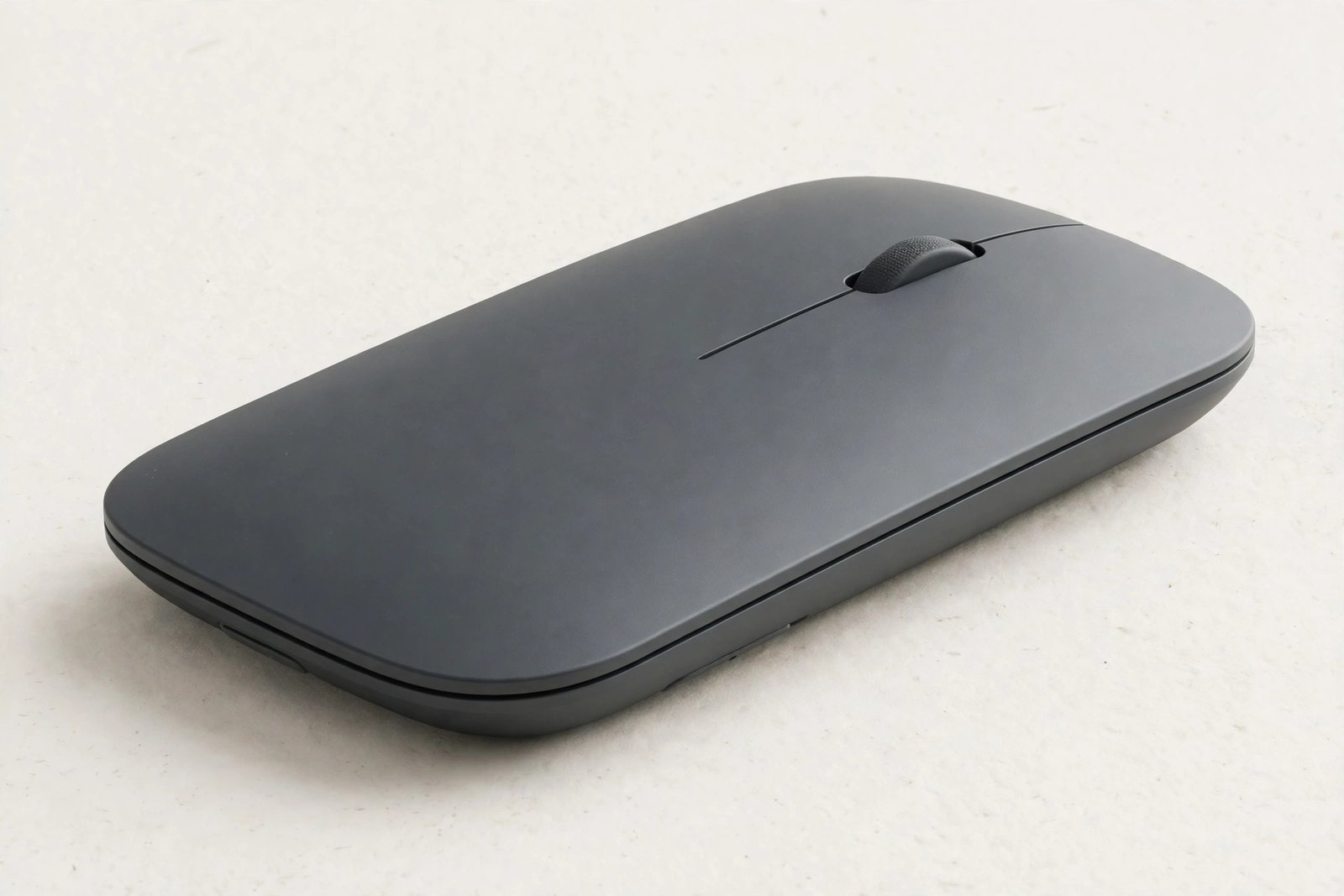
A trackpad is fine for an hour. For a full day of spreadsheets, design work or detailed editing, it slows everything down and tires your hand. A Travel Wireless Mouse is built slim enough to disappear into a sleeve pocket, yet shaped well enough for eight hours of pointing, dragging and scrolling. Silent-click models are the polite choice for cafes, libraries and co-working spaces, where a loud mouse carries further than you think.
Dual connectivity is the feature to insist on: Bluetooth for everyday use and a tiny USB receiver for the odd laptop or hotel computer that needs one — ideally with the receiver stored inside the mouse itself, so it cannot get lost in your bag. Rechargeable beats disposable batteries for travel, and a sensor that tracks happily on wood, marble and glass cafe tables saves you carrying a mouse mat through three countries.
Pros
- 👍 Far faster and more precise than a trackpad
- 👍 Slim shape slips into any sleeve pocket
- 👍 Silent clicks suit quiet shared spaces
- 👍 Works on most cafe table surfaces
Cons
- 👎 Small shape can cramp larger hands
- 👎 Very easy to leave behind on a table
- 👎 One more battery to keep charged
Best for: anyone doing detailed screen work — spreadsheets, design, editing — from small tables.
Check Price And User Reviews on Amazon
4. USB-C Hub Multiport Adapter

Modern laptops travel light because they have almost no ports — which is wonderful until you need to read a camera card, plug in a backup drive or connect a cafe’s spare monitor. A USB-C Hub Multiport Adapter puts all of those connections back in one small aluminium block. Of all the laptop accessories for travel in this guide, it is the one that rescues the most working days, usually about five minutes before a deadline.
Choose the ports around your real routine: HDMI for second screens and presentations, USB-A for older drives and receivers, SD and microSD slots if you shoot photos or video, and power pass-through so the hub never steals your only charging port. A metal body sheds heat better than plastic during long sessions, and a short, flexible cable survives being coiled daily far better than a stiff one. Buy the hub for the laptop you own now, not the one you might own next year.
Pros
- 👍 Restores every port a slim laptop dropped
- 👍 Power pass-through keeps the laptop charging
- 👍 Card readers built in for photo work
- 👍 Small enough to live in the cable pouch
Cons
- 👎 Runs warm during long heavy sessions
- 👎 Cheap hubs can drop connections
- 👎 Port mix may not match your next laptop
Best for: photographers, presenters and anyone whose slim laptop never has the port they need.
Check Price And User Reviews on Amazon
5. Compact GaN Fast Charger

The charger that came with your laptop is probably the biggest, heaviest thing in your bag — and it only charges one device. A Compact GaN Fast Charger uses newer gallium nitride parts to deliver laptop-level power from a brick a fraction of the size, with a second port left over for your phone. One small charger replaces two bulky ones, and you feel the freed-up bag space on every walk between cafes.
Match the wattage to your laptop first: most thin laptops charge happily from a mid-power GaN brick, while larger machines need the stronger models. Two ports are worth having even if you rarely use both, foldable prongs stop the plug scratching everything else in your bag, and universal voltage support means the same charger works in every country without a second thought. Pair it with one good braided USB-C cable and your whole charging kit fits in a coat pocket.
Pros
- 👍 One small charger for laptop and phone
- 👍 Far smaller and lighter than stock bricks
- 👍 Foldable prongs protect the rest of your bag
- 👍 Works on voltages worldwide
Cons
- 👎 Full speed needs a good USB-C cable
- 👎 Shared ports split power between devices
- 👎 Very easy to leave plugged in at the cafe
Best for: every nomad — this is the single easiest weight saving in the whole bag.
Check Price And User Reviews on Amazon
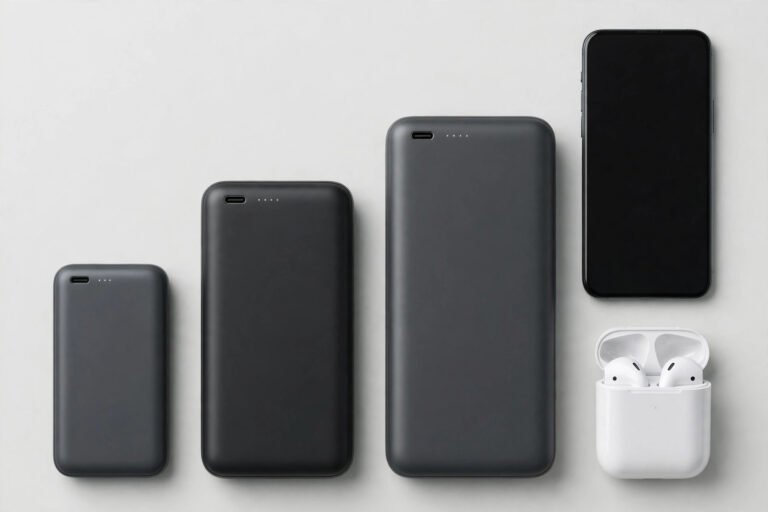
6. High-Capacity Power Bank
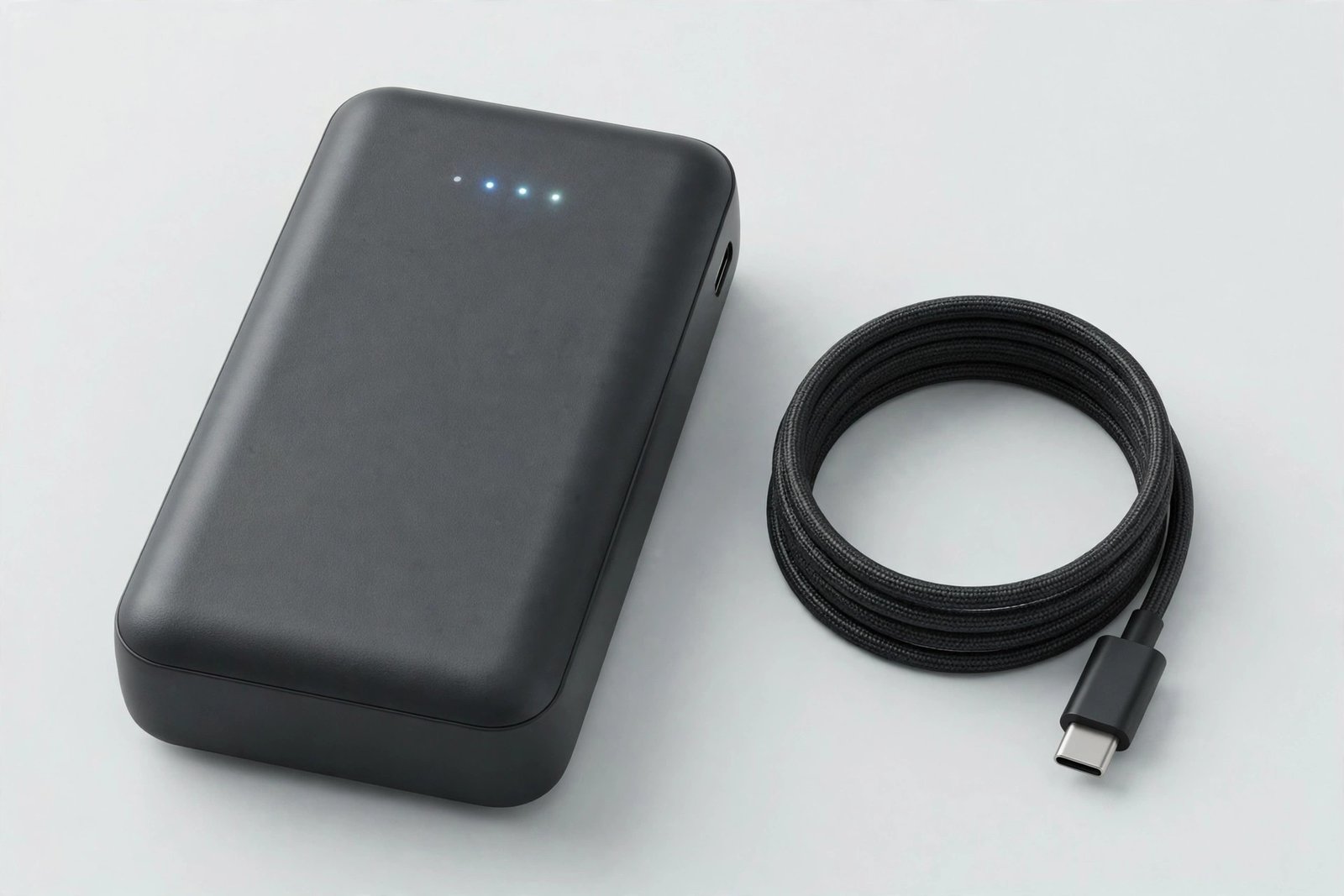
Every cafe has one good socket, and somebody is always already in it. A High-Capacity Power Bank removes the socket hunt entirely: sit wherever the light and the quiet are best, and let the bank carry your laptop and phone through the whole session. On travel days it does double duty, keeping your phone alive through airports, night buses and long layovers.
The honest trade-off is weight — a bank big enough to meaningfully charge a laptop is never light, so choose capacity around your real day rather than the biggest number on the shelf. Check that the USB-C output is strong enough for your laptop, not just your phone, and remember that power banks must travel in carry-on luggage on flights. Refill it overnight wherever you sleep, make it part of the morning routine, and flat batteries quietly stop being part of your working life.
Pros
- 👍 Work from any seat, not just near sockets
- 👍 Can recharge both laptop and phone
- 👍 A lifeline on long travel days
- 👍 Ends battery anxiety during deep work
Cons
- 👎 Laptop-sized banks are genuinely heavy
- 👎 Must be carried in hand luggage on flights
- 👎 Cheap models lose capacity within a year
Best for: nomads who work full days away from their room and cannot rely on cafe sockets.
Check Price And User Reviews on Amazon
7. Cable Organizer Travel Case
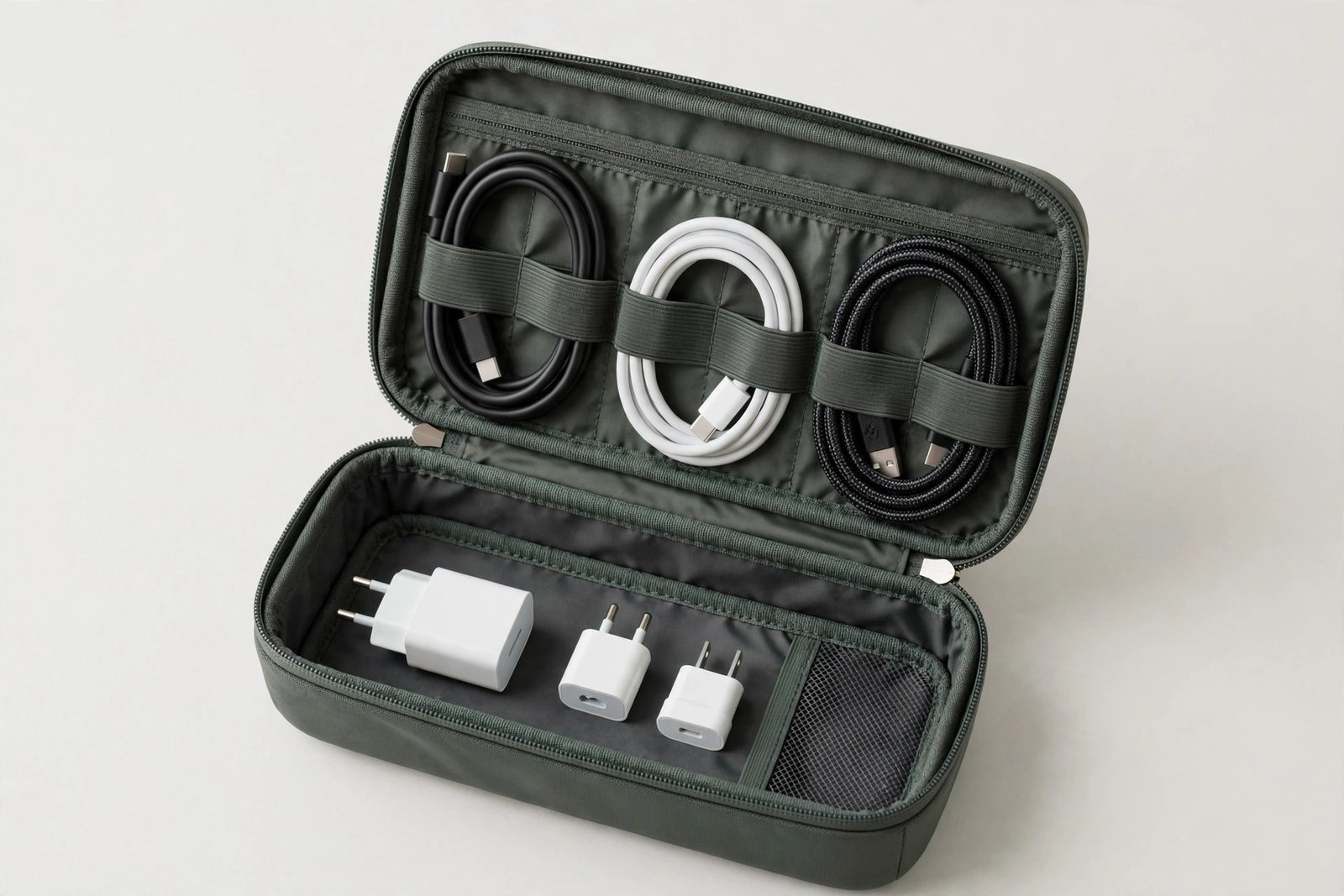
Loose cables are the silent tax on cafe working: they tangle around everything, fray at the ends, and guarantee that the one adapter you need is at the bottom of the bag. A Cable Organizer Travel Case gives the whole charging kit one home — charger, cables, hub, earbuds and spare cards in a single grab-and-go pouch. It is the least glamorous piece of work from anywhere gear in this guide and, week after week, one of the most used.
Size it to the kit you actually carry, not the kit you imagine: elastic loops for cables, a mesh pocket for small adapters and memory cards, and a shell firm enough to protect a charger without turning into a brick itself. A water-resistant outer fabric is worth having for the walk between cafes in the rain. Set the case up once, always put things back in the same loops, and packing up at the end of a session becomes a thirty-second habit instead of a five-minute excavation.
Pros
- 👍 Whole tech kit in one grab-and-go pouch
- 👍 Stops cables tangling and fraying
- 👍 Packing and unpacking takes seconds
- 👍 Protects small adapters and memory cards
Cons
- 👎 Useless if you do not refill it consistently
- 👎 Oversized cases waste precious bag space
- 👎 Budget zips are the first thing to fail
Best for: anyone whose bag currently contains a cable nest with a laptop somewhere inside it.
Check Price And User Reviews on Amazon
8. Laptop Privacy Screen Filter
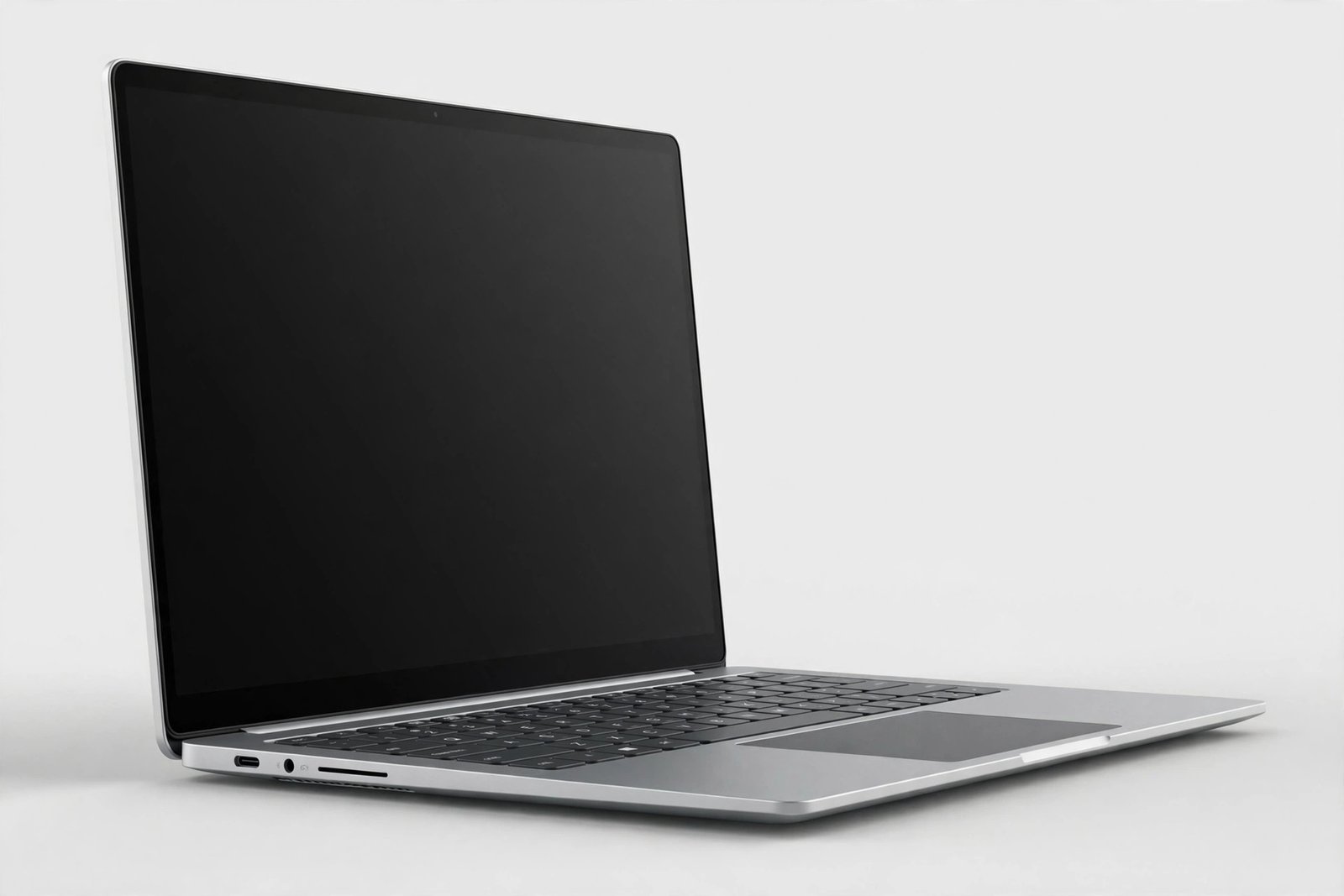
Working in public means your screen is public too. Client documents, invoices, messages and half-written work all sit on display for the next table — and in a busy cafe, the next table is very close. A Laptop Privacy Screen Filter narrows the viewing angle so the display is clear only to the person sitting directly in front of it, while anyone to the side sees a dark, blank screen. It is a small sheet of film that buys a surprising amount of peace of mind.
Measure your screen carefully before ordering, because these filters are cut for exact display sizes and a near-fit is no fit at all. Magnetic, removable versions are the traveller’s friend — they snap on for cafe sessions and come off when you are working somewhere private, where you want full brightness and colour. A matte finish is a quiet bonus in bright cafes, cutting the window glare that usually has you squinting by mid-afternoon.
Pros
- 👍 Blocks side views of your screen completely
- 👍 Magnetic versions fit and remove in seconds
- 👍 Matte finish also reduces cafe glare
- 👍 Lets you handle sensitive work anywhere
Cons
- 👎 Screen looks slightly dimmer with it fitted
- 👎 Must match your exact screen size
- 👎 Adhesive versions are fiddly to fit well
Best for: freelancers and remote staff who handle client, finance or confidential work in public.
Check Price And User Reviews on Amazon
9. Portable Monitor for Laptops

Ask experienced remote workers which single upgrade changed their output most and a second screen wins again and again. A Portable Monitor for Laptops brings that upgrade to a cafe table: a slim display, roughly the size and weight of a hardback book, that runs from one USB-C cable and slides into the laptop compartment of your bag. Spread a document on one screen and your notes on the other, and a portable work setup suddenly feels like a real office that happens to serve excellent coffee.
Weight is the deciding factor — the lightest models are the ones that actually get carried daily, while heavier ones quietly become room furniture. Look for a cover that doubles as a stand, brightness strong enough for a window seat, and a single-cable connection, so no second charger joins the bag. Be honest about table size, too: a portable monitor needs a cafe table with room for two screens side by side, so it suits longer base-camp sessions more than quick coffee stops.
Pros
- 👍 A true second screen inside your laptop bag
- 👍 One USB-C cable carries power and picture
- 👍 Huge help for spreadsheets, code and editing
- 👍 Cover usually doubles as the stand
Cons
- 👎 Needs a bigger table than most cafes offer
- 👎 Drains the laptop battery noticeably faster
- 👎 The bulkiest single item in this guide
Best for: analysts, coders, editors and traders whose work genuinely spans two screens.
Check Price And User Reviews on Amazon
10. Wireless Noise-Cancelling Earbuds
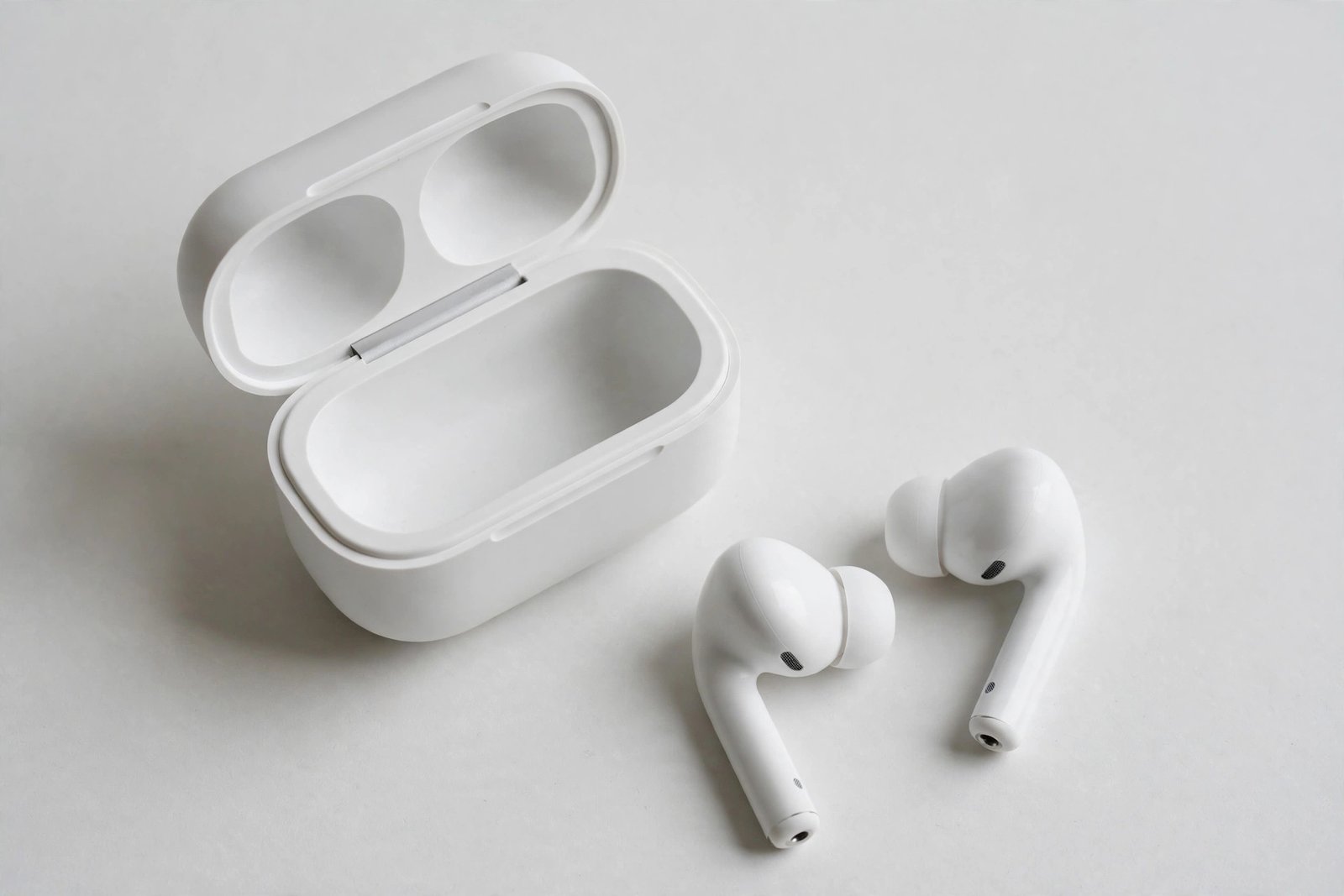
Espresso machines hiss, grinders roar, the cafe playlist fights the table next to you — and your concentration loses. Wireless Noise-Cancelling Earbuds press a bubble of quiet around your work: the steady drone of a busy room drops to a murmur, and your own music or silence takes its place. Unlike big over-ear headphones, they disappear into a pocket, which is exactly why nomads who once swore by cans end up carrying buds instead.
Prioritise the noise cancelling itself, a fit that stays comfortable through a long afternoon, and microphones good enough that clients hear you rather than the coffee machine — test them on a call before trusting them with an important one. Multipoint pairing lets the buds jump between laptop and phone without a settings dig, and a pocketable case tops the battery up between sessions, so they are always ready.
Pros
- 👍 Cuts busy cafe noise down to a murmur
- 👍 Pocket-sized, unlike over-ear headphones
- 👍 Good models handle work calls clearly
- 👍 Case recharges them between sessions
Cons
- 👎 One lost bud ruins the whole set
- 👎 Call quality drops in wind and street noise
- 👎 Long daily wear tires some ears
Best for: anyone whose focus dies in a noisy room — which, in cafes, is most of us.
Check Price And User Reviews on Amazon
11. Laptop Sleeve with Pocket
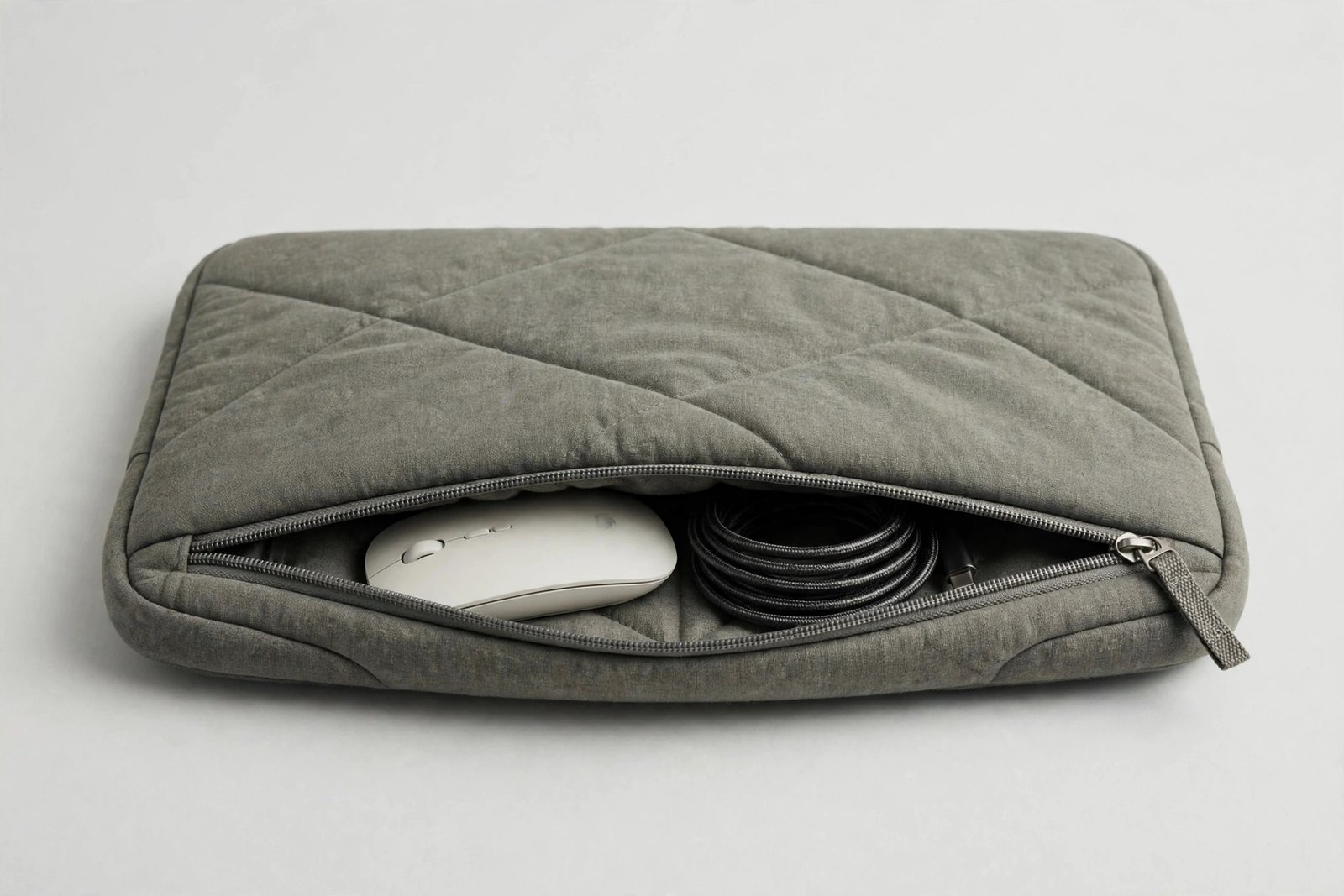
Your laptop gets carried more in a week of cafe working than a home laptop gets moved in a year — across cities, onto buses, through rain, onto tables still wet from the last customer. A Laptop Sleeve with Pocket is the thin layer of padding that absorbs those knocks, with a front pocket sized for the mouse, a cable and the odd adapter. Inside a backpack it stops scratches; carried alone with its handle, it is all you need for the cafe downstairs.
Fit matters most: a sleeve should hug the laptop snugly, because a loose sleeve protects nothing and just adds bulk. Look for padding that wraps the corners (the part that actually hits the floor), a water-resistant outer fabric, and a soft lining that will not scuff the lid. If you regularly carry the charger too, choose a model with a deeper pocket.
Pros
- 👍 Absorbs the daily knocks of moving around
- 👍 Front pocket swallows mouse and cables
- 👍 Slim enough for any backpack or tote
- 👍 Water-resistant shells shrug off rainy walks
Cons
- 👎 Slim models leave no room for a charger
- 👎 Must match your laptop size exactly
- 👎 Protection only — it is not a full bag
Best for: every cafe worker, but especially anyone whose laptop travels in a non-padded bag.
Check Price And User Reviews on Amazon
12. Portable Travel Wi-Fi Hotspot

Cafe Wi-Fi is a lottery: sometimes fast, often crawling, and always shared with strangers on a network you know nothing about. A Portable Travel Wi-Fi Hotspot gives you a connection of your own — drop in a local SIM or use an eSIM plan, and your laptop and phone join a private network that travels from cafe to train to rented desk. It is the piece of remote work travel gear that quietly upgrades everything else, because every other gadget in this guide works better on a connection you trust.
Choose an unlocked model so local SIMs — usually the cheapest data in any country — work without a fight, and check it supports the network bands and speeds common in the regions you actually visit. Battery life should cover a full working day, since a hotspot that dies at three o’clock is just another thing to charge. Used with sensible habits — a strong password, updated software, and a VPN for sensitive accounts — it turns any table with mobile signal into a workable office.
Pros
- 👍 Your own connection in any cafe or train
- 👍 Far safer than open public Wi-Fi for work
- 👍 Keeps you online between venues too
- 👍 Connects laptop and phone on one device
Cons
- 👎 Needs a local SIM or data plan to run
- 👎 One more device to charge every night
- 👎 Speeds depend entirely on local coverage
Best for: nomads who move between countries and cannot gamble the working day on cafe Wi-Fi.
Check Price And User Reviews on Amazon
What to Look for Before You Buy
Start with the only test that really matters for daily cafe work: the whole kit has to live in one bag you are happy to carry across a city, all day, every day. Weigh your current bag honestly, then add pieces one at a time and keep walking. A portable work setup that leaves you dreading the walk to the cafe has failed at its only job, however clever each piece is — so if a gadget would get left behind at your room more often than it gets used, it does not belong in the kit.
Think about power as one system rather than three separate purchases. A GaN charger, a power bank and one good cable should agree with each other: the charger refills the bank overnight, the bank runs the laptop through the day, and the same USB-C standard covers your phone and earbuds too. This is where the right laptop accessories for travel quietly multiply each other — standardise on USB-C wherever you can, and the cable nest, the dead battery and the forgotten proprietary charger all disappear from your life at once.
Match the order of buying to your actual work, not to this list’s numbering. Writers and administrators feel the stand, keyboard and mouse first. Designers, analysts and editors feel the monitor and hub. Anyone on calls all day feels the earbuds and the hotspot. Buy for the friction you hit every day, live with it a few weeks, and the next gap in the kit will announce itself.
Finally, buy for durability in the unglamorous places: metal hinges, braided cables, firm zips, replaceable tips and batteries that are still healthy after a year of daily cycles. Cafe gear fails at its moving parts, and it usually fails in a city where replacing it is slow and annoying. One sturdy item that survives three years of bag life beats two clever ones that each survive a season.
Final Thoughts
The cafes were never really the problem. A low table, a missing socket and a noisy room are all fixed by a small, well-chosen kit — and once those digital nomad essentials are in your bag, almost any cafe in any city becomes a workable office within a minute of sitting down. That freedom, more than any single gadget, is what this way of working is actually for.
Build the kit gradually and honestly. Start with the pieces that fix your loudest daily frustration, carry them for a month, and add the next only when a real gap shows itself. A bag that stays light, a setup that takes a minute, and gear you forget you are carrying — that is the whole secret, and it travels anywhere.
More Guides You’ll Like
Working days that start at the airport instead? Our guide to the Best Travel Gadgets for Long International Flights covers the kit that makes long-haul travel days bearable, while Best Portable Chargers for Travel goes deeper on keeping a whole bag of devices powered on the move. And if your office sometimes has four wheels and a kettle, see Best Compact Gadgets for Van Life Road Trips on a Budget for the same portable thinking on the road.
Frequently Asked Questions
What are the first gadgets a digital nomad should buy for cafe working?
Start with the three that fix the most common problems: a laptop stand for posture, a compact GaN charger for power, and noise-cancelling earbuds for focus. Add a power bank next if you regularly lose the fight for cafe sockets. Those four pieces of work from anywhere gear cover the large majority of cafe frustrations; everything else in this guide is worth adding once your own routine shows you the gap.
Is it safe to work on cafe Wi-Fi every day?
It can be, with sensible habits — but your own connection is safer. Keep your system and browser updated, use a VPN for work accounts and banking, and avoid sensitive logins on open networks you know nothing about. A hotspot from this guide is one piece of remote work travel gear that removes the question entirely, and a privacy screen stops the person at the next table reading your screen in the meantime.
How heavy should a full portable cafe setup be?
Lighter than you fear, if you buy in the order your work demands. Most experienced nomads keep the gadget kit itself to a few kilos at most — the laptop is usually the heaviest single item, and everything in this guide was chosen to add grams rather than kilos. The practical test is simple: if you would happily carry the bag across town twice in one day, the setup is light enough.
Can I work from cafes with just a laptop and no accessories?
For an hour, happily. For full working days, the laptop alone fights you on three fronts: the low screen hurts your neck, the battery limits where you can sit, and the noise breaks your focus. You do not need all twelve picks in this guide — but the stand, charger and earbuds change cafe working so completely that most people who try them never go back to the bare laptop.