

Best TV Listening Gadgets for Seniors With Hearing Loss: 12 Comfort Picks for Clearer Dialogue at Your Own Volume
As an Amazon Associate, we earn from qualifying purchases made through links on this page, at no extra cost to you. This helps support our work and keeps our guides free to read.
A quick note on prices: prices change often, so we never quote a fixed price here. Please check the latest price on Amazon before you buy, using the yellow buttons in this guide. The product pictures in this article are original illustrations created for this guide, not manufacturer photos.
Introduction
If you are looking for the best tv listening gadgets for seniors with hearing loss, you already know the nightly pattern by heart: the TV volume creeps up number by number, the dialogue still hides under the music and sound effects, and someone else in the room is wincing at how loud the adverts have become. The problem is rarely the television itself — it is that TV sound is mixed for cinemas, travels across a whole room, and arrives at the sofa flattened, echoey and short on the one thing that matters most: clear speech.
The good news is that a whole category of tv listening devices exists to fix exactly that, and none of them ask you to change the television or shout across the room. The idea running through this guide is simple: bring the sound closer, and give the listener their own volume. A pair of wireless tv headphones for seniors delivers the programme straight to the ears at whatever level suits; a small speaker on the side table puts the dialogue three feet away instead of twelve; a soundbar with a voice mode lifts speech out of the background so words stop dissolving into the soundtrack.
We have thought about who actually uses these gadgets: older viewers who watch with a spouse whose hearing is different from theirs, grandparents who do not want to miss a word of the news or the Sunday film, and anyone fed up with reading subtitles as a first resort. The best picks here share the same senior-friendly details — big dials instead of fiddly menus, charging docks instead of tiny cables, controls you can work out by touch. Every gadget on this list is a listening comfort product for enjoying television more, and we have been honest throughout about what that does and does not mean.
One honest note before the list, because this topic attracts overpromising: these are comfort gadgets, not hearing aids and not medical devices. They make TV dialogue clearer and louder at the volume you choose — they do not treat, fix or improve hearing itself. Read the pros and cons, decide whether you want the sound at your ears, beside you, or from the TV itself, and you will find the right setup for your sofa.
How We Chose
We chose these twelve products by one test: does this gadget make television dialogue genuinely easier to follow, at a volume the listener controls? A pick earned its place if it brings speech closer to the viewer, separates dialogue from background music and effects, or lets one person listen louder without turning the whole room up with them. Anything that was just an ordinary speaker or a standard pair of headphones with the word “senior” pasted onto the box was left out.
We also favoured ease-of-use details that matter enormously in real living rooms: large volume dials and buttons that can be found by touch, charging docks that remove the nightly cable hunt, simple pairing that stays paired, and connections that work with ordinary TVs — optical, headphone socket or RCA — without a technician. Nothing here carries a medical promise, and we avoided any product that markets itself as a treatment. Finally, we spread the picks across the whole range of setups — ears, neck, side table and soundbar — so the list reads like a complete answer to the question of how to hear the tv better, whatever the room and whoever else is in it.
Quick List
- Wireless TV Headphones with Charging Dock — the classic answer: the programme at your ears, at your volume.
- Wireless TV Speaker with Dialogue Mode — a small speaker that brings the TV’s voice to your side table.
- Soundbar with Dialogue Clarity Mode — lifts speech out of the music for the whole room to share.
- Neckband TV Speaker — sound around your neck, ears left open to the room.
- TV Listening System with Under-Chin Receiver — feather-light listening designed from the start for older viewers.
- Bluetooth TV Transmitter — turns the headphones or earbuds you already own into TV listeners.
- Wireless TV Earbuds with Transmitter — discreet in-ear listening with nothing over your head.
- Wired TV Headphones with Extra-Long Cable — the simplest setup of all: plug in, sit down, listen.
- Dual Wireless TV Headphones for Two Viewers — two headsets, one dock, two different volumes.
- Portable TV Speaker with Big Volume Dial — the TV voice that travels from room to room with you.
- TV Audio Streamer for Hearing Aids — sends TV sound straight to compatible hearing aids you already wear.
- Personal TV Amplifier with Neckloop — a pocket-sized listener you point at the TV and set to your level.
1. Wireless TV Headphones with Charging Dock

Wireless TV Headphones with Charging Dock are the first gadget most families try, and for good reason: they are the most complete answer on this list. The dock plugs into the TV once and stays there, sending the sound wirelessly to a pair of over-ear headphones with their own volume dial on the ear cup. The wearer sets the level they need; the television itself can stay at a comfortable volume for everyone else — or even sit on mute while a partner reads in peace.
The dock is the detail that makes these work long-term for older viewers: no tiny charging cables to thread in each night, no pairing menus — you lift the headphones off the dock and they connect, and you drop them back on when the programme ends. Look for soft, roomy ear cups that sit comfortably over glasses, a balance control if one ear hears better than the other, and a battery that comfortably outlasts an evening’s viewing. Among all the wireless tv headphones for seniors we compared, the dock-based sets were consistently the easiest to live with.
Pros
- 👍 Your own volume, completely separate from the TV’s.
- 👍 Charging dock means no cables or pairing fuss each night.
- 👍 Big volume dial on the ear cup, easy to find by touch.
- 👍 Others in the room can listen at their level — or read in quiet.
Cons
- 👎 Over-ear cups can feel warm during long films.
- 👎 You are cut off from conversation while wearing them.
- 👎 The dock needs a permanent spot near the TV.
Best for: the classic one-viewer setup — and the first purchase we would make.
Check Price And User Reviews on Amazon
2. Wireless TV Speaker with Dialogue Mode
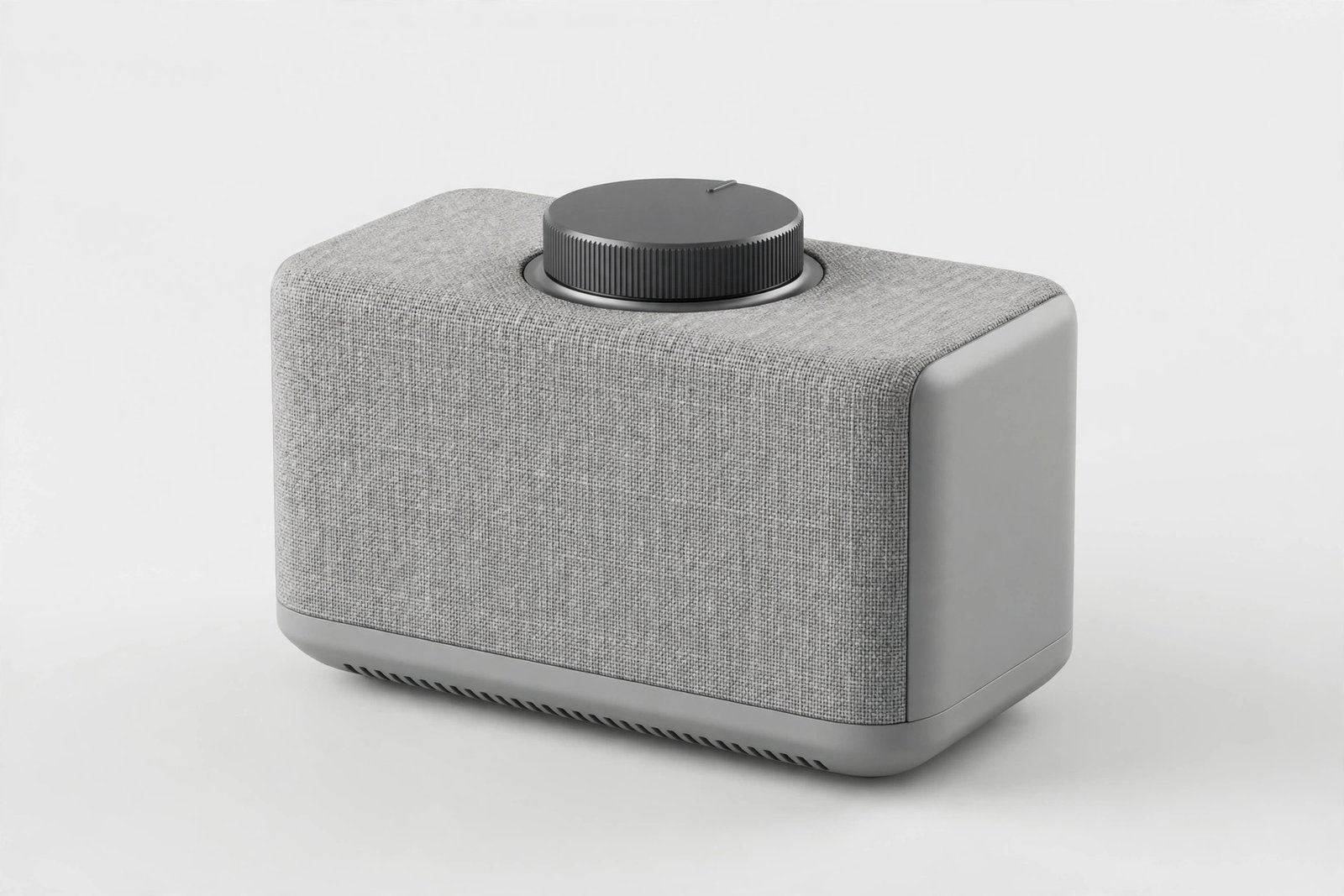
A Wireless TV Speaker with Dialogue Mode works on the simplest physics in this guide: sound gets clearer as it gets closer. A small transmitter by the TV sends the audio to a portable speaker that lives on the arm of your chair or the side table, so the dialogue travels three feet instead of twelve — no echo off the walls, no volume war with the neighbours, and no headphones on your head. A dialogue or voice mode then lifts the speech frequencies out of the mix, so words stand forward from the music instead of sinking into it.
This is the pick for viewers who simply dislike wearing anything on their ears, and it is the natural companion to the ideas in our guide to tv sound gadgets for apartments without disturbing neighbors: near-field sound at your own level means the TV itself can stay turned down low. Choose a model with one big dial you can work by touch, a battery that lasts several evenings, and a carry handle or light body so it can follow you to the kitchen at the interval.
Pros
- 👍 Nothing to wear — the sound simply sits beside you.
- 👍 Dialogue mode pushes speech forward from the music.
- 👍 One big dial; nothing to pair or configure nightly.
- 👍 Partner hears the TV at a normal, comfortable level.
Cons
- 👎 Sound still fills your corner of the room — not silent for others.
- 👎 Battery models need recharging every few evenings.
- 👎 Less isolating than headphones if the house is noisy.
Best for: viewers who want clearer dialogue without wearing headphones.
Check Price And User Reviews on Amazon
3. Soundbar with Dialogue Clarity Mode
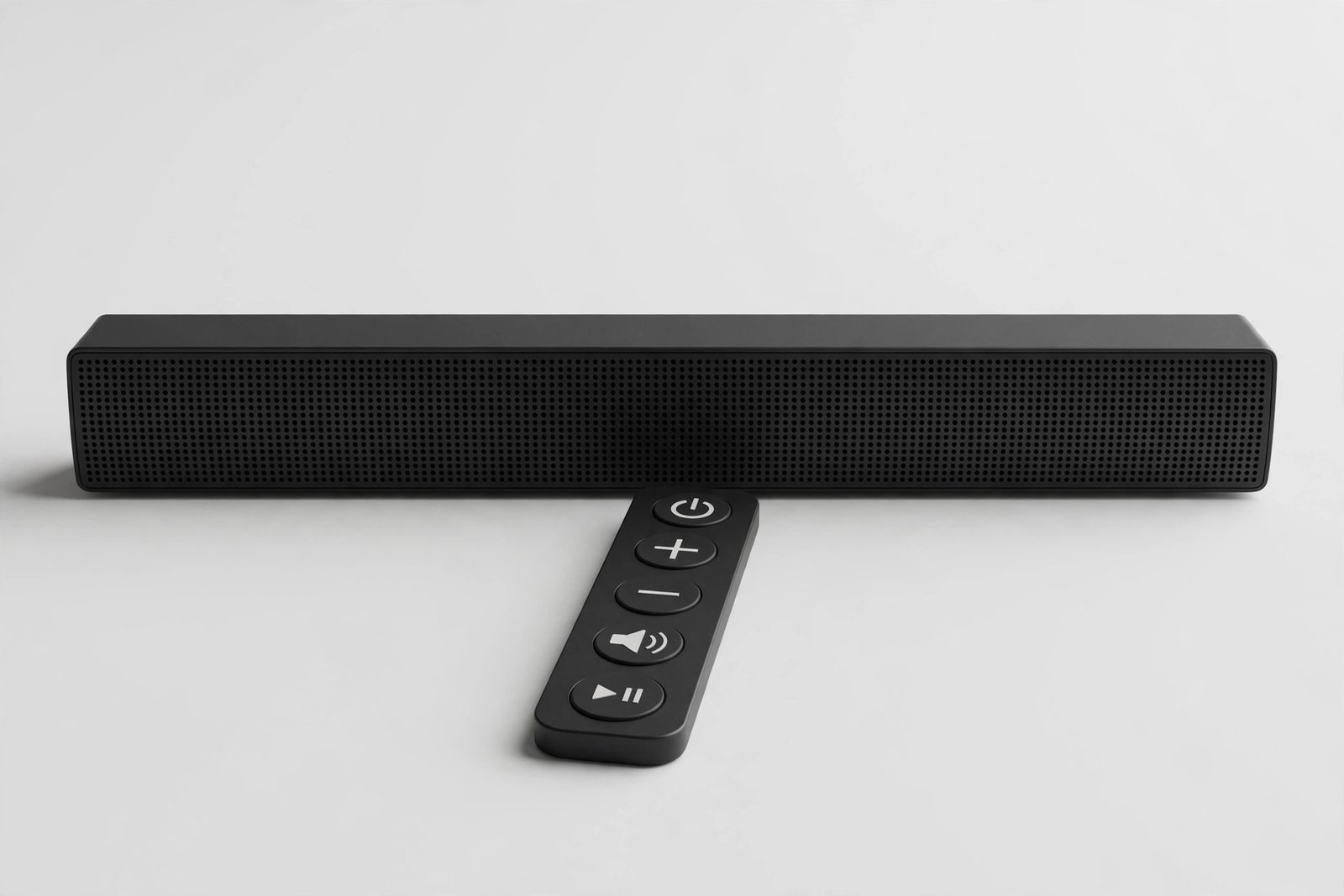
A Soundbar with Dialogue Clarity Mode fixes the problem at its source. Modern TVs are so thin that their speakers point at the wall or the floor, and film soundtracks bury voices under swelling music and effects. A soundbar fires the sound at the room properly, and its dialogue or voice-clarity mode boosts exactly the frequencies speech lives in while taming the booming bass that muddies it. The result is the whole room hearing words more clearly — not whisper-quiet voices one moment and deafening explosions the next.
Because everyone benefits, this is the shared-household pick: couples whose hearing differs can often meet in the middle with a good voice mode, and nobody wears anything. Look for a dedicated dialogue button on the remote (not buried in a phone app), a night mode that flattens the loud-soft swings, and a simple one-cable connection — HDMI ARC or optical on most modern TVs. A soundbar for dialogue clarity will not give one viewer a truly private volume the way headphones do, but as an everyday upgrade to television sound it is the hardest-working single box here.
Pros
- 👍 Clearer dialogue for everyone in the room at once.
- 👍 Voice mode lifts speech out of music and effects.
- 👍 Night mode tames sudden loud scenes and adverts.
- 👍 One-cable setup on most modern TVs.
Cons
- 👎 No private volume — the whole room hears the same level.
- 👎 Takes space under the TV and needs a spare socket.
- 👎 Remotes vary; some hide the voice button in menus.
Best for: couples and families who watch together and all want clearer speech.
Check Price And User Reviews on Amazon
4. Neckband TV Speaker

A Neckband TV Speaker rests on your shoulders like a soft collar and fires the sound gently upward from two small speakers near your collarbones. Your ears stay completely uncovered, so you still hear the doorbell, the kettle and your spouse asking if you want tea — while the television arrives close, clear and at your own volume. For viewers who find headphones isolating or earbuds fiddly, it is the most sociable way to listen on this list.
Neckbands connect to the TV through a small Bluetooth transmitter or their own base unit, and the better ones include a dialogue mode and big, raised buttons along one arm that you can find without looking down. Battery life matters more here than raw power: you want several evenings per charge, and a light, flexible band that forgets it is there during a long film.
Pros
- 👍 Ears stay open — you still hear the room and conversation.
- 👍 Nothing in or over the ears to get hot or uncomfortable.
- 👍 Personal volume without blasting the television.
- 👍 Light enough to forget during a long film.
Cons
- 👎 A little sound spills to people sitting very close.
- 👎 Not the choice for maximum dialogue isolation.
- 👎 Needs charging every few evenings, like all neckbands.
Best for: viewers who want personal volume but hate wearing headphones.
Check Price And User Reviews on Amazon
5. TV Listening System with Under-Chin Receiver
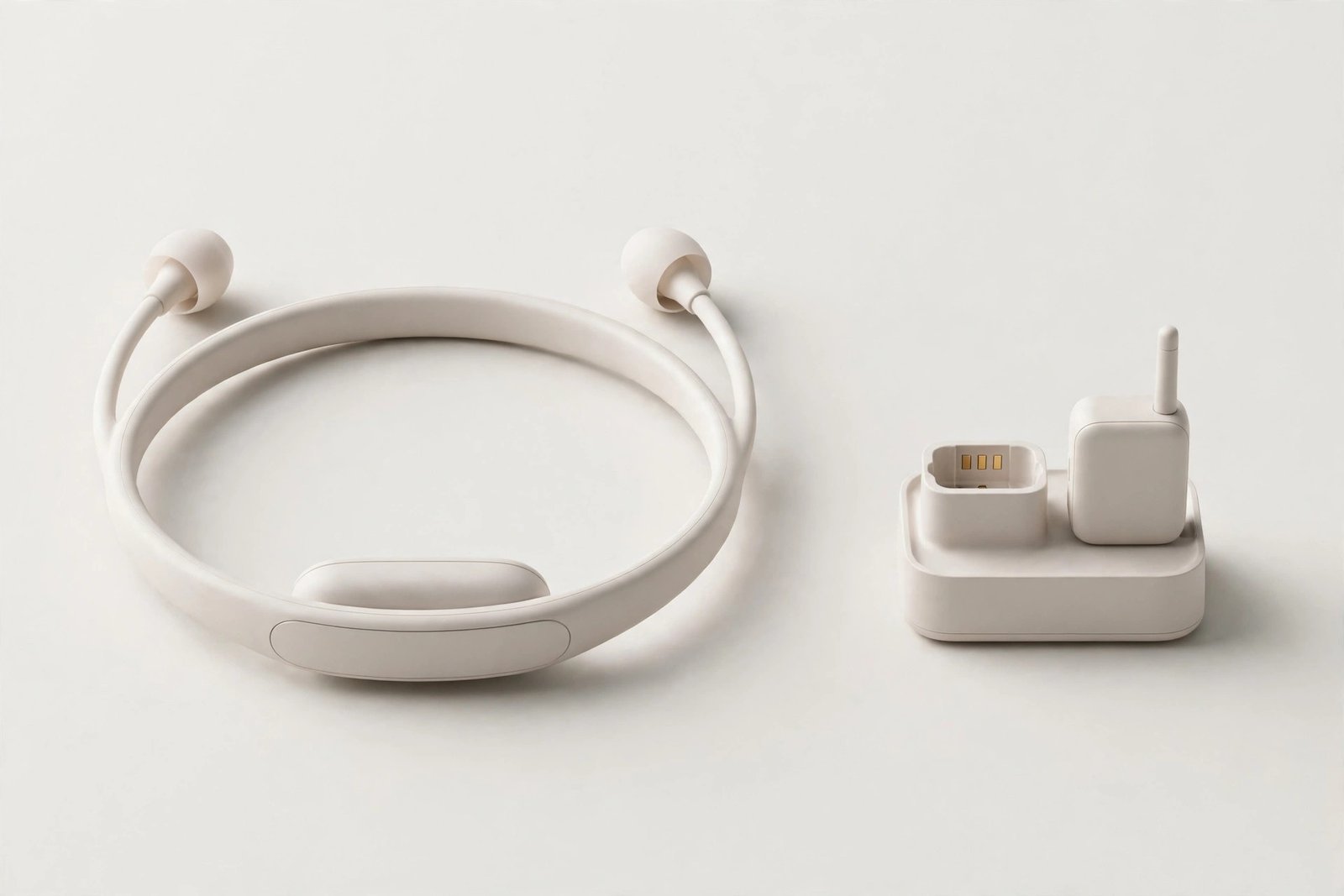
A TV Listening System with Under-Chin Receiver is the design this whole category grew up around: a feather-light receiver that hangs under the chin like a stethoscope, with two soft ear tips that rest at the ears rather than covering them. There is almost nothing to squeeze, press or heat up, which is why these systems are so popular with older viewers who wear glasses, find over-ear cups heavy, or simply want something they can slip on with one hand.
The transmitter base charges the receiver between programmes and plugs into the TV with a single cable, and the controls could not be plainer — a thumbwheel for volume and, on many models, a tone control that lets you favour the brighter, speech-carrying frequencies. Because the ear tips do not seal the ear canal like earbuds, the room stays faintly audible around the programme, which many people prefer.
Pros
- 👍 Feather-light — nothing heavy over the head or ears.
- 👍 Slips on with one hand; ideal with glasses.
- 👍 Simple thumbwheel volume and tone controls.
- 👍 Base unit charges it between programmes.
Cons
- 👎 Ear tips sit at the ear — less isolation than headphones.
- 👎 The under-chin style takes a day or two to get used to.
- 👎 Spare ear tips are a small ongoing extra to keep.
Best for: viewers who find ordinary headphones heavy or uncomfortable.
Check Price And User Reviews on Amazon
6. Bluetooth TV Transmitter
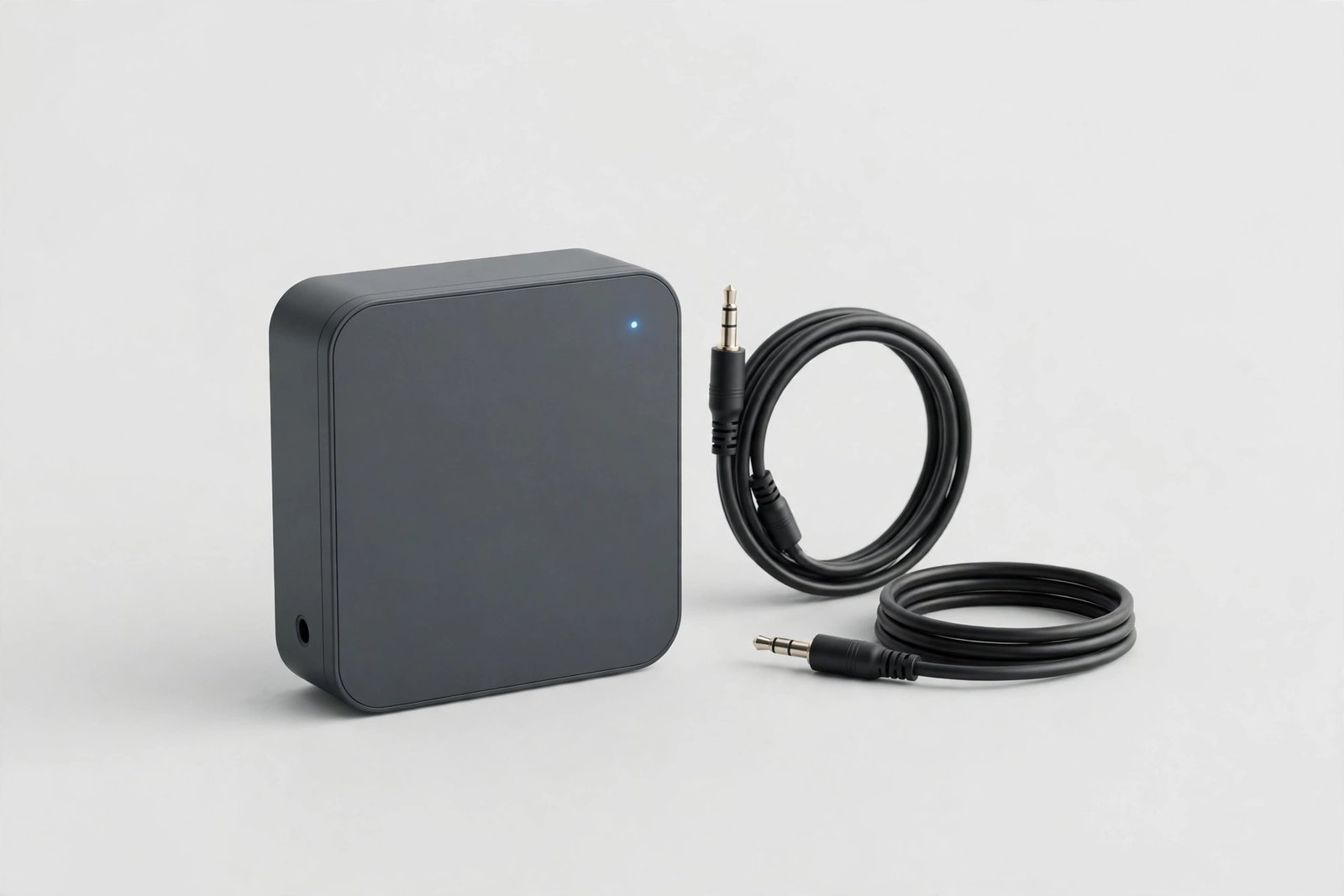
A Bluetooth TV Transmitter is the bring-your-own-headphones option. This little box plugs into the TV’s optical or headphone socket once, then sends the sound to whatever Bluetooth headphones, earbuds or neckband you already own and already like the feel of. If a favourite pair of headphones is sitting in a drawer because the TV could never talk to them, this is the gadget that puts them to work — and many transmitters happily feed two pairs at once, so a couple can both listen privately.
Two details decide whether a transmitter delights or irritates. The first is low-latency support, so lips and voices stay in step — look for aptX Low Latency or the newer LE Audio wording, and headphones that match. The second is a pass-through connection, which lets the TV speakers or soundbar keep working while the transmitter is plugged in, so other viewers are not silenced. Setup is a one-time job — pair it once and it reconnects by itself — which makes it a very neat way to build a wireless tv headphones for seniors setup out of equipment the house already owns.
Pros
- 👍 Works with headphones or earbuds you already own.
- 👍 Many models connect two listeners at the same time.
- 👍 Set it up once; it reconnects automatically.
- 👍 The cheapest route into wireless TV listening.
Cons
- 👎 Basic models can lag behind the picture — buy low-latency.
- 👎 First pairing is a small job for a family member to help with.
- 👎 No dock — your headphones charge their usual way.
Best for: anyone who already owns Bluetooth headphones they love.
Check Price And User Reviews on Amazon
7. Wireless TV Earbuds with Transmitter

Wireless TV Earbuds with Transmitter are the discreet end of this guide: two small buds that sit in the ears, fed by a little transmitter at the TV, with a charging case that tops them up between programmes. Nothing sits over the head, nothing shows from across the room, and the sound arrives privately at exactly your volume — a setup many older viewers prefer precisely because it does not announce itself.
The honest trade-offs are size and touch. Earbuds are small objects, and small objects ask more of fingers: choose a set with the largest case and clearest left-right markings you can find, and volume you can adjust from a simple app-free button or the TV-side unit where possible. Fit matters too — a bud that seals gently delivers the clearest dialogue, and most sets include several tip sizes. For side-lying viewers who watch in bed with one ear on the pillow, a single bud is a quiet triumph no headphone here can match. Paired with ideas from our wider roundup of gadgets for elderly parents, earbuds make television feel private and easy again.
Pros
- 👍 Discreet and light — nothing over the head at all.
- 👍 Private volume, and one bud works for side-lying viewing.
- 👍 Charging case keeps them topped up and together.
- 👍 Clear, close dialogue with a gentle in-ear seal.
Cons
- 👎 Small buds and cases need reasonably nimble fingers.
- 👎 Easy to mislay — the case needs a fixed home.
- 👎 Shorter listening time per charge than big headphones.
Best for: viewers who want private listening that stays invisible.
Check Price And User Reviews on Amazon
8. Wired TV Headphones with Extra-Long Cable
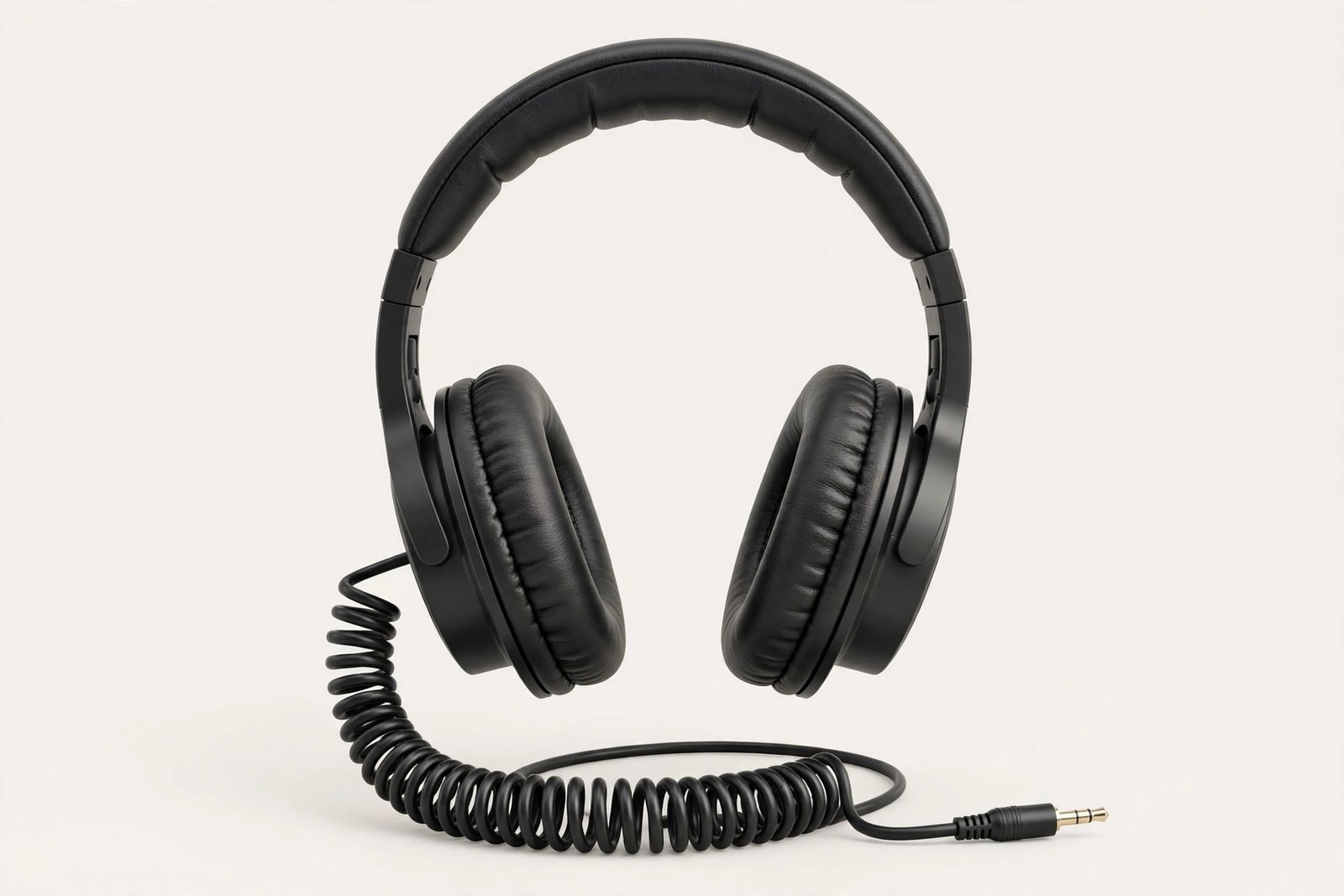
Wired TV Headphones with Extra-Long Cable are the beautifully simple end of the list: a comfortable pair of over-ear headphones on a cable long enough — often five metres or more — to run from the TV’s headphone socket to the sofa. No charging, no pairing, no batteries, nothing to set up twice. Plug the jack in, put the headphones on, turn the inline volume wheel, and the programme is simply there, at your level, every single time.
That reliability is why wired sets remain a favourite: nothing in the system can go flat, drop out or forget its settings. Look for a single-sided cable entry so the cord falls to one side, an inline volume control so you never touch the TV remote for your own level, and a route for the cable that nobody walks across — along the skirting and up behind the chair beats across the carpet. Among tv listening devices, this is the zero-maintenance benchmark everything else is judged against.
Pros
- 👍 Nothing to charge, pair or configure — ever.
- 👍 Inline volume wheel gives you your own level.
- 👍 Works with any TV that has a headphone socket.
- 👍 The least expensive pick in this whole guide.
Cons
- 👎 The cable must be routed so nobody trips over it.
- 👎 You are tethered to your chair while listening.
- 👎 Some new TVs have dropped the headphone socket.
Best for: anyone who wants clearer TV sound with zero technology fuss.
Check Price And User Reviews on Amazon
9. Dual Wireless TV Headphones for Two Viewers

Dual Wireless TV Headphones for Two Viewers solve the two-different-ears marriage in a single box: one transmitter dock, two headsets, and a separate volume dial on each. Both viewers hear the same programme together — the shared laughter, the shared gasp at the plot twist — while each listens at the level their own ears need, and the television itself can stay low or silent for the rest of the house.
This is the setup we most often suggest to couples, and it pairs with the wider thinking in our flagship guide to gadgets for elderly parents: solve the volume problem once, properly, and movie night stops being a negotiation. Check that both headsets genuinely have independent volume (some budget sets share one control), and that the dock charges both at once so the nightly routine stays at ten seconds. Late-night sport, films after the grandchildren are asleep, a partner who reads — two headsets quietly handle all of it.
Pros
- 👍 Two viewers, two completely independent volumes.
- 👍 Watch together without the TV disturbing the house.
- 👍 One dock charges both headsets side by side.
- 👍 Ends the nightly volume negotiation for good.
Cons
- 👎 Costs more than a single-headset set.
- 👎 Both viewers are cut off from room conversation.
- 👎 The wide dual dock needs a bigger spot by the TV.
Best for: couples whose hearing differs and who still watch everything together.
Check Price And User Reviews on Amazon
10. Portable TV Speaker with Big Volume Dial
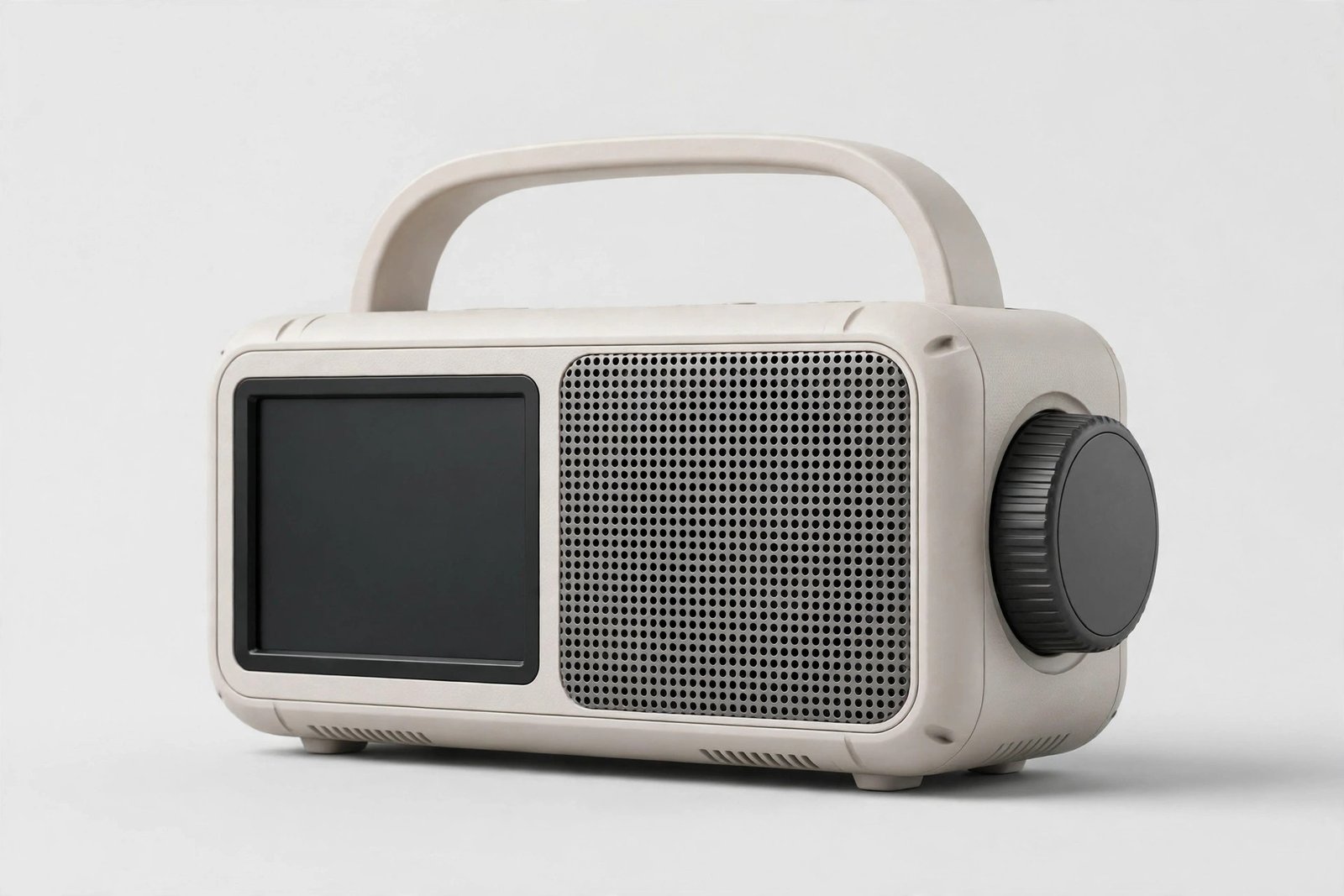
A Portable TV Speaker with Big Volume Dial is the travelling version of pick 2: a sturdy little speaker with a handle, a base unit that stays at the TV, and one gloriously large rotary dial that does exactly one thing. It starts the evening beside your chair in the living room, follows you to the kitchen table for the late news, and comes back again — the programme’s voice within arm’s reach the whole time, at the volume you set with a single twist.
The design details are aimed squarely at older hands and eyes: that oversized dial instead of a row of identical buttons, a simple on-off switch, and a battery that runs for days of viewing rather than hours. Because the sound is close and personal, the TV stays at a modest level — the same neighbour-friendly principle behind our guide to tv sound gadgets for apartments. As a tv speaker for seniors, nothing on this list is easier to understand at a glance.
Pros
- 👍 One huge dial — the simplest control in this guide.
- 👍 Carry handle takes the TV’s voice from room to room.
- 👍 Days of listening per charge on most models.
- 👍 Clear, close sound without wearing anything.
Cons
- 👎 Chunkier than the side-table speaker in pick 2.
- 👎 Sound is personal, not private — nearby ears hear it too.
- 👎 Needs its base unit within range of the TV.
Best for: viewers who move between rooms and want the TV to come along.
Check Price And User Reviews on Amazon
11. TV Audio Streamer for Hearing Aids

A TV Audio Streamer for Hearing Aids is the pick for viewers who already wear hearing aids and would rather the television simply spoke to them directly. The streamer is a small box that plugs into the TV and beams the programme’s sound straight to compatible hearing aids, so the dialogue arrives through the devices you already wear all day — set to your own level — while the TV speakers carry on at whatever volume suits everyone else in the room.
Compatibility is the whole conversation here, so be practical before buying: streamers are made for particular hearing aid brands and models, and the listing will say which. If yours match, the experience is the most effortless in this guide — no extra headset to charge or wear, and walking to the kitchen usually keeps the sound with you. Be clear about the division of labour, though: the streamer is a television comfort accessory that works alongside your hearing aids; the hearing aids themselves, and everything about your hearing, remain a matter for your hearing professional. As part of how to hear the tv better with equipment you already own, it is unbeatable when it fits.
Pros
- 👍 TV sound straight into the hearing aids you already wear.
- 👍 Nothing extra on your head or in your ears.
- 👍 Your volume stays yours; the room keeps its own.
- 👍 Sound often follows you to the next room.
Cons
- 👎 Only works with specific hearing aid brands and models.
- 👎 Useless without compatible hearing aids — check first.
- 👎 First setup may need the hearing aid app or a helper.
Best for: hearing aid wearers whose aids are streamer-compatible.
Check Price And User Reviews on Amazon
12. Personal TV Amplifier with Neckloop

A Personal TV Amplifier with Neckloop closes the list with the most flexible gadget here: a pocket-sized unit with a big volume wheel that picks up sound and delivers it to earbuds — or, through its neckloop, directly to hearing aids with a telecoil setting. Point yourself at the television from your usual chair and the programme comes to you amplified to your level, without the TV itself changing at all. Because nothing connects to the TV, it works with any set, in any room, even at a family member’s house.
That freedom comes with honest limits worth stating plainly. A personal amplifier raises everything it hears — the programme, but also the room around it — so it shines in a quiet living room and struggles in a noisy one, and it is a listening comfort gadget, not a hearing aid and no substitute for one. Where it earns its place is as the take-anywhere option: holidays, hospital stays, a second television in the spare room. Keep expectations set to “clearer, closer television at my volume” and this little box delivers exactly that, anywhere.
Pros
- 👍 Works with any TV — nothing to plug in or pair.
- 👍 Neckloop sends sound to telecoil hearing aids.
- 👍 Big volume wheel, simple one-hand operation.
- 👍 Travels anywhere: spare rooms, holidays, family visits.
Cons
- 👎 Amplifies room noise along with the programme.
- 👎 A comfort gadget only — not a hearing aid in any sense.
- 👎 Sound quality trails the dedicated TV systems here.
Best for: a portable backup listener for second rooms and travelling.
Check Price And User Reviews on Amazon
Buying Guide
1. Decide Where the Sound Should Live: Ears, Neck, Table or TV
Every pick in this guide does the same job — clearer dialogue at your own volume — from a different place, and the right place is a personal choice, not a technical one. At the ears (headphones, earbuds, the under-chin receiver) gives the clearest, most private listening. Around the neck keeps your ears open to the room. On the side table or carried with you (the near-TV speakers) suits anyone who dislikes wearing things. And at the TV itself (the dialogue soundbar, the hearing aid streamer) upgrades the sound for the whole room or sends it into aids you already wear. Most households find one of these feels obviously right the moment they picture their own sofa.
2. Your Volume and Their Volume Are Two Different Things
The single feature that separates these gadgets from an ordinary remote control is independent volume. If two people watch together with different hearing, a shared TV volume will always be a compromise that suits nobody — too loud for one, too quiet for the other, and the adverts loudest of all. Headphones with their own dial, dual headsets, a streamer or a personal speaker all break that compromise by giving the listener a private level. If you buy for a couple, make independent volume the first line of the checklist, before brand, before battery, before everything.
3. What to Check Before You Buy: Connections, Controls and Comfort
Four checks save most returns. First, connection: does your TV offer optical, HDMI ARC or a headphone socket, and does the gadget match? (Very new TVs sometimes drop the headphone socket, which rules out the simplest wired pick.) Second, controls: big dials and raised buttons you can find by touch beat tiny touch panels every time — this matters more than any sound specification. Third, the nightly routine: a charging dock beats a fiddly cable, and a battery that lasts a week of evenings beats one that dies mid-film. Finally, comfort over hours, not minutes: cup size over glasses, weight, and warmth all decide whether a gadget is still being used in a month’s time.
4. These Gadgets Support Your Viewing — They Do Not Replace a Hearing Test
The honest section, and the most important one. Everything in this guide is a television listening comfort product. Headphones, speakers, soundbars, streamers and amplifiers make the programme clearer and louder at the volume you choose, and used well they can transform an evening in front of the TV. What they cannot do is assess, treat or improve your hearing, and none of them is a hearing aid or a medical device. If you are finding everyday conversation harder, asking people to repeat themselves, or turning everything up — not just the television — that is worth a proper professional hearing test. A hearing professional can tell you what is actually going on and what would genuinely help. Treat these gadgets as what they are: a more enjoyable way to watch television, sitting alongside professional advice, never instead of it.
Conclusion
The best tv listening gadgets for seniors with hearing loss all follow the same recipe: bring the dialogue closer, lift the speech out of the soundtrack, and hand the volume to the person listening. Headphones do it privately, neckbands do it sociably, near-TV speakers do it without wearing anything at all, and a dialogue soundbar does it for the whole room at once. None of it needs a new television, and most of it can be working tonight.
If you buy one thing, make it the dock-based wireless headphones — the complete, easy answer for a single viewer. If you buy for a couple, make it the dual set and end the volume negotiation for good. Hearing aid wearers should check streamer compatibility first, because when it matches, nothing here is simpler. Whatever you choose, check the latest price on Amazon before you buy, confirm the connection matches your TV, and give any new setup a few evenings before judging it: ears notice a new listening routine faster than they settle into it.
More Guides You’ll Like
Our flagship roundup of gadgets for elderly parents covers the wider world of senior-friendly technology — easy-grip kitchen tools, big-button phones, safer bathrooms and more — and is the natural next read after this one. If the volume problem in your home is really about the neighbours through the wall, our guide to tv sound gadgets for apartments without disturbing neighbors approaches late-night listening from the other side. And for the evenings when the TV is in the bedroom, our look at smart bedroom gadgets for a relaxing bedtime routine covers the wind-down end of the day, while our guide to gadgets for people who snore and their partners handles a different kind of household sound problem entirely.
FAQs
What is the best gadget for hearing the TV better?
For a single viewer, wireless TV headphones with a charging dock: they deliver the programme directly to your ears at your own volume, with a big dial you can work by touch and a dock that removes all nightly charging fuss. For couples, the dual-headset version of the same idea. If you dislike wearing anything, a near-TV speaker with a dialogue mode is the closest alternative — the shared principle of all these tv listening devices is sound that sits near you instead of across the room.
Can I listen louder without disturbing my partner or the neighbours?
Yes — that is precisely what most of this guide is for. Headphones, earbuds and the under-chin receiver keep your volume entirely private while the TV stays low or silent. A neckband leaks only a little sound to someone sitting close. If you would rather not wear anything, a speaker beside your chair at a modest level is far kinder to the rest of the house — and the neighbours — than a television turned up across the room.
Will these gadgets work with my TV?
Almost certainly, one of them will. Most TVs offer at least one of optical, HDMI ARC or a headphone socket, and between them those connections cover every pick here: soundbars and transmitters favour optical or ARC, wired headphones need the socket, and the personal amplifier needs no connection at all. Check what your set offers before ordering — it takes a minute and prevents the one return that matters — and remember that some very new TVs have quietly dropped the headphone socket.
Are TV listening gadgets the same as hearing aids?
No, and the difference matters. Hearing aids are medical devices, fitted to your individual hearing after a professional assessment. Everything in this guide is a consumer comfort product for one job: making television dialogue clearer and louder at a volume you choose, in your living room. They are genuinely useful for enjoying programmes — but they do not test your hearing, treat it, or replace the devices and advice a hearing professional provides.
Should I get a hearing test, or will one of these gadgets be enough?
If the difficulty is only with the television — quiet voices, mumbling actors, music drowning the words — a listening gadget may be all you want, because TV sound itself is often the problem. But if you are also missing conversation, asking family to repeat themselves, or struggling on the phone, please get a professional hearing test. It is quick, it tells you what is really going on, and these gadgets will still be here afterwards — they sit happily alongside professional advice, and hearing aid wearers are some of their happiest users.
What should I buy first on a small budget?
Start with the wired headphones if your TV has a headphone socket — they cost the least, need no charging or pairing, and prove the concept in one evening. If there is no socket, a Bluetooth transmitter feeding headphones you already own is the next cheapest step. Save the dock-based wireless sets and dual headsets for when you know the routine suits you; they are the best long-term answers precisely because they remove every nightly friction.


2 Comments