
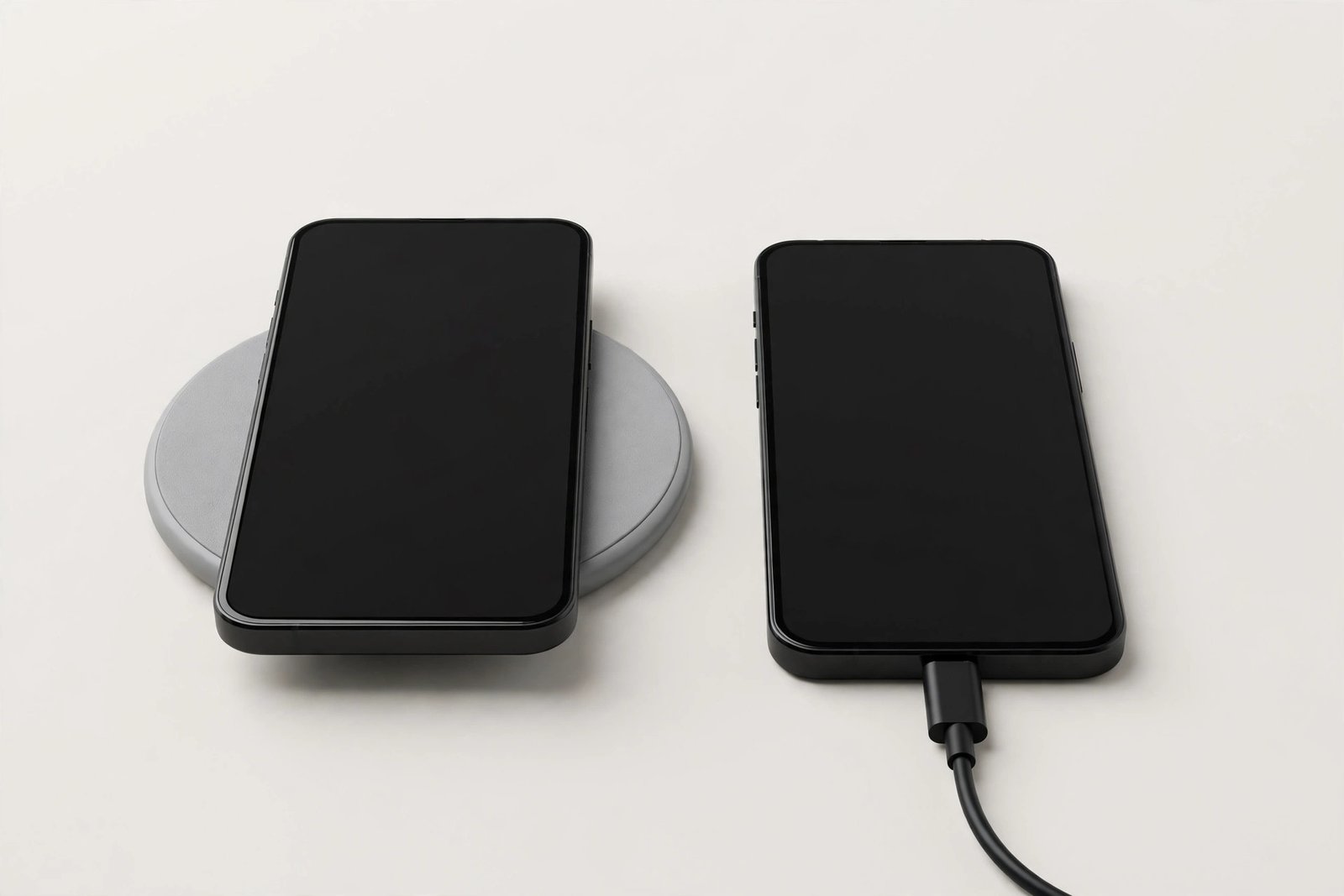
Wireless Charging vs Wired Charging: Speed, Convenience and Battery
Wireless Charging vs Wired Charging: Speed, Convenience and Battery
The wireless charging vs wired charging debate is really a question about how you live with your phone: do you value dropping it onto a pad without thinking, or getting the fastest possible top-up before you leave the house? Both methods charge the same battery, but they differ in speed, convenience, heat and flexibility, and the best choice depends on where and when you charge. This guide compares them honestly, including MagSafe vs cable charging for iPhones, so you can pick the right setup for home, desk, car and travel.
We compare wireless charging speed with wired fast charging first, because that is what most people ask about, then convenience, heat and battery health, cost and compatibility, and finally the hybrid setup that most households end up preferring: wireless for overnight and desk charging, wired for urgent top-ups. By the end you will know when to reach for a pad, when to reach for a cable, and why owning both is not a contradiction.
Speed: Wired Wins for Urgent Top-Ups
For pure speed, wired charging wins. A good USB-C cable and wall charger can deliver high power directly to the phone with minimal losses, which means a 15-minute top-up before you leave gives you noticeably more battery than 15 minutes on most wireless pads. Wireless charging speed has improved greatly, especially with magnetic alignment, but it still involves energy transfer across a small air gap, which is inherently less efficient than a direct cable connection.
That speed gap matters most in urgent situations: a low battery before a commute, a quick charge between meetings, or a top-up during a coffee stop. In those moments, a cable is the right tool. For overnight charging, desk charging and bedside charging, where the phone sits for hours anyway, the speed difference rarely matters — the phone is full by morning either way, whether it charged wirelessly or by cable.
Convenience: Wireless Wins for Daily Habits
For everyday convenience, wireless charging wins. Dropping a phone onto a pad or snapping it onto a magnetic stand is easier than finding a cable in the dark, especially with one hand, with wet hands, or when you are half asleep. A wireless charging stand also keeps the phone visible for notifications, calls and alarms while it charges, which a flat cable setup does not. In a car, a magnetic mount that charges while holding the phone for navigation is more convenient than a cable that dangles and tangles.
Wireless charging also reduces wear on the phone’s charging port, since the port is used less often, and it simplifies shared charging spots: guests and family members can drop a compatible phone onto a pad without hunting for the right cable. The trade-off is alignment: a phone placed off-centre on a non-magnetic pad may charge slowly or not at all, which is why magnetic pads and stands, which snap into place, are more reliable than flat pads for daily use.
MagSafe vs Cable Charging for iPhones
For iPhone users, MagSafe vs cable charging is a closer contest than generic wireless vs wired. A MagSafe magnetic charger aligns perfectly every time, which solves the main weakness of flat wireless pads, and it charges at a useful speed for overnight and desk use. A cable still wins for the fastest top-up and for charging while holding the phone in a way that a stand does not allow, such as using the phone in bed with the cable attached.
The practical answer for most iPhone owners is to own both: a MagSafe stand or pad for the bedside and desk, and a good USB-C cable and GaN charger for travel and urgent charges. That combination costs little more than either setup alone, and it covers every charging situation without compromise. If you must choose one first, choose based on where you charge most: a bedside or desk charger favours MagSafe, while a travel or car charger favours a cable.
Heat, Battery Health and Efficiency
Wireless charging generates a little more heat than wired charging, because some energy is lost in transfer across the gap. Heat is the main factor in long-term battery wear, so a phone that regularly gets very hot on a wireless pad will wear slightly faster than one charged by cable in a cool room. In practice, with a well-aligned magnetic charger, a suitable case and a ventilated spot, that difference is small — far smaller than the damage from charging in a hot car or under bedding, wired or wireless.
Efficiency is another small wireless penalty: more energy is wasted as heat, so a wireless charge uses slightly more electricity for the same battery gain. That difference is negligible for a single phone at home, but it is worth noting for people who charge many devices or care about energy use. To minimise heat with either method, keep the phone out of sunlight, remove thick cases if the phone feels hot, and use a quality charger with temperature controls.
Cost, Compatibility and Travel
Wired charging is cheaper and more universal: a USB-C cable works with phones, tablets, earbuds and laptops, while a wireless pad only works with devices that support wireless charging, and a magnetic pad only works well with compatible magnetic phones and cases. A cable also packs smaller and weighs less than a stand, which matters for travel. Wireless charging, by contrast, needs a pad or stand plus a wall adapter, and the best magnetic stands cost more than a cable.
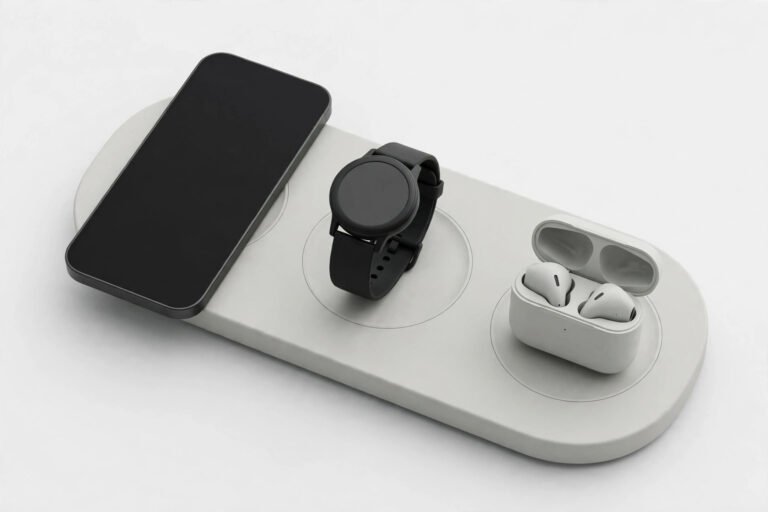
For travel, a cable is almost always the better primary choice: it is lighter, faster, and works in any hotel, café or airport outlet. A folding wireless station is a good secondary travel charger for people who carry a phone, watch and earbuds together, since it replaces three cables with one station. For home, the cost difference narrows, because one wireless station can serve a whole household’s bedside or desk charging for years.
The Verdict: Use Both, for Different Jobs
There is no single winner in wireless charging vs wired charging, because they excel at different jobs. Use wired charging for speed, travel, urgent top-ups and laptop charging. Use wireless charging for overnight, desk and bedside convenience, for shared family spots, and for car navigation mounts. Most households end up with a hybrid setup — and that is not indecision, it is good sense: each method covers the other’s weakness.
If you are setting up a new charging spot today, start with the job that spot does most. A bedside spot that charges overnight favours a wireless stand. A desk spot that needs occasional fast top-ups favours a wired GaN charger and cable. A car spot that needs navigation favours a magnetic mount. Buy for the job, and you will rarely wish you had chosen the other method.
Frequently Asked Questions
Is wireless charging slower than wired charging?
Usually yes, especially for short top-ups. Wireless charging speed has improved with magnetic alignment, but a wired fast charge still delivers more battery in 15 minutes than most wireless pads.
Does wireless charging damage the battery?
Not significantly with a well-aligned, quality charger in a cool room. Heat is the main risk, so avoid charging in hot cars or under bedding, and check alignment if the phone feels very warm.
Can I charge with a case on wirelessly?
Yes, with a wireless-charging-friendly or magnetic case. Very thick, metal or non-magnetic cases can slow charging or weaken the magnetic hold, so check the case guidance for your charger.
Should I replace all my cables with wireless chargers?
No. Keep at least one good wired charger and cable for travel and urgent top-ups, even if wireless charging handles your daily bedside and desk charging. The two methods complement each other.
Related Guides
Compare specific models in Best MagSafe Chargers for iPhone and Best 3-in-1 Wireless Charging Stations, and learn how to protect battery health in How to Keep Your Phone Battery Healthy While Fast Charging.



One Comment