
Best Monitor Light Bars for Eye Strain: 12 Picks for Comfortable Screen Time
Affiliate Disclosure: As an Amazon Associate, we earn from qualifying purchases made through links on this page, at no extra cost to you. This helps us keep testing and reviewing home gadgets and publishing free guides for readers.
A quick note on prices: prices change often, so we never quote a fixed price here. Please check the latest price on Amazon before you buy, using the yellow buttons in this guide. Product images on this page are original images created for this guide to show each gadget’s design and key features, not photos taken from a retailer listing.
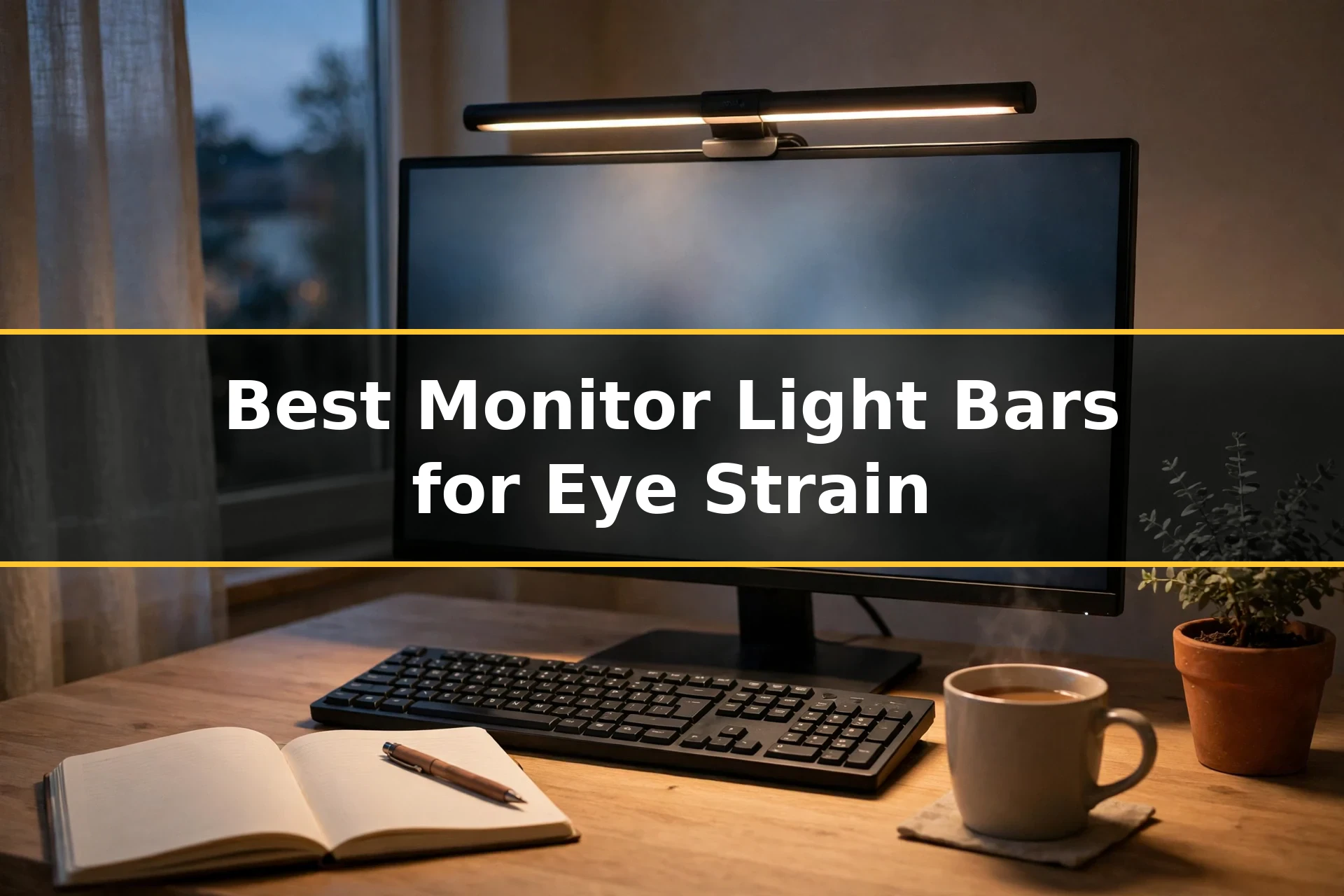
If your eyes burn, water or feel gritty after a few hours at your desk, the problem is usually contrast: a bright screen glowing in a dim room forces your eyes to keep readjusting. A monitor light bar fixes that by washing your desk in even, glare-free light without shining into the screen or your eyes. The right monitor light bars for eye strain make long sessions feel noticeably easier, whether you are editing documents at midnight or gaming after dark. We compared the best monitor light bar models on brightness, colour temperature range, glare control and how well each screen bar for eye strain fits real desks, from single flat monitors to curved ultrawides. Every pick below is a usb monitor light bar that runs from your computer or a spare adapter, so there is no extra lamp cluttering your desk. If you want one simple answer, start with our first three picks; if you want a monitor light for home office work, late-night study or a dual-screen setup, there is a bar here shaped for exactly that.
How We Chose
We looked at the monitor light bars people actually buy and keep on their desks, then narrowed the list by the things that matter for eye comfort. First, the light must fall on the desk, not the screen: every pick uses an asymmetric optical design that throws light forward and down, so there is no reflective glare washing out your display. Second, adjustable colour temperature matters, because warm light suits late evenings and cooler light suits detailed daytime work. Third, the mount has to hold the bar steady on thin and thick monitors without wobbling, and controls need to be reachable without fumbling behind the screen. We also weighed auto-dimming sensors, backlights that soften screen contrast, curved-screen fit, and how much desk space each design leaves free. Only powered USB light bars made the cut — no clip-on reading lamps, no battery toys.
Quick List
- 1. BenQ ScreenBar Monitor Light — the original benchmark for glare-free desk light
- 2. BenQ ScreenBar Pro — auto on, off and dimming with a presence sensor
- 3. BenQ ScreenBar Halo — adds a soft backlight that softens screen contrast
- 4. Quntis ScreenLinear Pro+ — premium features for far less than the big names
- 5. Quntis Monitor Light Bar — the budget classic that still gets the basics right
- 6. Baseus i-wok Monitor Light Bar — slim, simple and kind to small desks
- 7. Xiaomi Mi Computer Monitor Light Bar — wireless remote puck makes adjusting effortless
- 8. Melifo Monitor Light Bar — a curved-friendly bar with a handy remote
- 9. ONWAY Curved Monitor Light Bar — shaped for curved and ultrawide screens
- 10. BenQ ScreenBar Lite — the laptop version for work away from your desk
- 11. Lymax Monitor Light Bar — RGB backlight fun for gaming setups
- 12. Xiaomi Mijia Monitor Light Bar 1S — app and voice control for smart-home desks
1. BenQ ScreenBar Monitor Light

The BenQ ScreenBar Monitor Light is the bar that defined this whole category, and it is still the safest recommendation if you want one screen bar for eye strain that simply works. Its asymmetric lens throws light onto your desk and keyboard while keeping it off the display, so contrast stays comfortable for hours. An ambient sensor on top reads the room and auto-dims to a sensible level, and the touch controls on the bar adjust brightness and colour temperature from a warm 2700K to a crisp 6500K. The counterweight mount grips monitors from slim laptops displays to thick desktop panels without tools, and because it is a usb monitor light bar, it runs straight from your PC. For most people comparing every best monitor light bar on this page, this is the one to beat.
Pros
- 👍 Asymmetric lens lights the desk with zero screen glare
- 👍 Built-in sensor auto-dims to suit the room
- 👍 Wide 2700K–6500K colour temperature range
- 👍 Solid counterweight mount fits almost any monitor
Cons
- 👎 Premium price compared with budget bars
- 👎 No backlight for bias lighting behind the screen
- 👎 Touch controls can be brushed accidentally
Best for: anyone who wants the proven, set-it-and-forget-it light bar for long workdays.
Check Price And User Reviews on Amazon
2. BenQ ScreenBar Pro

The BenQ ScreenBar Pro takes the original formula and automates almost all of it. An ultrasonic presence sensor switches the light on when you sit down and off when you leave, and the auto-dimming is more precise, holding a steady, eye-friendly brightness as daylight changes. It is also brighter than the standard ScreenBar, which makes it a strong monitor light for home office desks that double as paperwork stations, and its wider throw covers bigger desks evenly. The redesigned mount handles curved monitors and screens with camera humps more gracefully, too. If your desk is where you spend eight-plus hours a day, the Pro’s hands-off behaviour is the kind of upgrade you feel every single day without ever thinking about it.
Pros
- 👍 Presence sensor turns the light on and off for you
- 👍 Brighter output suits large desks and paperwork
- 👍 Precise auto-dimming tracks changing daylight
- 👍 Improved mount suits curved and camera-bump screens
Cons
- 👎 The most expensive bar in this guide
- 👎 Needs a USB-C power source with enough output
- 👎 No rear backlight for ambient bias glow
Best for: full-time desk workers who want premium light that manages itself.
Check Price And User Reviews on Amazon
3. BenQ ScreenBar Halo

The BenQ ScreenBar Halo adds the one thing the other BenQ bars lack: a backlight that throws a soft halo onto the wall behind your monitor. That gentle bias light shrinks the harsh contrast between a bright screen and a dark room, which is exactly the contrast that tires eyes during night sessions — it is arguably the most complete monitor light bar for eye strain if you mostly work after dark. The front light keeps the same glare-free asymmetric design, and the wireless puck controller is a pleasure: rotate it to dim, tap to change modes, and switch front, back or both lights on together. The puck needs batteries and the mount is chunkier, but for evening comfort this is the connoisseur’s pick.
Pros
- 👍 Rear backlight softens screen-to-room contrast at night
- 👍 Wireless puck controller is precise and satisfying
- 👍 Front, back or combined lighting modes
- 👍 Same glare-free front optics as the classic ScreenBar
Cons
- 👎 Puck controller needs its own batteries
- 👎 Backlight works best with a wall close behind the desk
- 👎 Premium price, like the Pro
Best for: night owls and anyone whose eyes ache most during evening sessions.
Check Price And User Reviews on Amazon
4. Quntis ScreenLinear Pro+
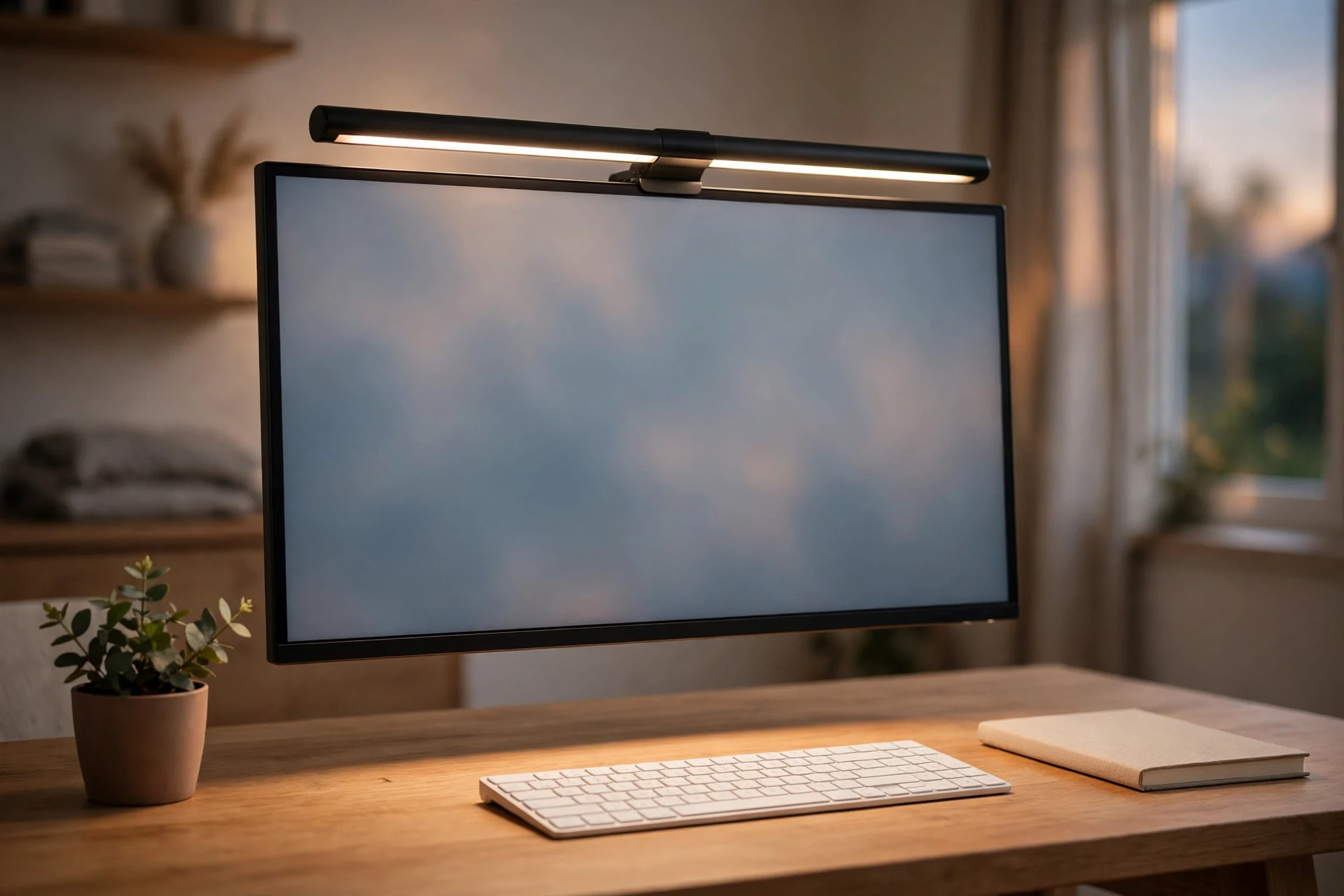
The Quntis ScreenLinear Pro+ is the value hunter’s favourite: it borrows the headline features of bars costing far more — auto-dimming from a built-in sensor, a wide pool of light that covers a full-size desk, and stepless colour temperature adjustment — and sells them at a mid-range price. At roughly 51cm it is one of the longest bars here, which suits wide monitors and dual-screen desks where shorter bars leave the edges dim. The light quality is flicker-free and easy on the eyes, and the memory function returns to your last setting when it powers back on. The plastics feel a step below BenQ’s, but as a screen bar for eye strain that covers a big desk properly, the Pro+ is hard to argue with.
Pros
- 👍 Extra-long bar covers wide and dual-screen desks
- 👍 Auto-dimming sensor at a mid-range price
- 👍 Flicker-free light with memory of your last setting
- 👍 Stepless brightness and colour temperature control
Cons
- 👎 Build feels less premium than BenQ
- 👎 Touch slider takes a little practice
- 👎 No backlight option
Best for: wide-desk and dual-monitor users who want premium features for less.
Check Price And User Reviews on Amazon
5. Quntis Monitor Light Bar

The Quntis Monitor Light Bar — the classic ScreenLinear design — is the bar that proved you do not need to spend big to fix desk glare. It hangs the light over your workspace instead of your screen, offers three colour temperatures from warm to daylight, and remembers the setting you used last. The touch controls sit on top of the bar where they are easy to reach, and the spring-loaded clip fits a wide range of monitor thicknesses. It lacks the auto-dimming sensor of the Pro+ and the light pool is smaller, so it suits single monitors better than sprawling setups. As a first usb monitor light bar for a bedroom desk or a student’s study corner, it remains one of the easiest recommendations in this guide.
Pros
- 👍 Genuinely affordable way into screen-bar lighting
- 👍 Three colour temperatures with memory function
- 👍 Simple clip mount fits most monitors
- 👍 Compact size suits small desks and dorms
Cons
- 👎 No auto-dimming sensor
- 👎 Smaller light pool than the long bars
- 👎 Stepped rather than stepless adjustments
Best for: students and first-time buyers who want eye comfort on a budget.
Check Price And User Reviews on Amazon
6. Baseus i-wok Monitor Light Bar

The Baseus i-wok Monitor Light Bar is the minimalist of the group: a slim aluminium bar with a weighted hinge mount that balances on top of your screen and a single dial-style control for brightness and warmth. Its asymmetric lens does the important job — light on the desk, none on the display — and the stepless dimming lets you settle on exactly the level your eyes like. Because it is so light, it is also one of the easiest bars to move between a home desk and a hot-desking setup. The trade-offs are a narrower light spread than the long bars and a mount that prefers standard-thickness bezels. For a tidy monitor light for home office corners where space is precious, the i-wok’s small footprint is the point.
Pros
- 👍 Slim aluminium body looks clean on any desk
- 👍 Stepless dimming and colour temperature dial
- 👍 Lightweight and easy to move between desks
- 👍 Glare-free asymmetric light path
Cons
- 👎 Narrower light pool than 50cm bars
- 👎 Hinge mount prefers standard bezel thickness
- 👎 No auto-dimming sensor
Best for: minimalist and small-desk setups that still need proper task light.
Check Price And User Reviews on Amazon
7. Xiaomi Mi Computer Monitor Light Bar

The Xiaomi Mi Computer Monitor Light Bar wins people over with one delightful detail: a round wireless remote puck that sits on your desk and adjusts brightness and colour temperature with a twist, so you never reach up to the screen at all. The bar itself attaches magnetically to its counterweight mount, which makes taking it down for cleaning oddly satisfying, and the light is a high colour-rendering, flicker-free wash that makes paper documents look crisp. It covers a standard desk well and the whole setup has a clean, appliance-like finish that suits modern desks. You do need to feed the puck batteries, and the mount is happiest on monitors of middling thickness. As an everyday best monitor light bar contender at a friendly price, it is very easy to live with.
Pros
- 👍 Wireless remote puck is effortless to adjust
- 👍 Magnetic bar detaches from the mount in seconds
- 👍 High colour rendering keeps documents looking natural
- 👍 Clean design at a mid-range price
Cons
- 👎 Remote puck runs on batteries
- 👎 Mount prefers mid-thickness monitors
- 👎 No ambient auto-dimming sensor
Best for: anyone who adjusts their light often and hates reaching behind the screen.
Check Price And User Reviews on Amazon
8. Melifo Monitor Light Bar
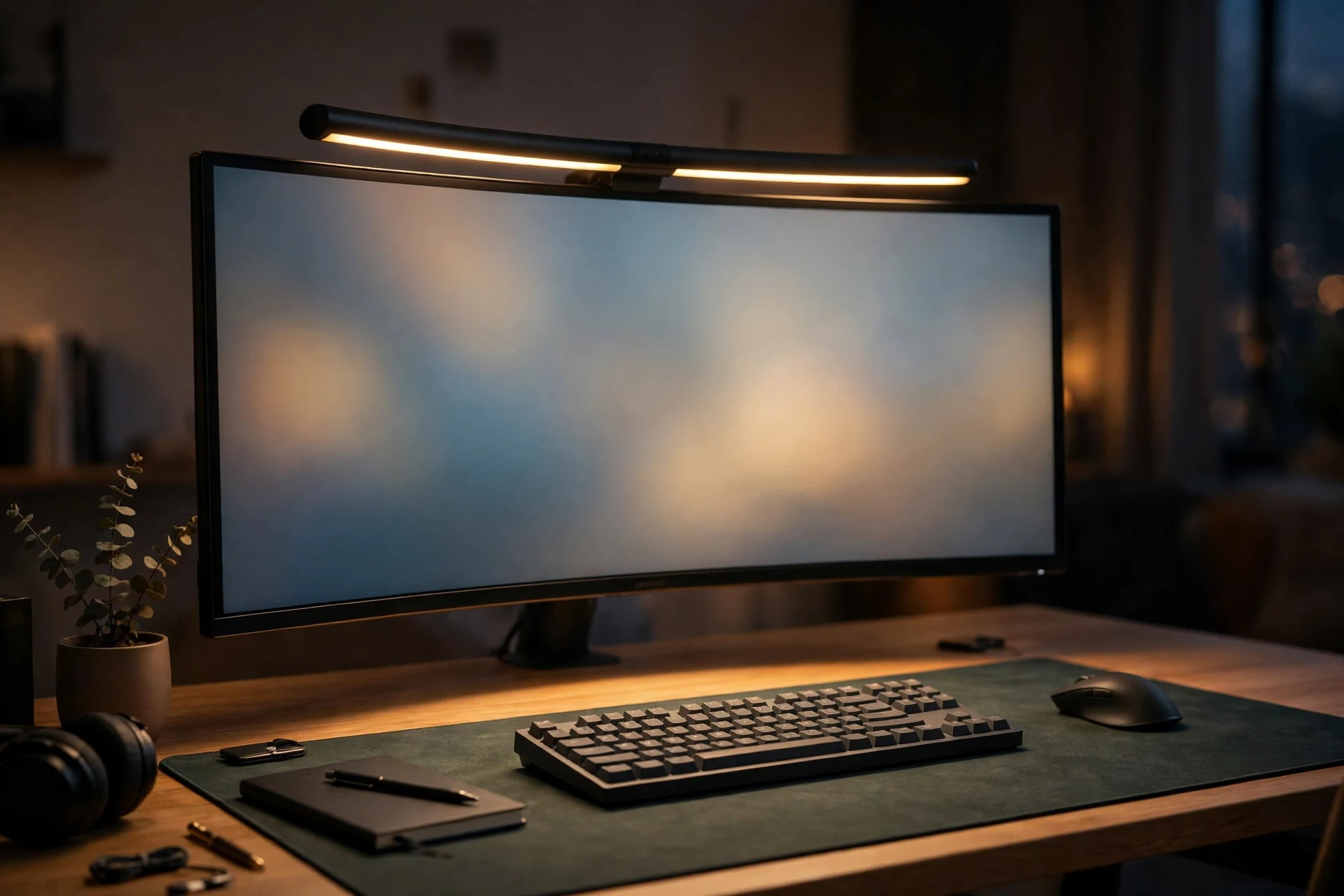
The Melifo Monitor Light Bar is built around a problem straight bars ignore: curved monitors. Its gently arced body follows the curve of the screen so the light spreads evenly instead of pooling in the middle, and the included remote makes brightness and warmth changes from your chair. Auto-dimming is on board too, reading the room and settling at a comfortable level for late sessions. The fit range covers most curved panels from gentle 1800R curves to tighter ones, and the light itself is flicker-free with a warm-to-cool range for work and play. The remote is infrared, so it needs a rough line of sight to the bar, and the brand’s software-free approach means no app extras. For curved-screen owners hunting a screen bar for eye strain that actually matches their monitor’s shape, this is the natural pick.
Pros
- 👍 Curved body matches curved monitors for even light
- 👍 Remote control plus auto-dimming sensor
- 👍 Flicker-free, wide colour temperature range
- 👍 Good value next to premium curved options
Cons
- 👎 Infrared remote needs line of sight
- 👎 Less elegant on flat monitors
- 👎 Instructions are brief
Best for: curved-monitor owners who want even light and a remote.
Check Price And User Reviews on Amazon
9. ONWAY Curved Monitor Light Bar

The ONWAY Curved Monitor Light Bar goes after the biggest screens: ultrawides and strongly curved gaming monitors where a straight bar leaves the far edges of the desk in shadow. The long, arced body spreads light across the whole width of a wide desk, and touch controls handle brightness and colour temperature without extra remotes to lose. It includes an auto-dimming mode for long sessions and a memory of your preferred setting. Because it is sized for big panels, it looks oversized on a small 24-inch monitor, and the mount needs a reasonably sturdy top bezel to sit happily. If your setup is built around one sweeping curved display, this is the monitor light for home office and gaming desks that was actually designed for it.
Pros
- 👍 Long curved body suits ultrawide monitors
- 👍 Even light across very wide desks
- 👍 Auto-dimming mode with setting memory
- 👍 Simple touch controls, no remote to lose
Cons
- 👎 Oversized for small flat monitors
- 👎 Needs a sturdy top bezel for the mount
- 👎 No backlight for bias lighting
Best for: ultrawide and curved gaming setups that need wide, even coverage.
Check Price And User Reviews on Amazon
10. BenQ ScreenBar Lite

The BenQ ScreenBar Lite shrinks the ScreenBar idea down for laptops. It clips gently onto a laptop lid, folds flat for travel, and lights your keyboard and a small patch of desk with the same glare-free thinking as its big brothers, including an ambient sensor that auto-dims in changing light. For hybrid workers who split the week between a home desk, a kitchen table and a co-working space, it keeps eye comfort consistent wherever the laptop opens. The smaller bar naturally lights a smaller area, and the clip is designed for laptop lids rather than chunky desktop monitors. Think of it as the travel version of this guide’s whole idea: a proper usb monitor light bar that happens to fit in a laptop sleeve.
Pros
- 👍 Designed for laptop lids and folds flat to travel
- 👍 Auto-dimming sensor, rare at this size
- 👍 Glare-free light for keyboards in dim rooms
- 👍 Featherweight — easy to carry daily
Cons
- 👎 Lights a small area compared with full-size bars
- 👎 Clip suits laptop lids, not desktop monitors
- 👎 Premium price for its size
Best for: laptop-first and hybrid workers who move between desks.
Check Price And User Reviews on Amazon
11. Lymax Monitor Light Bar
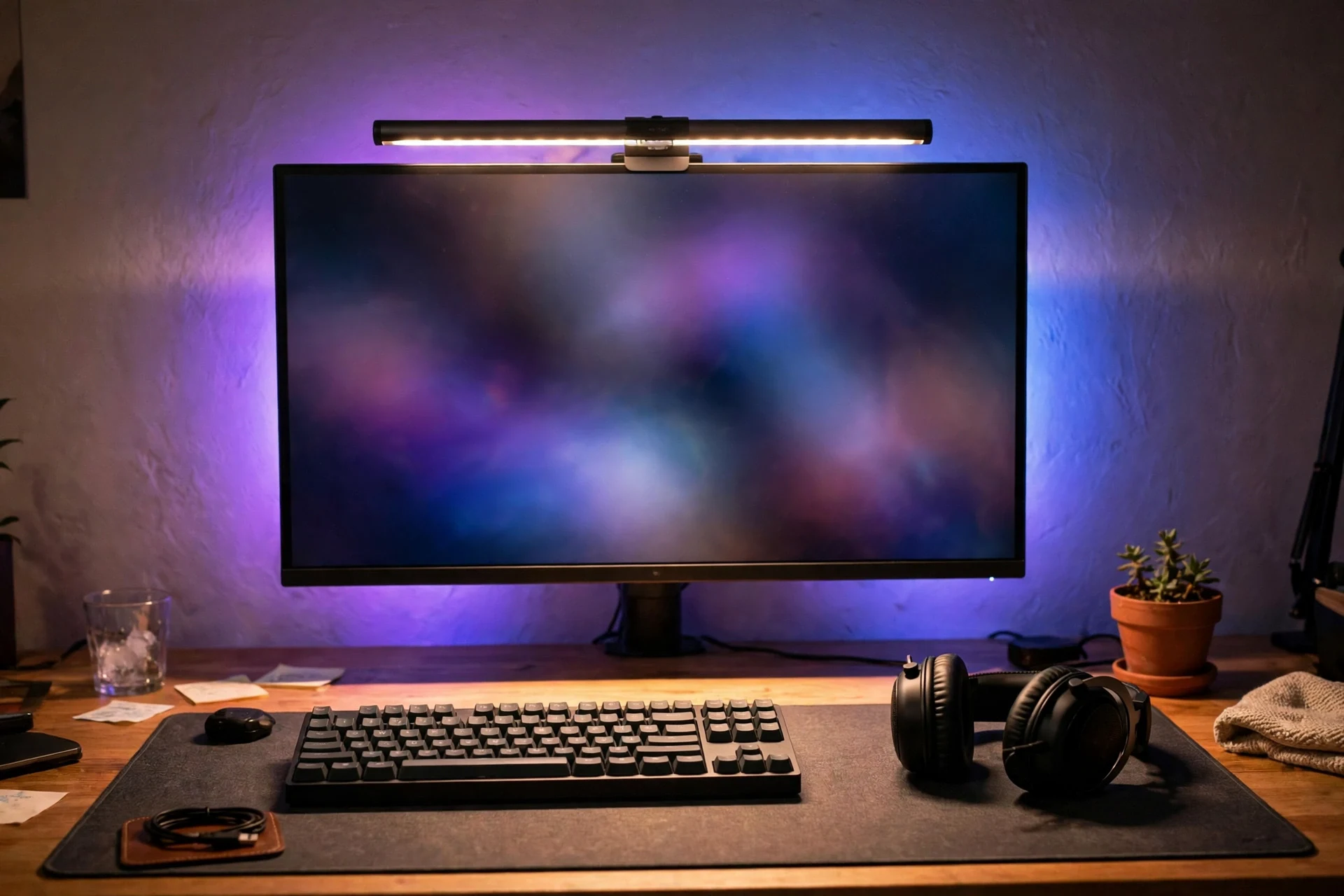
The Lymax Monitor Light Bar is the playful one: a proper glare-free front light for your desk, plus an RGB backlight that paints the wall behind your monitor with colour. That rear glow is not just decoration — like the Halo’s backlight, it softens the contrast between screen and room, which your eyes appreciate during long gaming or streaming sessions, and the colours can match the mood of your setup. The front light offers the usual brightness and colour temperature adjustments, and everything runs from USB. The trade-offs are simpler build quality than the premium bars and controls that feel a touch less refined. For gamers, it delivers the eye-comfort basics plus the atmosphere a plain bar cannot.
Pros
- 👍 RGB backlight softens contrast and looks great
- 👍 Proper glare-free front task light
- 👍 Fun, customisable colours for gaming setups
- 👍 Friendly price for a backlit model
Cons
- 👎 Build quality a step below premium brands
- 👎 Controls feel basic
- 👎 RGB glow needs a wall behind the desk to show well
Best for: gamers who want eye comfort and ambient colour in one bar.
Check Price And User Reviews on Amazon
12. Xiaomi Mijia Monitor Light Bar 1S

The Xiaomi Mijia Monitor Light Bar 1S is the smart-home fan’s version of the Mi bar above. It keeps the magnetic mount and the wireless remote puck, then adds Wi-Fi, so the light joins your Mi Home setup and answers to app schedules and voice assistants — handy if your desk light should fade up with your morning routine or switch off with a goodnight command. The light itself is the same high-rendering, flicker-free wash as the standard Mi bar, easy on eyes through long sessions. The app features only shine if you are already in Xiaomi’s ecosystem, and setup takes a few minutes longer than a plain plug-in bar. If your desk already runs on smart routines, this screen bar for eye strain slots right in.
Pros
- 👍 Wi-Fi app control, schedules and voice assistants
- 👍 Wireless remote puck included as well
- 👍 Magnetic mount and high colour rendering
- 👍 Flicker-free light for long sessions
Cons
- 👎 Smart features need the Xiaomi ecosystem
- 👎 Setup takes longer than plug-and-play bars
- 👎 Availability varies by region
Best for: smart-home users who want their desk light on a routine.
Check Price And User Reviews on Amazon
What to Look for Before You Buy
Asymmetric, glare-free optics. This is the whole point of a monitor light bar: the lens should throw light forward and down onto the desk while keeping it off the screen. Every pick in this guide does this; a cheap lamp that shines straight ahead will reflect in your display and make eye strain worse, not better.
Colour temperature range. Look for a bar that adjusts from warm (around 2700K) to daylight (around 6500K). Warm light is gentler for evening reading and winding down; cooler light helps you stay alert and see detail during the day. A wide range means one bar serves both moods.
Auto-dimming. A sensor that reads the room and sets brightness for you — found on the BenQ bars, the Quntis Pro+ and the Melifo — keeps light matched to your surroundings all day. It is the single feature people say they would not give up once they have lived with it.
Fit: flat, curved or laptop. Straight bars suit flat monitors; curved and ultrawide screens spread light better with a curved bar like the Melifo or ONWAY; laptop users should look at the ScreenBar Lite. Check the mount’s thickness range against your monitor’s top bezel before ordering.
Backlight for night work. If most of your screen time happens after dark, a rear backlight (ScreenBar Halo or Lymax) softens the contrast between a bright screen and a dark room — often the difference between tired eyes and comfortable ones.
Controls you will actually use. Touch sliders on the bar are fine if you set and forget; a remote puck (Xiaomi, Melifo) or app control (Xiaomi 1S) suits people who adjust often. All of these bars are USB powered, so confirm your monitor, PC or a spare adapter can supply a standard USB port’s power.
Final Thoughts
The best monitor light bar for you depends on your screen and your schedule. For most desks, the original BenQ ScreenBar is still the benchmark screen bar for eye strain, and the ScreenBar Pro is worth it if you want the light to manage itself completely. Night workers should look hard at the Halo’s backlight, curved-screen owners at the Melifo and ONWAY, and budget buyers at the Quntis pair, which prove that monitor light bars for eye strain do not have to cost a fortune. Whichever you choose, pair it with sensible habits — a screen at arm’s length, brightness matched to the room, and a short look away every twenty minutes — and your eyes will feel the difference within the first evening. If your whole desk needs the same comfort treatment, our office guide below is the natural next read.
More Guides You’ll Like
- Best Monitor Light Bars for Video Editors Working in Dark Rooms
- Best Reading Light Gadgets for People with Eye Strain
- Best Gadgets for Office Daily Use: 20 Picks That Make Work Easier Every Day
- Best Gadgets for Desk Workers With Back Pain: 12 Ergonomic Picks for a More Comfortable Workday
Frequently Asked Questions
Do monitor light bars really help with eye strain?
Yes, for the most common cause: contrast. A bright screen in a dim room makes your eyes work constantly to adjust. A good usb monitor light bar evens out the light around your workspace without adding screen glare, so your eyes stay relaxed for longer. They are not a cure for every eye problem — if strain persists, get your eyes tested — but for desk lighting, the improvement is usually obvious on day one.
Will a monitor light bar reflect on my screen?
Not if it uses asymmetric optics, like every bar in this guide. The lens is angled so light lands on the desk in front of the monitor and none of it hits the display surface. That is the key difference between a proper screen bar for eye strain and a normal desk lamp pointed at your workspace.
What colour temperature is best for working at night?
Warm light, roughly 2700K to 3500K, is gentlest for evening work and is less likely to keep you feeling wired before bed. During the day, a neutral-to-cool 4000K to 5000K helps alertness and detail. The best monitor light bar models let you slide between the two, which is why an adjustable range matters more than any single setting.
Can one light bar cover a dual-monitor desk?
Often, yes — a long bar like the Quntis ScreenLinear Pro+ centred above your main screen throws a wide pool that reaches a second monitor’s desk area. For very wide dual or ultrawide setups, a curved bar (Melifo or ONWAY) spreads light more evenly. Whichever route you take, a monitor light for home office use beats two mismatched desk lamps for both space and comfort.
3 Comments