Best Ergonomic Desk Gadgets: 12 Comfort Upgrades for Long Work Days
Affiliate Disclosure: As an Amazon Associate, we earn from qualifying purchases made through links on this page, at no extra cost to you. This helps us keep testing and reviewing desk gadgets and publishing free guides for readers.
A quick note on prices: prices change often, so we never quote a fixed price here. Please check the latest price on Amazon before you buy, using the yellow buttons in this guide. Product images on this page are original images created for this guide to show each gadget’s design and key features, not photos taken from a retailer listing.
By mid-afternoon, a badly arranged desk makes itself known: stiff shoulders, tired wrists, a neck that has been bent toward the screen for hours. The best ergonomic desk gadgets do not promise miracles — they simply put your hands, eyes and back in more natural positions and remind you to move before the stiffness sets in. This list covers the full ergonomic desk setup, from the split keyboard under your fingers to the walking pad under your feet.
Every pick below is a powered or electronic device, because those are the upgrades that actively change how you work: keyboards that split and tilt, mice that keep your hand in a handshake position, a desk that rises at the touch of a button, and lighting that adjusts to the time of day. Whether you are building a complete set of desk gadgets for posture or just replacing the one mouse that makes your wrist ache, start with the item you touch most and build from there. These are office comfort gadgets chosen for long, ordinary work days — not clinic equipment, just well-designed tech that makes eight hours at a screen feel easier.

How We Chose
We applied four tests to every candidate. First, it had to be a genuinely powered or electronic device — plain foam rests, passive stands and ordinary chairs were left out, however comfortable they claim to be. Second, it had to address one of the four comfort zones desk workers mention most: wrists and hands, back and posture, eyes, or simply moving more during the day. Third, it had to come from a brand with a proven track record and thousands of real desk-worker reviews behind it. Fourth, it had to fit a normal home office — standard desk sizes, ordinary power sockets, and setup measured in minutes, not a weekend. The twelve below passed all four.
Quick List
- Logitech Ergo K860 Wireless Ergonomic Keyboard — the split keyboard that starts most ergonomic setups.
- Logitech Lift Vertical Ergonomic Mouse — a handshake-grip mouse sized for small to medium hands.
- Logitech MX Ergo S Wireless Trackball Mouse — cursor control without moving your arm at all.
- Keychron K15 Max Wireless Ergonomic Keyboard — an Alice-layout mechanical board for typists who love real keys.
- Kensington Pro Fit Ergo Vertical Wireless Mouse — vertical comfort at a friendlier price.
- FlexiSpot E7 Electric Standing Desk — sit-stand height at the touch of a button.
- UREVO Under Desk Walking Pad — slow steps while you answer email.
- Cozy Products Electric Heated Footrest — warm, angled support for cold feet.
- Upright GO 2 Posture Trainer — a tiny wearable that nudges you upright.
- Snailax Shiatsu Massage Cushion with Heat — a kneading break built into your chair.
- BenQ e-Reading LED Desk Lamp — wide, even light that is easy on the eyes.
- JISULIFE USB Desk Fan — a small breeze that keeps long sessions fresh.
1. Logitech Ergo K860 Wireless Ergonomic Keyboard

If you change one thing in your ergonomic desk setup, make it the keyboard. The Logitech Ergo K860 splits its keys into two angled halves that follow the natural direction of your arms, so your wrists stay straighter and your shoulders can open up instead of hunching inward. The curved frame and cushioned palm rest lift your hands into a relaxed, slightly domed position, and the adjustable tilt legs let you raise the front edge — a small change that many typists find noticeably kinder over a full day. It pairs with up to three devices over Bluetooth or the included USB receiver, switching between a laptop and a desktop with one key.
The keys themselves are quiet, low-profile laptop-style keys, so the learning curve is mostly about the split layout: most people are back to full speed within a week. Battery life runs for months on a pair of AAA batteries, and the full number pad keeps spreadsheet work painless.
Best for: Full-day typists whose wrists and shoulders feel the strain by evening.
Check Price And User Reviews on Amazon
2. Logitech Lift Vertical Ergonomic Mouse

A standard mouse flattens your forearm so the bones twist over each other; the Logitech Lift turns your hand upright into a handshake position at a 57-degree angle, which many people find far more relaxing across a long day of clicking and scrolling. It is shaped for small to medium hands, with a soft textured grip, quiet clicks and a thumb rest that keeps your hand settled instead of gripping. As desk gadgets for posture go, a vertical mouse is the easiest habit change on this list — it takes an afternoon to feel normal, and then going back feels strange.
The Lift connects to up to three computers over Bluetooth or its USB receiver, the scroll wheel adjusts its own speed as you flick it, and a single AA battery lasts up to two years. A left-handed version exists too, which is rarer than it should be among ergonomic office accessories.
Best for: Small to medium hands that ache after long mouse-heavy days.
Check Price And User Reviews on Amazon
3. Logitech MX Ergo S Wireless Trackball Mouse

The Logitech MX Ergo S takes a different route to comfort: the mouse never moves at all. Your thumb rolls a large, smooth ball to steer the cursor, so your arm and shoulder stay completely still — a relief on crowded desks and for anyone whose shoulder complains about hours of sliding a mouse around. The sculpted body tilts between 0 and 20 degrees so you can pick the angle that suits your wrist, and the precision-mode button slows the cursor instantly for fiddly photo or spreadsheet work.
It is rechargeable over USB-C with months of use per charge, pairs with two computers at once, and the ball pops out in seconds for a quick clean. Trackballs are a love-it-or-leave-it tool, but for desk workers short on space they solve two problems at once.
Best for: Crowded desks and anyone whose shoulder dislikes sliding a mouse all day.
Check Price And User Reviews on Amazon
4. Keychron K15 Max Wireless Ergonomic Keyboard

If you love the feel of a mechanical keyboard but want a friendlier layout, the Keychron K15 Max uses an Alice layout: one board, but the two halves of the keys are angled outward like a shallow V, opening your chest and keeping your wrists straighter than a straight board does. Unlike a fully split keyboard it stays in one piece, so it is easy to nudge into position and carry between rooms. The low-profile mechanical switches give a proper, satisfying keystroke without the height of a traditional gaming board.
It connects over Bluetooth, 2.4GHz wireless or USB-C cable, works happily with both Mac and Windows keycaps in the box, and the switches are hot-swappable if you ever want a softer or clickier feel. For writers and coders, it is one of the most enjoyable ergonomic office accessories to type on all day.
Best for: Writers and coders who want mechanical keys in a kinder layout.
Check Price And User Reviews on Amazon
5. Kensington Pro Fit Ergo Vertical Wireless Mouse

The Kensington Pro Fit Ergo proves a vertical mouse does not have to cost flagship money. Its tall, sculpted body holds your hand at a natural handshake angle with a proper thumb rest and an extended pinky ledge, so your whole hand rests on the mouse instead of hovering and gripping. Six buttons — including back and forward thumb buttons and a DPI switch — cover everyday office work without reaching for the keyboard.
It connects over 2.4GHz wireless or Bluetooth, stores its nano receiver inside the body for travel between home and office, and runs for months on a single AA battery. Kensington has made office comfort gadgets for decades, and that experience shows in a shape that suits medium and larger hands better than most budget vertical mice.
Best for: Larger hands that want vertical comfort without the premium price.
Check Price And User Reviews on Amazon
6. FlexiSpot E7 Electric Standing Desk

Everything else on this list adjusts how you sit; the FlexiSpot E7 lets you stop sitting altogether for part of the day. Dual electric motors lift the desktop smoothly between sitting and standing heights, and the handset stores your favourite positions so one tap moves the whole ergonomic desk setup — monitors, keyboard, lamp and all — to exactly where your elbows and eyes want it. Alternating between sitting and standing every hour or so is the simplest of all desk gadgets for posture: no technique to learn, just less time frozen in one position.
The E7 frame is notably stable at full height, carries heavy multi-monitor setups without complaint, and its anti-collision sensor stops the desk if it meets your chair or a shelf on the way down. Desktops come in several sizes and finishes, and the frame’s cable tray keeps the power leads tidy underneath.
Best for: Anyone ready to split the day between sitting and standing.
Check Price And User Reviews on Amazon
7. UREVO Under Desk Walking Pad

Standing still is better than sitting still, but walking slowly is better than both. The UREVO Under Desk Walking Pad slides under a standing desk and lets you stroll at email-reading pace — around 1 to 2 mph — while you work through your inbox or sit in a listen-only meeting. The slim deck is low enough to store under a sofa or bed when the work day ends, transport wheels make it easy to roll out, and the remote control and LED display keep speed changes simple without breaking your stride.
Most people find reading, calls and light admin perfectly doable while walking; precise mouse work and handwriting are better done standing still. Start with twenty minutes at a time and build up — your legs will tell you it counts as real movement, even at a gentle pace.
Best for: Standing-desk owners who want movement without leaving their desk.
Check Price And User Reviews on Amazon
8. Cozy Products Electric Heated Footrest

Cold feet and dangling legs quietly ruin good posture: you perch, you cross your ankles, you tuck your feet under the chair. The Cozy Products Electric Heated Footrest fixes the platform first — a firm, angled rest that supports both feet flat, which helps your knees and hips settle at a comfortable angle — and then adds gentle electric warmth that makes a draughty home office far more pleasant in winter. Unlike a fan heater blasting the whole room, it warms just your feet, using a fraction of the power.
The cushioned surface works with shoes or socks, the angle suits most chair heights, and the simple control keeps the heat steady. Among office comfort gadgets it is the least glamorous on this list and, for people in cold rooms, possibly the most appreciated by February.
Best for: Cold-floor home offices and anyone whose feet never quite reach the ground.
Check Price And User Reviews on Amazon
9. Upright GO 2 Posture Trainer
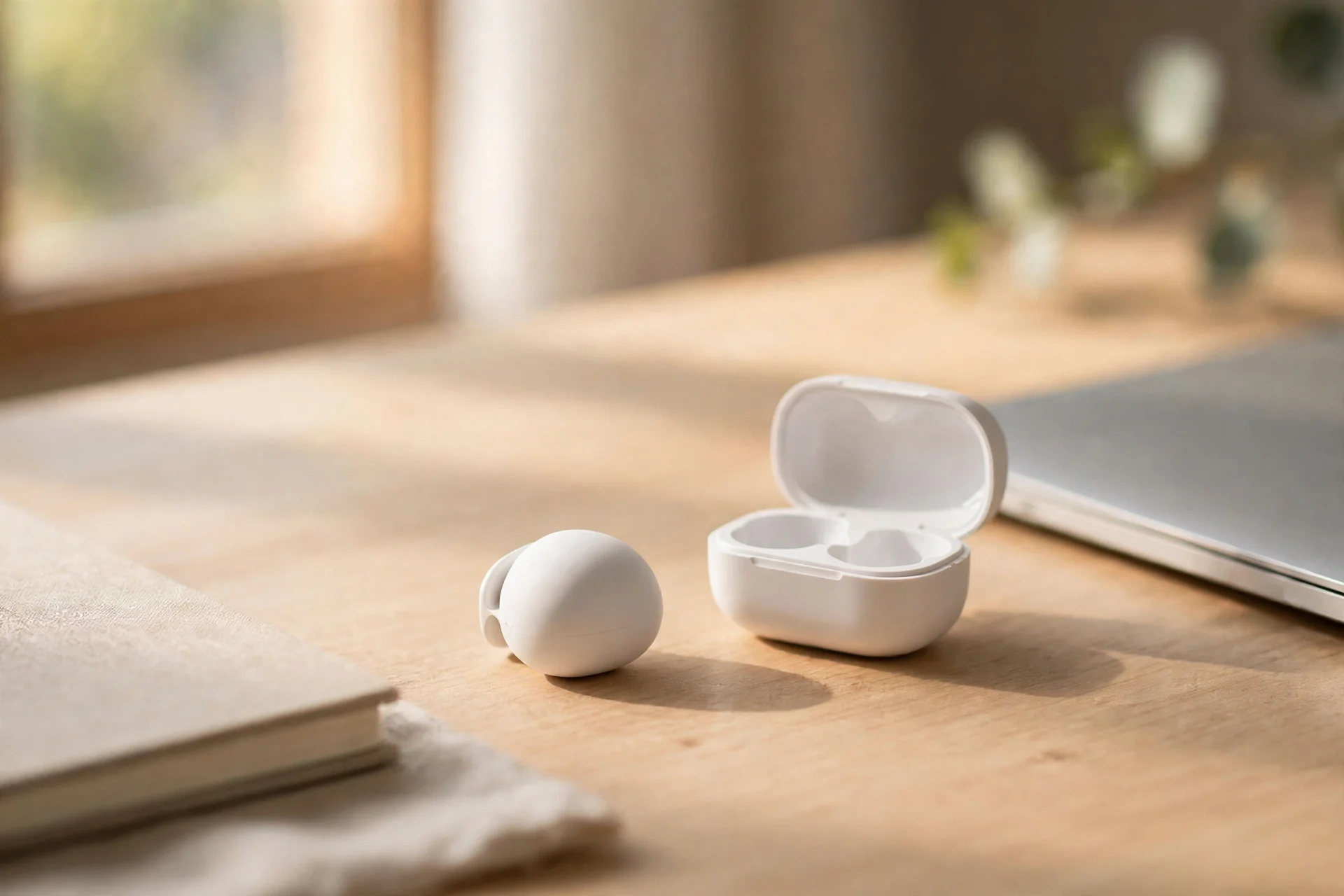
The smallest gadget in this guide works on the habit behind most desk discomfort: the slow slouch that creeps in when you concentrate. The Upright GO 2 is a pebble-sized sensor that sticks to your upper back with a reusable adhesive (or hangs on an optional necklace) and vibrates gently whenever you slump past the angle you set in the app. It is a nudge, not a brace — nothing holds you up, so your own muscles do the work of sitting taller, which is exactly the point of desk gadgets for posture that aim at lasting habits.
The companion app tracks your upright time through the day, training sessions start at just a few hours, and the battery lasts several days per charge. Most people use it for a few weeks of training, then only occasionally as a refresher once the habit sticks.
Best for: Habitual slouchers who want a quiet coach rather than a brace.
Check Price And User Reviews on Amazon
10. Snailax Shiatsu Massage Cushion with Heat

Even a good ergonomic desk setup cannot undo six unbroken hours in one chair, so the Snailax Shiatsu Massage Cushion turns break time into part of the setup. Strapped to your office chair, its rotating nodes knead up and down your back in a shiatsu-style motion, with optional heat that makes stiff afternoon shoulders feel looser before you stand up. The remote lets you aim the massage at your full back, upper back or lower back, and add spot focus where the day has settled most.
It is a comfort break, not a workstation — use it for fifteen minutes between tasks rather than typing through it, and let the auto shut-off keep sessions sensible. The cushion also unstraps in seconds for use on a sofa or car seat, which stretches its value beyond the desk.
Best for: A proper reset break for backs that stiffen up by mid-afternoon.
Check Price And User Reviews on Amazon
11. BenQ e-Reading LED Desk Lamp

Eye comfort is the forgotten quarter of desk ergonomics. The BenQ e-Reading LED Desk Lamp was designed specifically for screens and pages: its curved head throws a wide, even pool of light across the whole desk — wider than a typical lamp — so your eyes stop jumping between a bright screen and a dim desk edge. Brightness and colour temperature adjust from warm evening amber to crisp daylight white, and the auto-dimming mode reads the room light and sets a sensible level by itself.
The arm adjusts smoothly and stays where you leave it, the controls are a simple touch ring and dial, and the light is flicker-free, which matters more than most people realise during long reading sessions. Paired with a monitor light bar for the screen itself, it completes the lighting side of an ergonomic desk setup for day-and-night workers.
Best for: Readers and night workers whose eyes tire under ordinary lamps.
Check Price And User Reviews on Amazon
12. JISULIFE USB Desk Fan
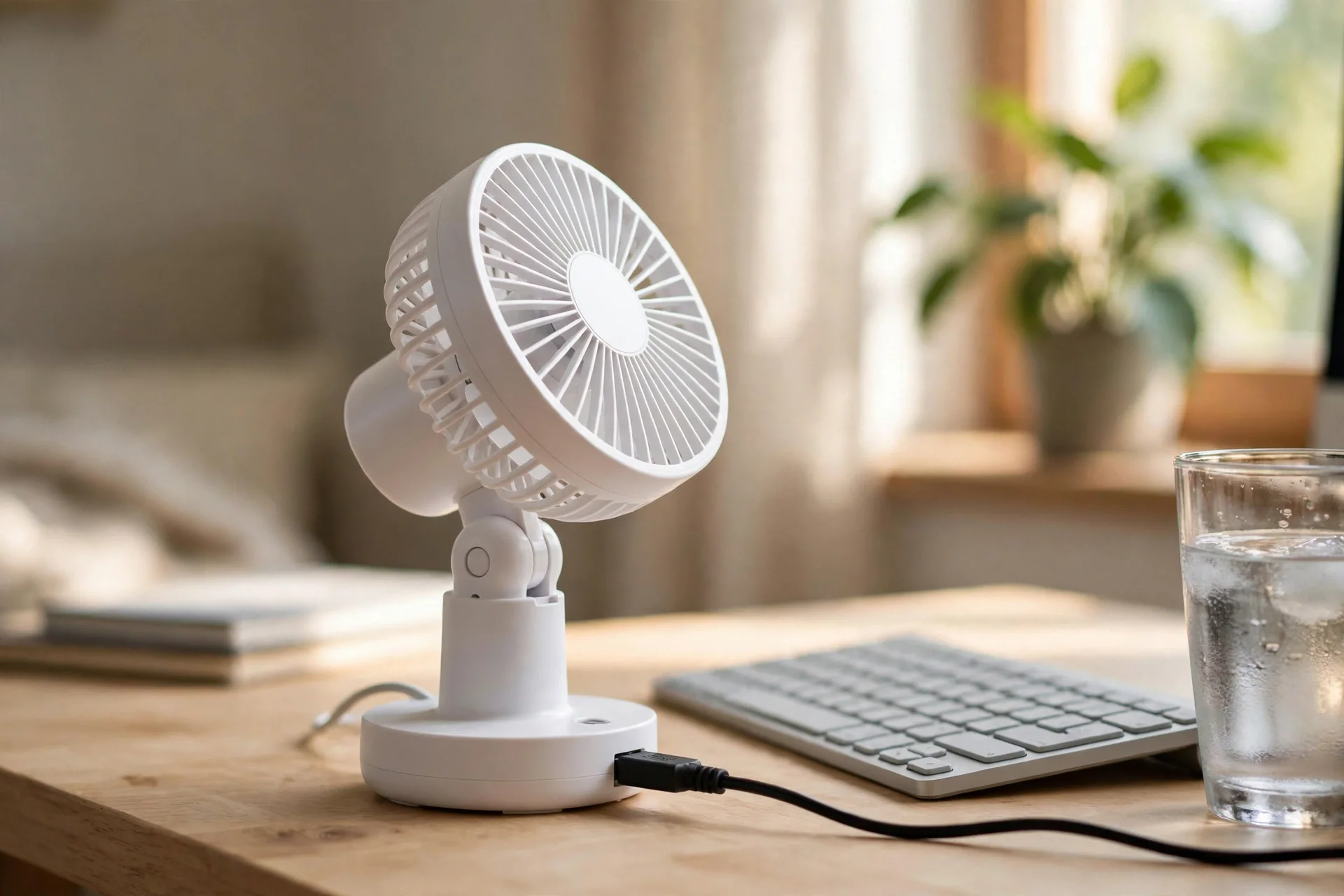
The last comfort factor is the air itself: a warm, still room makes anyone slump and fidget. The JISULIFE USB Desk Fan is a compact fan that runs straight from your laptop or a USB power bank, with a tilting head you can aim at your face and neck and several speeds from a whisper to a proper breeze. Angling it slightly upward keeps papers calm while the moving air keeps you alert — a small trick that makes long afternoon sessions feel noticeably fresher.
It takes up about as much desk as a coffee mug, the brushless motor keeps the noise down for calls, and it travels easily between home office, kitchen table and hotel room. As office comfort gadgets go it is the cheapest mood upgrade on this list.
Best for: Warm rooms and anyone who concentrates better with moving air.
Check Price And User Reviews on Amazon
What to Look for Before You Buy
Start where the hours go. The best first upgrade in any ergonomic desk setup is the device you touch all day. Heavy typists should start with a split or Alice-layout keyboard; mouse-heavy workers with a vertical mouse or trackball; everyone else with the chair-and-desk heights in the next point.
Get the heights right before buying more. Ergonomic office accessories work best on a correctly set foundation: screen top near eye level, elbows at roughly a right angle, feet flat on the floor or a footrest. An electric standing desk makes those adjustments repeatable, with memory buttons instead of guesswork.
Plan for the adjustment period. Split keyboards and vertical mice feel strange for a few days — that is normal, and it is not a sign you bought the wrong thing. Give each new device a week of real work before judging it, and change one thing at a time so you know what actually helped.
Movement beats any single gadget. Desk gadgets for posture work hardest when they change your position through the day: stand for a call, walk through your inbox, take a massage-cushion break at three o’clock. Set timers if you have to — no keyboard can do that part for you.
Match the light to the hour. Bright, cooler light suits morning focus; warmer, dimmer light suits evening work. A lamp with adjustable colour temperature — and a screen light bar if you work after dark — keeps your eyes from paying for the schedule.
Final Thoughts
Comfort at a desk is rarely about one hero product; it is the stack that matters. A keyboard that keeps your wrists straight, a mouse that lets your hand rest, a desk that changes height, light that matches the hour and small reminders to move — together they make the best ergonomic desk gadgets feel less like gadgets and more like a room that is on your side. Start with the item you touch most, give it a week, then add the next of these office comfort gadgets as your budget allows. Your future self, standing up easily at six o’clock, will notice the difference.
More Guides You’ll Like
- Best Monitor Light Bars for Eye Strain: 12 Picks for Comfortable Screen Time
- Best Gadgets for Office Daily Use: 20 Picks That Make Work Easier Every Day
- Best Wireless Charging Stands for Your Desk: 12 Chargers That Keep Cables Away
- Best 100W GaN Fast Chargers for Laptops, Phones and Tablets
Frequently Asked Questions
What is the first ergonomic desk gadget I should buy?
Start with the device you use most. For most people that is the keyboard or the mouse: a split keyboard or a vertical mouse changes your hand and wrist position for every minute of the work day, which is why they top most lists of desk gadgets for posture. Add a footrest or a standing desk next, depending on whether your legs or your back complain first.
Do vertical mice and split keyboards really feel more comfortable?
For many desk workers, yes — a vertical mouse holds your hand in a handshake position instead of twisting your forearm flat, and a split keyboard lets your wrists point the way your arms naturally angle. Neither is magic, and both take a few days to get used to, but most people who give them a full week do not want to switch back.
Is a standing desk worth it if I already have a good chair?
It solves a different problem. A good chair supports one position well; a standing desk lets you change position, which is the core idea behind a healthy ergonomic desk setup. Even standing for twenty minutes in every hour breaks up the stiffness that builds in a single posture, and memory presets make the change effortless.
How do I stop slouching at my desk?
Combine setup and reminders. Set your screen at eye level so your neck is not pulling you forward, keep your feet supported, and use a cue — a timer, or a wearable posture trainer that vibrates when you slump — until sitting tall becomes the habit. Short, regular movement breaks do more than any single product, so treat the gadgets as helpers, not the whole answer.