Best USB-C Hubs for Laptops: 12 Docks That Add Every Port You Need
Affiliate Disclosure: As an Amazon Associate, we earn from qualifying purchases. If you buy a USB-C hub through the links on this page, we may earn a small commission at no extra cost to you. This helps us keep testing and reviewing desk gadgets, and it never changes which products we recommend.
A quick note on prices: prices change often, so we never quote a fixed price here. Please check the latest price on Amazon before you buy, using the yellow buttons in this guide. Product images on this page are original images created for this guide to show each gadget’s design and key features, not photos taken from a retailer listing.

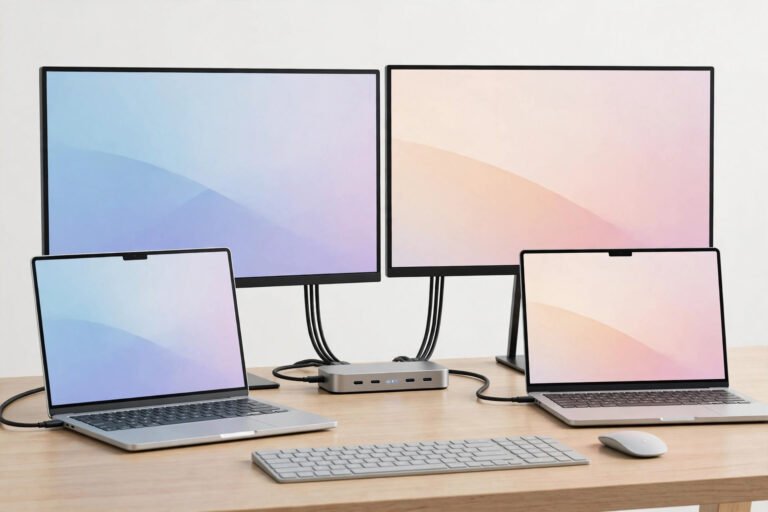
Today’s laptops are thinner than ever, and most have traded their useful ports for just one or two USB-C sockets. That is fine on the couch, but the moment you sit down to real work you need a monitor, a mouse, a backup drive and power all at once. Finding the best usb c hub for laptop setups like yours solves that in a single plug: a good laptop hub with hdmi and ethernet turns one port into a full desk, so your screen, wired internet, memory cards and charger all connect together and stay connected.
We compared this market the way we always do: by port mix, charging power, display support and build quality. Whether you want a full usb c docking station for laptop duty at a fixed desk, a simple multiport adapter for laptop travel, or a dedicated usb c hub for macbook models with two ports side by side, the twelve picks below cover every kind of desk and every budget.
How We Chose
Every hub on this list had to pass three rules. First, it must offer pass-through USB-C charging, so your laptop stays powered while everything else is plugged in — a hub that cannot charge is just a dongle. Second, it needs a genuinely useful port mix: HDMI for a monitor, USB-A for the accessories you already own, and card readers or Ethernet where the design allows. Third, it had to come from a maker with a real track record in laptop accessories, with clear specs for display resolution and charging wattage. We then ranked the twelve by the job each one does best, from dual-monitor docks to pocket-size travel hubs.
Quick List
- Anker 555 USB-C Hub (8-in-1) — best all-round hub with fast 10Gbps ports
- Anker 341 USB-C Hub (7-in-1) — simple, compact pick for everyday desks
- UGREEN Revodok USB-C Hub (6-in-1) — slim 4K 60Hz hub for travel and home
- CalDigit USB-C SOHO Dock — desktop dock with dual display support
- Plugable USB-C Hub (7-in-1) — dependable pick with strong support
- Satechi USB-C Multiport Adapter — premium aluminium finish for MacBook desks
- HyperDrive Duo USB-C Hub (7-in-2) — made to clip onto a MacBook
- Belkin USB-C 6-in-1 Multiport Adapter — trusted brand, 100W charging
- MOKiN USB-C Hub (8-in-1) — dual HDMI for Windows dual-monitor setups
- Hiearcool USB-C Hub (7-in-1) — budget travel hub with card readers
- EZQuest USB-C Multimedia Hub — extra USB-A ports for older gear
- Twelve South StayGo mini USB-C Hub — tiny hub with a tuck-away cable
1. Anker 555 USB-C Hub (8-in-1)

The Anker 555 USB-C Hub (8-in-1) is the hub we would hand to almost anyone. It is a proper laptop hub with hdmi and ethernet, so your monitor and wired internet run through the same small block, and its two USB-C ports move data at up to 10Gbps — fast enough that a portable SSD feels like it is plugged straight into the machine. The HDMI output handles 4K at 60Hz for a smooth desktop, the SD and microSD slots read cards at the same time, and pass-through charging accepts up to 100W in, keeping most laptops fed under load.
Best for: anyone who wants one hub that does a bit of everything, fast.
Check Price And User Reviews on Amazon
2. Anker 341 USB-C Hub (7-in-1)

The Anker 341 USB-C Hub (7-in-1) keeps things simple. As a straightforward multiport adapter for laptop users who mainly need a monitor connection and their card slots back, it covers the daily basics: an HDMI port for a 4K screen, two USB-A ports for a mouse receiver and a drive, a USB-C data port, and SD plus microSD readers for camera cards. Pass-through charging supports up to 100W in, so your laptop’s own charger plugs into the hub and the hub feeds the machine. There is no Ethernet here, which is exactly why it stays this small.
Best for: students and home workers who need the basics done well.
Check Price And User Reviews on Amazon
3. UGREEN Revodok USB-C Hub (6-in-1)

The UGREEN Revodok USB-C Hub (6-in-1) is for people who like the idea of a usb c docking station for laptop work but still want something that slips into a jacket pocket. Its HDMI output runs a 4K screen at a smooth 60Hz, which makes a real difference to how sharp text looks all day, and the aluminium shell feels a step above the usual plastic hub. You get two USB-A ports, a USB-C data port, card readers and 100W pass-through charging in a body barely bigger than a chocolate bar.
Best for: hybrid workers who split the week between home and office.
Check Price And User Reviews on Amazon
4. CalDigit USB-C SOHO Dock

The CalDigit USB-C SOHO Dock is the closest thing on this list to a true usb c docking station for laptop desks that never move. Instead of one HDMI port it gives you HDMI and DisplayPort, so supported Windows laptops can run two external screens, and its card readers are fast UHS-II slots that photographers will feel immediately when a big shoot comes off a card. A front USB-C port handles 10Gbps data, the rear ports stay wired to your permanent gear, and with your laptop’s charger connected it passes through up to 100W.
Best for: a fixed home-office desk, especially for photo and video work.
Check Price And User Reviews on Amazon
5. Plugable USB-C Hub (7-in-1)

The Plugable USB-C Hub (7-in-1) is the sensible shoes of this roundup: a dependable multiport adapter for laptop owners who value clear specs and real support over flashy shells. It is fully driver-free, so it just works on Windows, macOS and ChromeOS, and the layout is the classic one most desks need — HDMI for a monitor, two USB-A ports, SD and microSD readers, and pass-through charging that keeps the laptop topped up while you work. Plugable also publishes honest notes about which laptops support what, which saves a lot of guessing.
Best for: anyone who wants a hub that simply works, on any laptop.
Check Price And User Reviews on Amazon
6. Satechi USB-C Multiport Adapter

The Satechi USB-C Multiport Adapter is the natural usb c hub for macbook owners who want their adapter to look like it belongs with the machine. The brushed aluminium body comes in finishes that sit comfortably next to a silver or space grey laptop, and the port mix is grown-up: 4K HDMI, Gigabit Ethernet, USB-A ports for your existing gear, SD and microSD readers, and USB-C pass-through charging. It is slim enough for a bag but complete enough to run a whole desk, which is a rare balance.
Best for: MacBook users who care how their desk looks as well as how it works.
Check Price And User Reviews on Amazon
7. HyperDrive Duo USB-C Hub (7-in-2)

The HyperDrive Duo USB-C Hub (7-in-2) is built purely as a usb c hub for macbook pro and macbook air models: instead of a cable, two connectors plug straight into both USB-C ports on the side of the machine, so the hub sits flush like part of the laptop. That design frees one of those ports to stay a full-speed Thunderbolt connection with up to 100W pass-through charging and fast data, while the hub adds 4K 60Hz HDMI, two USB-A ports and SD plus microSD readers. A small magnetic grip keeps it seated when you move around.
Best for: MacBook Pro and Air owners who hate dongles dangling off the desk.
Check Price And User Reviews on Amazon
8. Belkin USB-C 6-in-1 Multiport Adapter

The Belkin USB-C 6-in-1 Multiport Adapter is another laptop hub with hdmi and ethernet, this time from a brand many workplaces already buy by the box. The headline is charging: it passes through up to 100W, so even a hungry 16-inch laptop stays powered with everything attached. Around that you get 4K HDMI, Gigabit Ethernet for a stable wired connection, two USB-A ports and an SD card reader in a compact body with a tidy, tangle-resistant cable. It is the one we would pick for a work-issued laptop where reliability matters more than extras.
Best for: work laptops and anyone who wants a safe, known-brand choice.
Check Price And User Reviews on Amazon
9. MOKiN USB-C Hub (8-in-1)

The MOKiN USB-C Hub (8-in-1) is a laptop hub with hdmi and ethernet that goes one better for Windows users: it carries two HDMI outputs, so a compatible Windows laptop can drive a pair of external monitors from this one small box. Add Gigabit Ethernet, USB-A ports for your keyboard and drives, card readers and up to 100W of pass-through charging, and it becomes a genuine mini-dock for a dual-screen desk at a hub price. One honest warning: on a MacBook those two screens will mirror each other, because macOS limits a single USB-C connection to one extended display.
Best for: Windows users who want two monitors without buying a full dock.
Check Price And User Reviews on Amazon
10. Hiearcool USB-C Hub (7-in-1)

The Hiearcool USB-C Hub (7-in-1) is the budget multiport adapter for laptop travel that keeps showing up in frequent flyers’ bags, and it is easy to see why. For very little money you get 4K HDMI for hotel TVs and meeting-room screens, two USB-A ports, a USB-C data port, SD and microSD readers for camera cards, and pass-through charging up to 100W. The aluminium body is small enough to live in a cable pouch permanently, so it is simply there whenever a port goes missing.
Best for: travellers and presenters who need a cheap, capable spare hub.
Check Price And User Reviews on Amazon
11. EZQuest USB-C Multimedia Hub

The EZQuest USB-C Multimedia Hub earns its place with a generous spread of USB-A ports. Plenty of us still run older backup drives, a printer, a drawing tablet and a wireless dongle or two, and this multiport adapter for laptop users with legacy gear gives all of them a home at once, alongside 4K HDMI, SD and microSD readers and pass-through charging up to 100W. The cable is a little longer than most, which sounds minor until your laptop’s port is on the far side of the desk.
Best for: desks full of older USB gear that still earns its keep.
Check Price And User Reviews on Amazon
12. Twelve South StayGo mini USB-C Hub

The Twelve South StayGo mini USB-C Hub is the smallest multiport adapter for laptop bags we would actually carry every day. Its short cable tucks neatly into the body, so nothing snags in your bag, and the four ports are chosen for travel: USB-C with up to 100W pass-through charging, a USB-A port for a drive or receiver, HDMI for a hotel TV or a presentation screen, and a headphone jack for the wired earbuds in your pocket. It will not run a whole desk — it is not meant to. It is the hub that is always with you.
Best for: minimalists and frequent flyers who pack light.
Check Price And User Reviews on Amazon
What to Look for Before You Buy
Choosing between a travel hub and a usb c docking station for laptop use comes down to where the laptop spends most of its day. These are the five things that actually separate a good hub from a drawer full of regret.
Count your ports honestly
List everything you plug in on a normal day — monitor, mouse receiver, backup drive, phone cable, camera card — then buy for that list plus one spare. A multiport adapter for laptop work only helps if every daily item has a home; the moment you are swapping plugs mid-task, you bought one port too few.
Pass-through charging wattage
Every hub here charges your laptop through the same cable that carries your data, but the hub itself keeps a small cut of the power. A 100W input typically delivers around 85W to the laptop, which is plenty for most machines. If your laptop shipped with a 96W or 140W charger and you run it hard, expect slightly slower charging through any hub and keep the original charger handy for heavy days.
Display support: 60Hz vs 30Hz, one screen vs two
HDMI at 4K 60Hz looks noticeably sharper and smoother than 4K 30Hz, especially for text. If you only plug into a TV now and then, 30Hz is fine; if a 4K monitor is your main screen, pay for 60Hz. For two external screens, Windows laptops can use dual-output hubs like the MOKiN or a dock like the CalDigit, while MacBooks mirror on a single connection — Apple users who need two extended displays should look at Thunderbolt docks instead.
Ethernet and card readers
If your desk has a wired connection available, a laptop hub with hdmi and ethernet saves you carrying a separate dongle for the two things you plug in most. Photographers should check card speeds too: UHS-II readers, like the ones in the CalDigit dock, can empty a big card several times faster than basic slots.
Cable length and build
A short fixed cable keeps a travel hub tidy but forces it to dangle if your laptop sits on a stand. Desk-bound buyers should look for a dock-style body that can sit flat, and everyone should prefer aluminium shells — they shed heat better than plastic when all the ports are working.
Final Thoughts
Whichever route you take, the best usb c hub for laptop work is the one that matches your desk rather than the one with the longest spec sheet. Most people should start with the Anker 555: it is fast, complete and fairly priced for what it does. MacBook owners should look first at a dedicated usb c hub for macbook pick like the HyperDrive Duo or the Satechi, Windows users chasing two screens should look at the MOKiN or the CalDigit dock, and travellers can stop at the tiny StayGo mini. Pick the hub that fits your day, plug it in once, and get your ports back.
More Guides You’ll Like
- Best Gadgets for Office Daily Use: 20 Picks That Make Work Easier Every Day
- Best Monitor Light Bars for Reducing Eye Strain at Your Desk
- Best High Capacity Power Bank for Laptop
- Best 100W GaN Fast Chargers for Laptops, Phones and Tablets
Frequently Asked Questions
Can a USB-C hub charge my laptop while I use it?
Yes — that is what pass-through charging means. You plug your laptop’s USB-C charger into the hub, and the hub passes power on to the laptop while also running your monitor, drives and other gear. Look for a hub rated for 100W input if your laptop has a larger charger, and remember the hub keeps a small share, so charging can be a little slower than plugging the charger straight in.
Will a USB-C hub work with my MacBook?
Almost all of them will, because MacBooks use standard USB-C and Thunderbolt ports. A general usb c hub for macbook use works fine for one monitor, drives and charging. The two Mac-specific things to know are that the HyperDrive Duo only fits MacBooks, and that most MacBooks can only extend to one external display through a single hub — a second screen will mirror the first unless you use a Thunderbolt dock.
What is the difference between a USB-C hub and a docking station?
A hub is a small, portable adapter that adds a handful of ports and usually travels with the laptop. A usb c docking station for laptop desks is the bigger, stay-at-home version: more ports, often dual display outputs and faster card readers, designed to sit on the desk permanently so you connect everything with one cable when you sit down. If you work in one place, a dock earns its space; if you move around, a hub is the smarter buy.
Can I run two monitors from one USB-C hub?
On Windows, yes — if the hub has two display outputs, like the MOKiN’s dual HDMI ports or the CalDigit dock’s HDMI plus DisplayPort, and your laptop supports it. On a MacBook, a single USB-C hub connection normally drives one extended display; a second monitor connected to the same hub will show a mirror image. Mac users who truly need two extended screens should step up to a Thunderbolt docking station.